
Jenni AI Review 2026: Complete Guide, Features, Pricing & How It Works
Introduction
If you’re a student or researcher drowning in citations, it was built for exactly that headache. I dug into this tool’s review to figure out whether it actually helps with research papers, literature reviews, and essays , and where it falls short. The engine underneath combines large language models with OpenAlex, a database stacked with academic sources most general tools don’t touch.
Type a sentence, pause, and it fills in what comes next. Citations get handled through something called Smart Citations, which spits out properly formatted APA, MLA, Chicago, or Harvard references without you manually formatting a thing.Money-wise, there’s a free option, but it caps how many words you can pull per day, fine for testing, and frustrating for real work.
Outlining, drafting, keeping your paragraphs logically connected, plus ready-made structure templates and style guides help that’s the whole pitch. Just don’t skip the fine print: check every citation yourself, and know your institution’s actual policy on AI assistance before you turn in anything it helped write.
What Is Jenni AI?
This is an AI writing assistant. So what exactly is used for? Mostly, it’s students, researchers, and academics leaning on this tool to get through drafting essays, research papers, and literature reviews. You’ll find it at jenni.ai, and once you’re in, the features are pretty straightforward: autocomplete as you type, in-text citations pulled in automatically, and a paraphrasing tool for when a sentence just isn’t landing. The official website walks through its research library setup in more detail if you want the full picture.
One thing people actually use a lot , uploading your own PDFs and generating content straight from those academic sources instead of starting from a blank page. And here’s where it splits from something like ChatGPT: every claim you write gets tied back to a real citation, not just generated text that sounds right. It covers the usual formats too APA, MLA, and Harvard , so you’re not manually reformatting references after the fact.
Jenni AI Writer: What Can It Do?
The writer works as a smart co-writer. This writing tool continues your sentences. It keeps coherence and logical flow throughout. It powers jenni ai essay drafts easily. Users can also create long-form jenni ai writing here.
- Academic essays with jenni ai essay writer support
- Also handles research papers and theses, or any writing that needs real analysis
- Works just as well for blog posts, articles, and stuff you’d post on social
- Can help draft business reports, write up proposals, or just get through your emails
- Multi-language writing support across 30+ languages
How Does its Work?
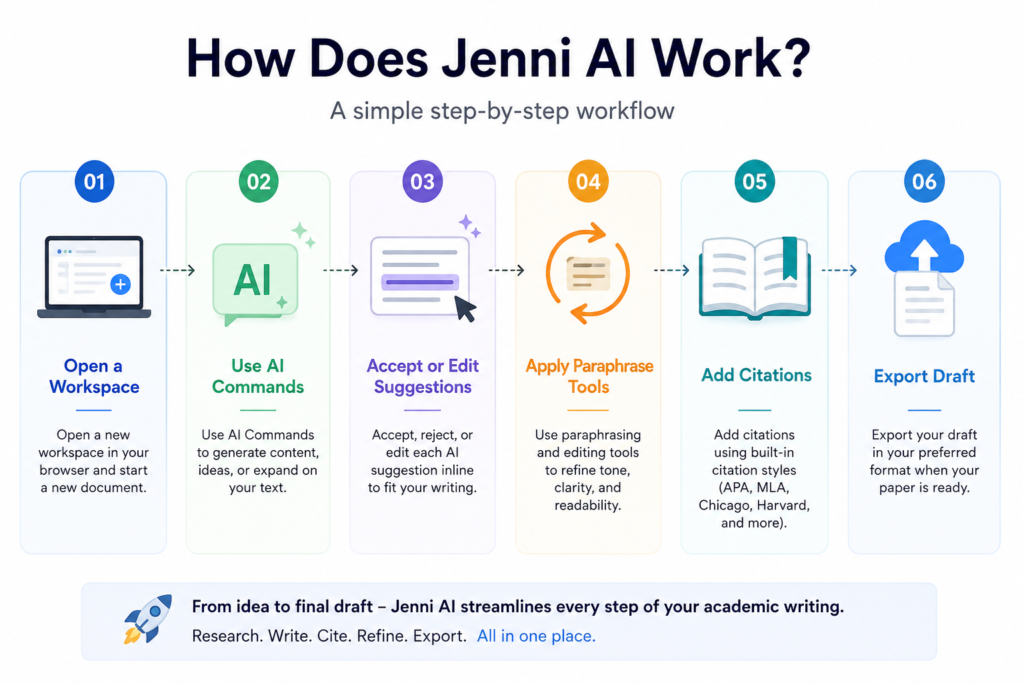
So, how does its work? It runs as a browser-based document editor. You open a workspace, then generate and edit content.
- Open a new workspace in your browser
- Use AI Commands to generate content
- Accept or edit each suggestion inline
- Apply paraphrase tools to refine tone
- Add citations using built-in citation styles
- Export draft when your paper is ready
- These jenni ai examples show how to use jenni ai daily.
How to Use Jenni AI?
Learning how to use jenni ai starts with a clear research topic. Sign up and open a new document. Then guides your writing process step by step. The next sections cover research papers and literature reviews in detail.
1. How to Use Jenni AI for Literature Review?
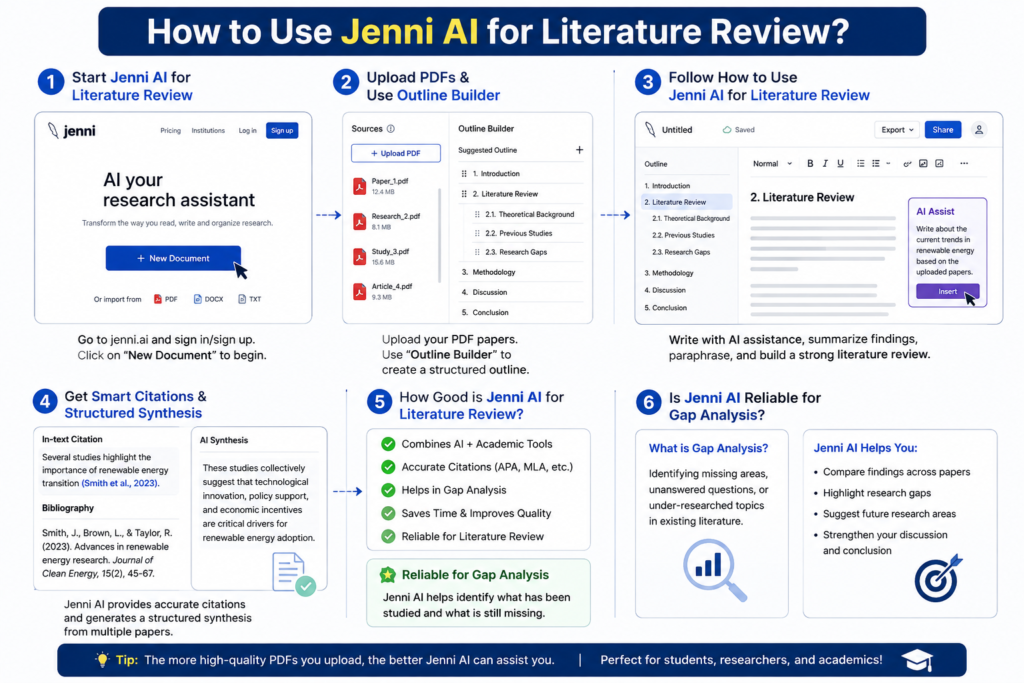
- Start Jenni AI for literature review in a document
- Upload PDFs, use outline builder
- Follow how to use jenni ai for literature review
- Get smart citations and structured synthesis
- How good is jenni ai for literature review? Reliable for gap analysis
2.How to Use Jenni AI to Write a Research Paper
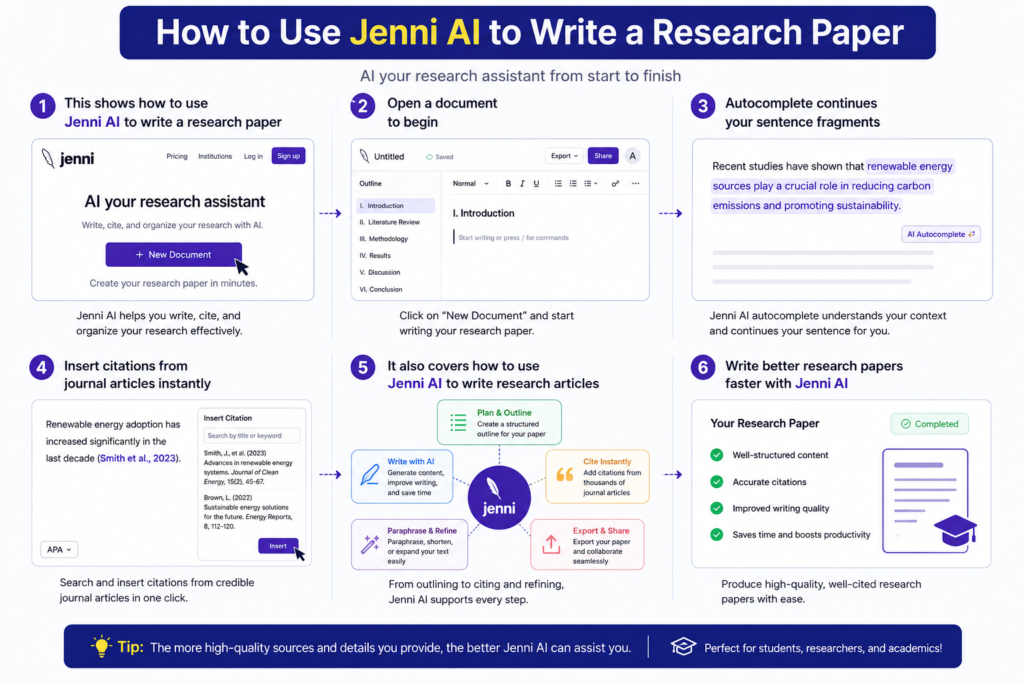
- This shows how to use jenni ai to write a research paper
- Open a document to begin
- Autocomplete continues your sentence fragments
- Insert citations from journal articles instantly
- It also covers how to use jenni ai to write research articles
Top Features: Key Tools & Capabilities
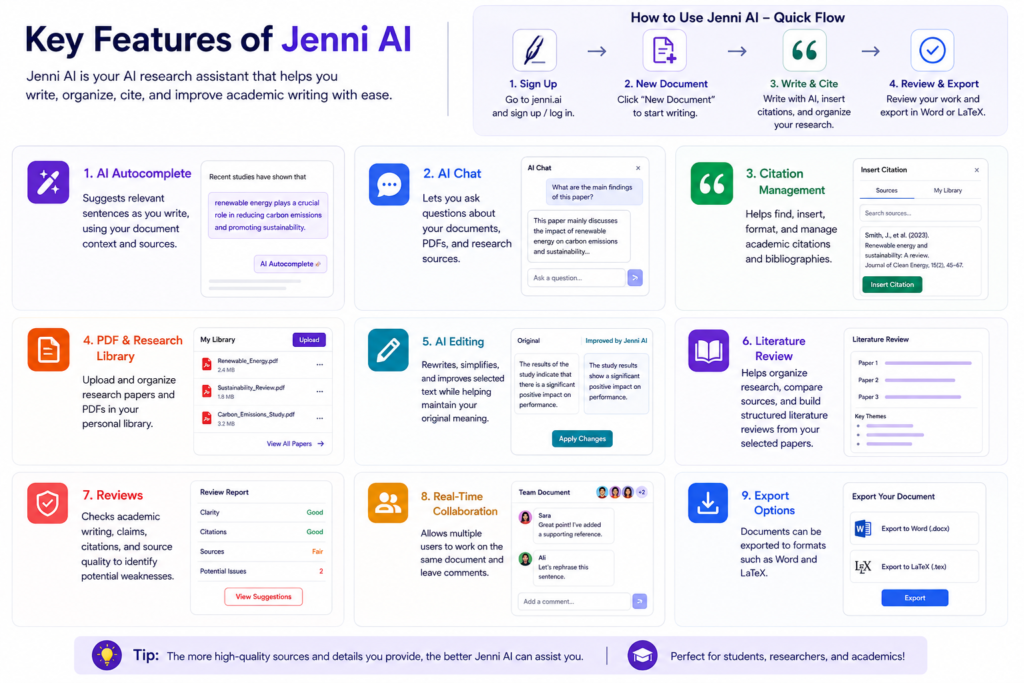
1. AI Autocomplete
Recommends suitable phrases while you type based on your document context and references.
2. AI Chat
Ask inquiries about your papers, PDFs and research sources.
Citation Management: Helps you search, input, format and manage academic citations and bibliographies.
3.PDF & Research Library
Upload and organize your study papers and PDFs in your very own private library.
4. AI Editing:
Rewrites, simplifies, and enhances text you pick. It helps protect your original meaning.
5. Literature Review:
Helps you organize research, compare sources, and generate systematic literature reviews based on your chosen studies.
6.Reviews
Review academic writing, statements, citations, and quality of sources for any faults.
7.Real-Time Collaboration
Allows several users to collaborate on the same document at the same time and give comments.
8.Export Option
Export documents to formats such as Word, Pdf and PNG.
Jenni AI for Students and Academic Writing
Is this tool good for academic writing? Yes, for students works well. Each jenni ai student gets help with essays, theses, and citation-heavy assignments. As a jenni ai essay writer, it reduces writer’s block. A jenni ai essay also gets automatic citations. College students and undergrads lean on it to keep their writing organized. It works well for theses, dissertations, and any writing where citations need to stay accurate.
Plagiarism Checker and Detection?
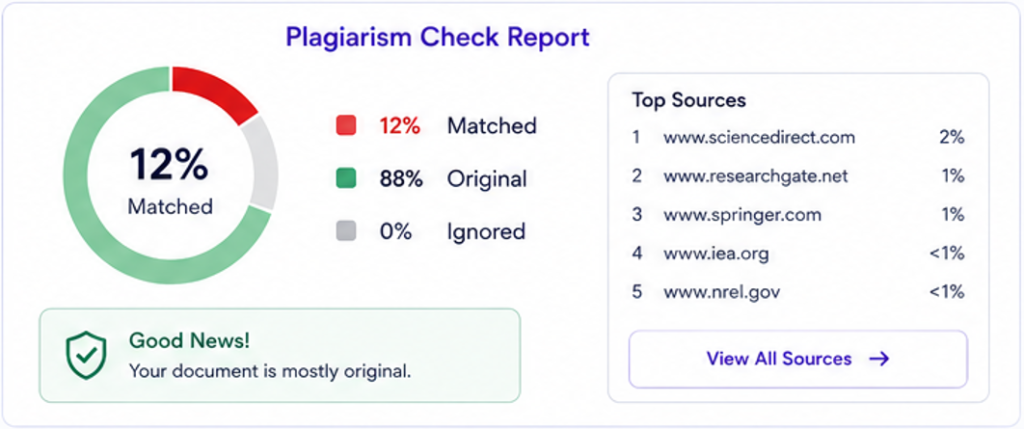
Does plagiarism happen? Rarely, since output is original. Its plagiarism checker scans sources before submission. Is jenni ai plagiarism free? Mostly, but not guaranteed. The jenni ai detector flags obvious AI patterns. jenni ai detection isn’t perfect though. Is jenni ai detectable? Yes, jenni ai turnitin tests often flag raw drafts. Always edit before submitting. DrillBit and iThenticate work as alternatives.
Is it Free tools?
This tool offers a real free plan, no credit card required. You get AI autocomplete, in-text citations, and light paraphrasing. The plan caps you at 200 words daily. You also get 10 documents and 10 AI chat questions. Need more? The Unlimited plan starts at $12/month. Students and researchers find this plan fine for outlining and light editing.
Tool Login and Account Access
Tools login process takes just a few simple steps.
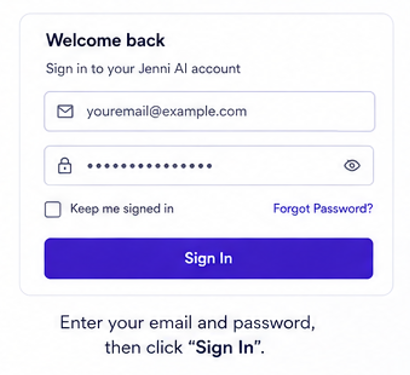
- Pull up the sign-in screen and punch in your email plus your password
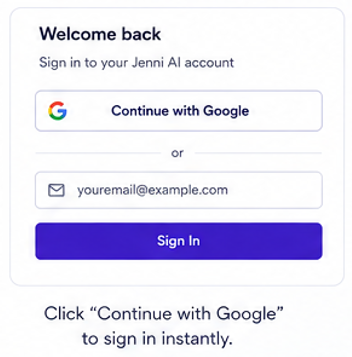
- Not in the mood to type all that? The Google button gets you in faster
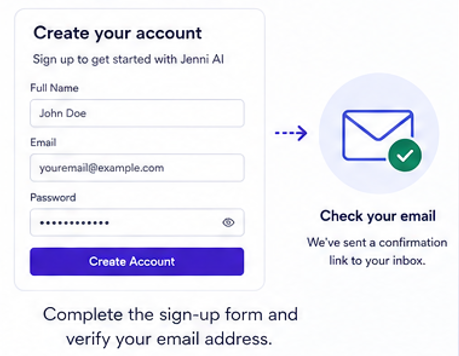
- Signing up for the first time? Run through the registration steps, then pop open your email to confirm it
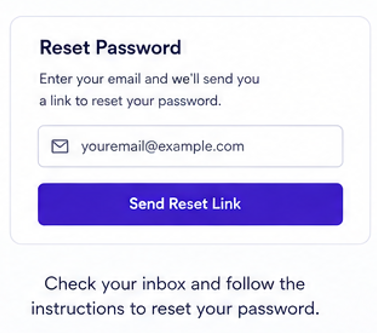
- Blanked on your password? See a “Forgot Password” link : click it and a reset lands in your inbox shortly after.
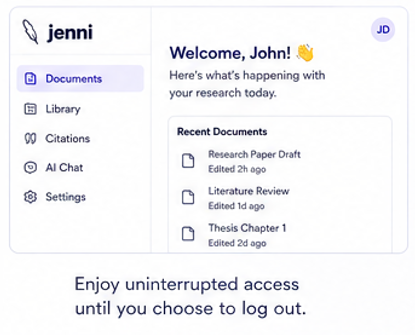
- Once you’re in, you’ll stay signed in until you log out yourself.
- Stuck? Reach Jenni AI customer service at support@jenni.ai.
- They help with billing,
Jenni AI Reviews: How Good Is It?
Jenni AI reviews across TrustPilot, G2, and Reddit stay mostly positive. Users praise its ease of use for academic writing. Writing quality stays steady, especially for research capabilities like citations. That gives real overall usefulness for everyday tasks. Still, some limitations exist, like fabricated citations and typos. Billing complaints also appear in some Jenni AI Reddit review threads. So, is Jenni AI good and worth it? Mostly yes.
Is Jenni AI Safe, Legit and Reliable?
Is Jenni AI legit? Trustpilot and Scam Detector show mixed TrustScore results. ScamFighter calls it a genuine but imperfect tool. Jenni AI founder and CEO David Park built it solo. No major acquisition happened yet. Small jenni ai funding came from LAUNCH and Antler. Check details on Crunchbase. No public net worth exists. Pair it with GPTZero for plagiarism checks.
Jenni AI vs Other Writing Tools
| Tool | Best At | Weak Spot |
|---|---|---|
| Jenni AI | Autocomplete, citations, fast drafting | Light on grammar |
| Paperpal | Grammar, plagiarism, AI detection | Slower for drafts |
| Grammarly | General polish, tone, clarity | No citations |
| QuillBot | Paraphrasing, budget pricing | Not for full papers |
Jenni AI App and Website?
- official website is the main access point.
- No dedicated app exists yet.
- Visit app.jenni.ai or jenni.ai to start.
- The jenni ai website is fully mobile-friendly for phones and tablets.
- Many search for “app jenni ai” but find only the website.
- There’s no verified app on Google Play or the App Store.
- Some unofficial guide apps exist on APKPure, unrelated to the real product.
- Sign up using Gmail or Apple accounts for quick login.
- After login, users reach a clean dashboard and writing workspace.
- Core AI autocomplete and citation tools work across desktop and mobile browsers.
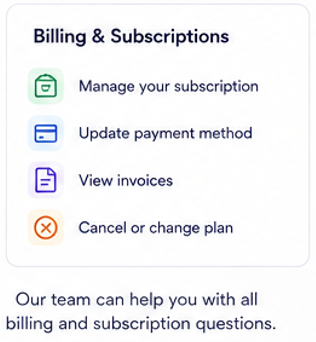
- Manage billing, subscription, and account settings directly from the website.
Jenni AI Alternatives?
Is there a real alternative worth trying? Yes , but still holds an edge. It keeps a deep academic writing focus other tools lack. Many sites like chase general content, not citations. Jenni AI’s citation manager handles APA and MLA cleanly. Alternatives like Paperpal and Storyflow compete only in narrow areas. Grammarly polishes text but skips citation building. QuillBot paraphrases well but ignores structure. So the best alternative often complements, not replaces, Jenni AI.
| Tool | Best For | Free Plan | Standouts |
|---|---|---|---|
| Jenni AI | Academic drafting | Limited free tier | AI autocomplete + citations |
| Paperpal | Sentence-level AI detection | Free tier available | Flags AI-detectable lines |
| Storyflow | Research-to-draft workspace | Free trial | AI-aware writing canvas |
| Grammarly | Grammar & polish | Free plan | Real-time grammar check |
| QuillBot | Paraphrasing | Free plan | Sentence rephraser |
| Notion AI | All-in-one workspace | Free plan | Docs, tasks, notes combined |
| Mapify | Visual research mapping | Free trial | Mind maps for literature |
| AI Blaze | Web-wide AI assistant | Free trial | Works on any website |
Billing and Pricing?
| Plan | Price | Usage Limits / Features |
|---|---|---|
| Free Plan | $0 / month | 10 AI autocompletes/day, 10 PDF uploads, partial export |
| Plus Plan | $12 / month (Annual) | 5,000 autocompletes/month, unlimited PDFs, full export, live chat |
| Pro Plan | $29 / month (Annual) | Unlimited autocompletes, unlimited AI edits, priority support |
| Team & Institutional | Custom pricing | Shared research groups, admin dashboard, dedicated support |
Jenni AI: Is It Worth Using??
This is worth using for basic academic drafting. It works well as a drafting assistant for writers’ block. The user-friendly interface makes easy sign-up simple for beginners. David Park, the CEO, founded this research assistant in 2019. It offers PDF reading, paraphrasing, and outline building tools. Many reviewers give a mixed verdict on real value. Pros and cons depend heavily on your writing goals.
Some reviewers report silent edits without warning. This raises concerns about academic integrity for serious papers. Others note incorrect content and vague arguments in drafts. A claim confidence check helps, but it’s not a readiness review. Before a submission-stage audit, always confirm sources manually. Human editing required stays essential for any manuscript. For light use or a free trial, it works fine. For serious research, fact-checking required makes it a supplement, not a replacement.
FAQ
Conclusion
The final verdict leans positive for its core job. I’d rate it around a 4.0 , solid, but not something that fixes every problem on its own.Citation handling stands out as one of its real strengths, and getting PDFs into the system rarely gives you trouble. Setup takes almost no time either. The gaps show up elsewhere ; a handful of checks you’d probably want just aren’t built in. Worth working around that by running things through Paperpal, Writefull, Trinka, or QuillBot afterward.