Rytr Review: Features, Pricing, Writing Quality.
Introduction
Producing high-quality content on a regular basis can be very difficult and challenging. Writers can face and deal with multiple tasks at the same time. But Rytr can overcome these problems. , You can check grammatical mistakes, get new ideas, and write interesting text,
This is where you can use the Rytr AI tool. it is a fast, simple, cloud-based AI writing assistant with a wide range of templates and editing tools to help you create marketing copy, email drafts, and blog posts in minutes.
We have personally tried and compared Rytr AI with other AI writing tools, and we can speak confidently. Rytr deserves its reputation as one of the more affordable options. However, while Rytr’s offering is simple and basic, it is a solid AI generation tool for any writing-related problem.
What Is Rytr AI?
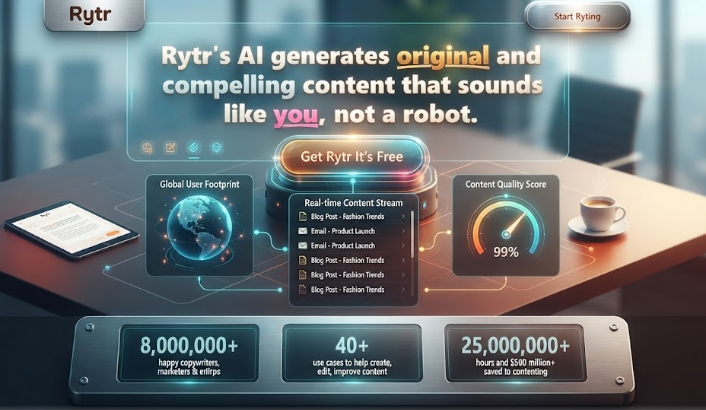
Rytr AI review is an AI-powered writing assistant and content creator. It lets you quickly produce unique content for any use case. You’ll also save time and money.
We have found that it works better as a productivity tool than as a complete content-creation system. For emails, social media posts, ad copy, outlines, and short blog sections, it’s designed to get words on the page fast. It isn’t really designed to create comprehensive, publishable long-form stories from scratch.
The platform’s primary advantage is how quickly it can produce short-form content thanks to its more than 40 pre-made use cases and templates. This allows you to create material without creating a single prompt for things like product descriptions, advertising, and meta tags.
For instance, you may utilize a template to create all the descriptions in a matter of minutes if you’re an e-commerce startup introducing fifty new goods.
In my opinion, it is an excellent place to start for anyone looking to create content quickly and without a lot of labor-intensive work, particularly for shorter content pieces.
Rytr AI Features?
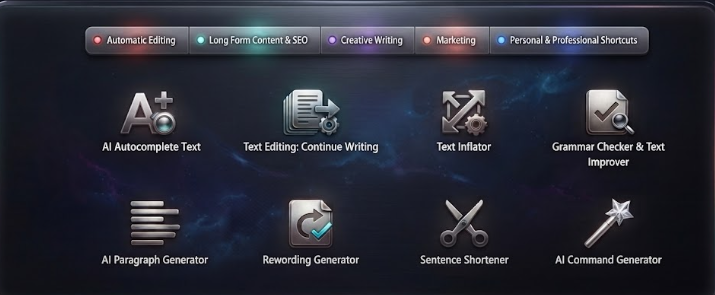
1.Rytr AI writing assistant
The autocomplete text feature helps when you want to write something but aren’t sure how to proceed. You can give the tool a sentence, phrase, or keyword. The tool expands it into a complete text. This feature is very simple and fast. You select your required language and write a complete document in the chosen language. This feature can support more than 30+ languages.
After that, you choose the “Complete Paragraphs with AI” use case and enter some preliminary data. This might be a sentence, term, or brief phrase that provides Rytr with sufficient background information to comprehend what you intend to write. Rytr creates the remainder of your text once you click For me.”Students, bloggers, marketers, and other writers who often need to create material may find the function very helpful. For instance, Rytr can offer a beginning point that you can evaluate and revise if you have written the first sentence of a paragraph but are at a loss for the following few phrases.
Rytr’s AI writer inline editor is another helpful feature that lets you modify the generated text’s tone, length, and quality. You may utilize it while writing elsewhere thanks to its Chrome extension.Generally, this Rytr AI feature is more useful and a replacement for a first writer. With the help of autocomplete, you can complete your unfinished idea. And get a first draft on the page faster. But you should still review the generated text for accuracy, context, and style
2 Text editing : continue writing
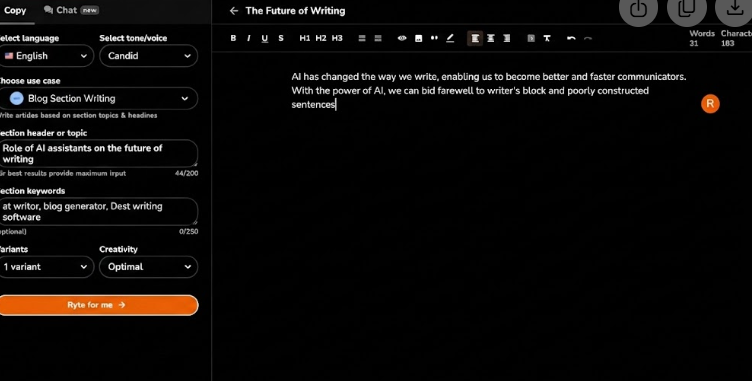
The Continue Writing function on the Rytr AI writing tool is intended to assist you if you have begun writing but are unsure of how to proceed. You may provide Rytr with the text you have previously written, and it can logically carry on the same concept, rather than pausing to consider the following line or paragraph.
It’s easy to use this functionality. You start by choosing the language and tone that you like. According to Rytr, its Continue Writing feature has over 20 tone possibilities, including the possibility to design a tone, and supports over 30 languages. Next, from the use-case option, choose “AI Continue Writing.”
Next, you click “Ryte for me” after entering a sentence, phrase, or text. Then, while trying to stick to the initial line of thought, Rytr produces more writing. When you have writer’s block or need to finish a concept faster, this might be helpful. Bloggers, marketers, small companies, and other authors who produce content on a regular basis may find the function helpful. For instance, Rytr can offer more material for you to study and modify if you have written the first paragraph of a blog post but are at a loss for how to expand on the concept.
Additionally, Rytr has an inline editor that lets you modify the generated text’s tone, length, and quality. You can use Rytr while writing elsewhere thanks to its Chrome extension and integrations.In general, Continue Writing is most effective when used as a writing helper rather than as a substitute for the writer. While you may still evaluate and edit the final content to fit your intended meaning and style, it can help you keep your thoughts flowing and produce a first draft more quickly.
3 .Text Inflator
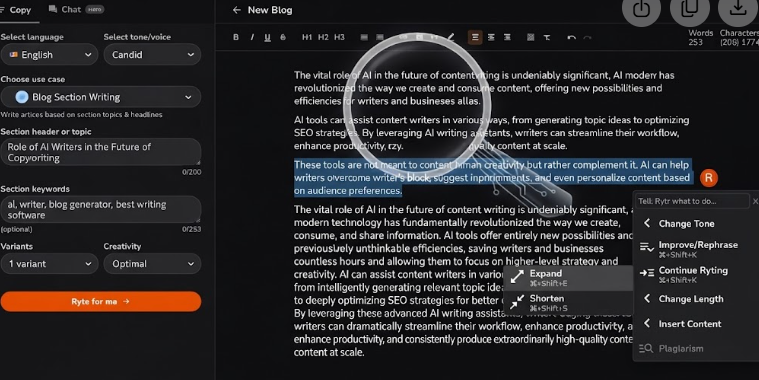
Sometimes you have the right concept but not the words to communicate it adequately. Rytr’s Text Inflator is an excellent tool to expand a small sentence or paragraph into more extensive text while keeping the idea intact. You can utilize it if your content is too short, lacks context or needs further explanation. You don’t have to start from scratch, just take your existing content and let Rytr grow it into a lengthier version you can study and modify.
For instance, if you have written one line for a blog article, Rytr can build that thought into a paragraph. This may be handy for bloggers, marketers, students, and company owners who want to add some depth to their material without spending too much time on each line. This is especially useful if you know what you want to convey but can’t quite describe the notion in adequate depth.
4. Grammar checker & Text Improve
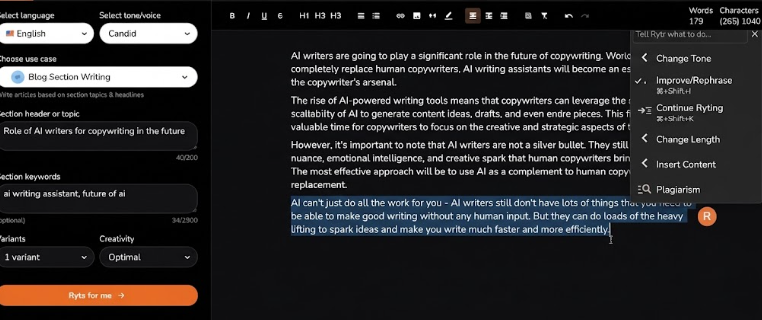
Grammar checkers and text improvers are very important for your content or blogs. Rytr AI can solve these problems. Writers can easily correct their own content with this feature. Before, writers worried about small mistakes that were hard to identify and fix. But it’s easy with the Rytr AI tool. You just copy your sentence and paste it into this tool; it works automatically on your content and corrects it within moments, saving you time and extra efforts
30+ languages available
20+ tones available
Before:
Rytr help writers to correct grammar mistakes and make content more better.
After:
Rytr helps writers correct grammar mistakes and make their content better.
5. AI paragraph generator
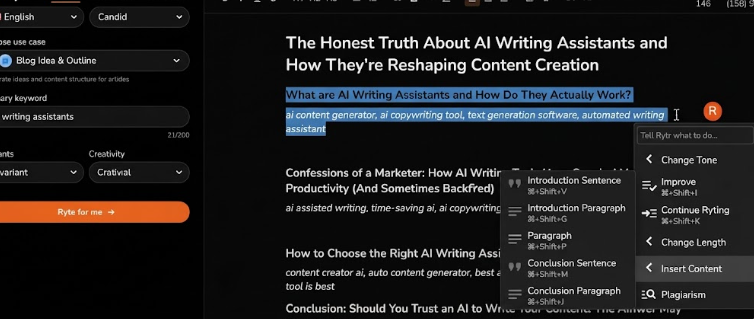
The main purpose of an AI paragraph generator is to help writers who get stuck and can’t figure out how to write or identify keywords for blogging or content. This Rytr feature can make your work easier by generating a complete paragraph for the keyword you enter. Sometimes writers don’t know how to start or expand on their own topic. This feature can solve that in seconds. This can help writers save time and build complete, informative content
6. Rewording Generator
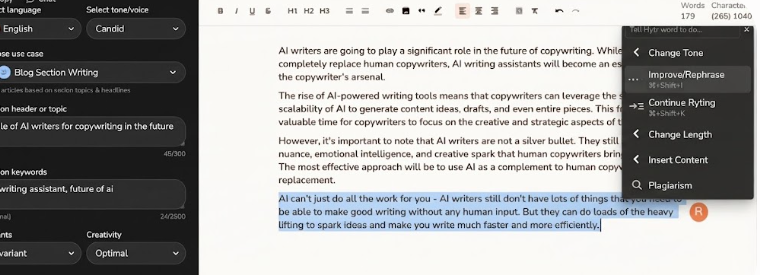
Sometimes, when a writer creates blog and article content for your website or assignment, they may use the same sentence structure and meaning, which can create a problem.
This feature can solve these problems for the writer. The rewording generator feacture can help you rearrange sentences and improve content quality. This feature can provide a different style according to the audience’s requirements.
I will explain with an example for better understanding.
Before:
AI tools help writers create content faster.
After
AI-powered tools allow writers to produce content more efficiently.
7. Sentence Shortener
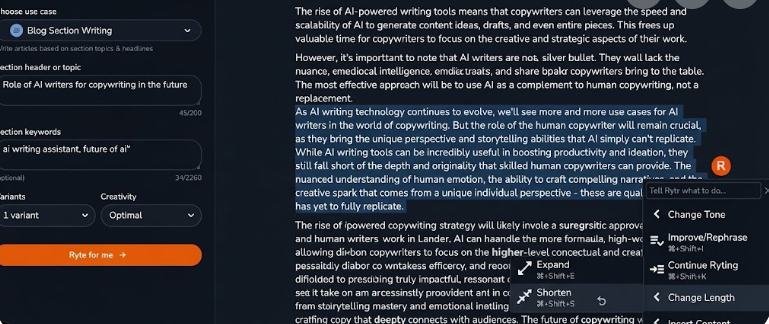
When writing content, some sentences are too long and can confuse readers, causing them to lose interest. This feature can help readers break lengthy sentences into shorter, more meaningful ones. This feature can help website bloggers, SEO writers, and marketers improve readability without spending extra time manually editing each sentence. This tool can help you create informative content that communicates more effectively to your audience.
8. AI Command Generator
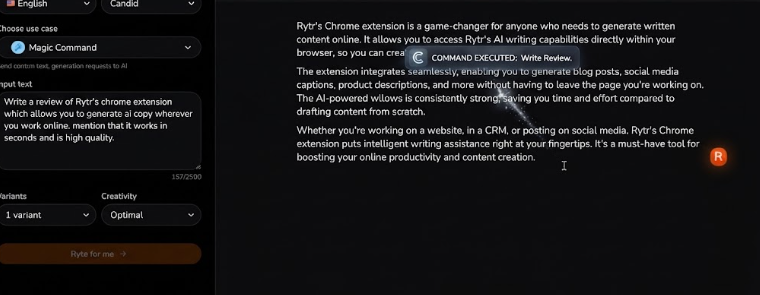
However pre-built AI templates are not always suitable for a certain writing job or if you want to change information in a certain manner. That’s where the AI Command Generator from Rytr comes in, it allows you to offer unique instructions and generates material depending on your particular needs. * Rewrite, enlarge, shorten, simplify or modify the tone of existing material. You are not restricted to a specific template. This makes the functionality beneficial for bloggers, SEO writers, marketers and anybody who owns a company and needs greater control over their material. You don’t have to waste more time trying to figure out how to say each request. You just tell Rytr what you want and it will provide an output that meets your instructions.
Rytr AI Writing Quality: How Good Is It?
When you provide Rytr AI a thorough prompt and sufficient context for what you want to write, it can generate understandable and clear material. Its output quality is often appropriate for ordinary writing jobs such as product descriptions, emails, blog posts, and marketing copy. Additionally, it is simpler to modify material for various audiences and goals thanks to its tone and style possibilities. The initial draft, however, may not always be ready for publication since you might need to revise sentences, cut out redundant phrases, add correct facts, and align the text with your brand voice. In my experience, Rytr is more effective when used as a writing aid than when used in lieu of human authors. It may save time and provide a helpful starting point, but when accuracy, uniqueness, and a particular writing style are vital, it is still necessary to examine and improve the produced text.actions.
How to Use Rytr AI: Step-by-Step Guide ⭐
How to Use Rytr AI to Write Content: Step-by-step Guide in Picther
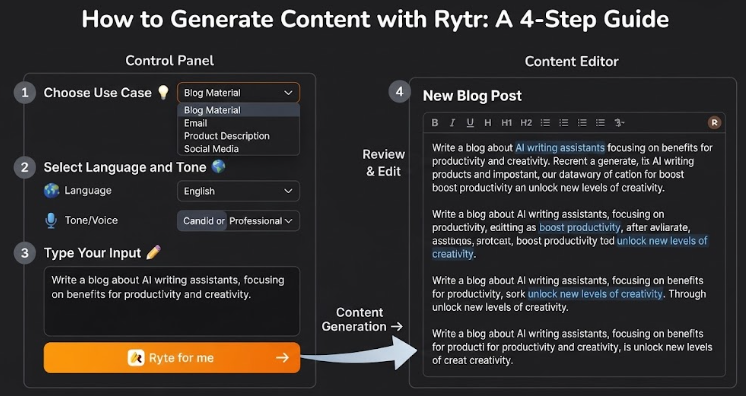
Step 1: Select a Use Case
Choose the type of contents you want to create. Pick a use case that works: blog material, an email, a product description, social media text, or any other writing assignment.
Step 2: Choose language and tone
Choose your language and tone according to your audience and purpose of material. For instance, you may set a professional tone for corporate writing or a casual tone for social media postings.
Step 3: Type Your Prompt or Input
Tell Rytr a concise statement, term or brief description of what you want to write. Rytr can create better material if given a particular and thorough input.
Step 4: Write, Review, and Edit
Use the generate option to build your content. Once Rytr has produced the content, go over it and check for correctness and relevancy. You may then use Rytr’s editing tools to polish or augment the material before releasing.
How to Use Rytr AI to Write a Blog Post
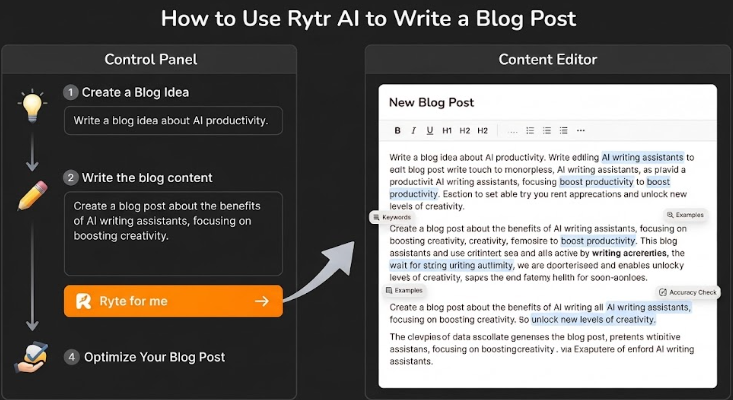
Step 1: Create a Blog Idea
If you’re struggling with what to write about, start by providing Rytr a keyword, subject or brief description of your area. Rytr can enable you to build the concept and write a beginning point for your blog article.
Step 2: Write the blog content
Once you have a definite subject, give Rytr a particular prompt and the facts you wish to discuss. This may assist you get a first draft instead of spending hours to write the whole article from start
Step 3: Edit and Enhance the Output
AI-produced material may have repetitious terminology, broad information or words that don’t perfectly fit your desired style. Review the text and utilize Rytr’s editing features to enhance, extend, shorten, or rewrite portions as needed.
Step 4: Optimize Your Blog Post
Before posting, verify the article for accuracy, readability, formatting, and how well it fits the reader’s search intent.. Contribute your own ideas, related keywords where suitable, helpful examples, and any missing material from the AI-created document. Last, but not least, review the whole content and publish when you are happy with the quality.
Rytr AI Pricing & Plans
Rytr AI content writer pricing has multiple price levels to serve customers with varying content requirements and budgets. The Free plan is a great way for new users to try out Rytr before committing to a subscription, while the Unlimited plan is ideal for individual writers who produce material on a regular basis. The Premium plan offers more plagiarism checks, larger input limits and more customizable tones for freelancers and people working with several companies.
Free Plan — $0/month
Rytr AI tool offers a free plan for beginners. It gives 10,000 characters every month, 40+ use cases, and 20+ tons. The extra feature is a Chrome extension; it is good for users. free plan is good for beginners to write blogs and assignments from time to time
Unlimited Plan — $7.50/month
The Unlimited plan is designed specifically for people that produce material on a regular basis. All of the features of the Free plan are included, plus with 50 monthly plagiarism checks, one customized tone of voice, and limitless AI-generated content. For frequent bloggers, content creators, and individual marketers, this makes it a more sensible choice.
Premium Plan — $24.16/month
Freelancers and users who produce content for many companies are the target audience for the Premium plan. All of the features of the Unlimited plan are included, along with up to five customized voice tones, increased character input limits, more than 35 languages, and 100 monthly plagiarism checks
Is Rytr AI Free?
In fact, users may test the site without using a credit card thanks to Rytr’s free-forever plan. Currently, the free plan offers 40+ use cases, 20+ tones, and 10,000 characters each month.
The monthly generating cap is the primary restriction. 10,000 characters may not be sufficient if you often produce a lot of material. Additionally, several features that are accessible on subscription plans—like limitless generations, customized tone matching, and plagiarism checks—are not included in the free plan.
The Free plan might be an excellent place to start for novices, students, infrequent bloggers, and people who just want to try Rytr. However, the Unlimited or Premium plans can be better appropriate for those that create material regularly or want larger limitations and other features.
The user experience: Pros and cons.⭐
Who Should Use Rytr AI?
Rytr AI Alternatives.
There are a few options to think about if Rytr AI doesn’t totally satisfy your requirements. Whether you want advanced marketing capabilities, SEO-focused content, general AI support, or improved editing tools will determine which level is best for you.

Few name of Ai tools which can use instead of Rytr Ai tool
1.Jasper AI
Best for marketing teams and enterprises looking for enhanced content and brand-voice capabilities.
2.Writesonic
Best for producing SEO content and long-form blog articles.
3.Copy.ai
Helps marketers write sales copy, advertising, emails and social media content.
Personalized email drafting & browser assistance Streamlining daily correspondence, professional email replies, and web-based content generation
5.Grammarly
Best for correct grammar, accuracy, tone, and existing text.
Final Verdict: Is Rytr AI Worth It?⭐
As you can see, Rytr is clearly not the most powerful AI content generator on the market.
But must it be?
Rytr writing makes it easy for individuals new to AI content production to experiment with text or picture generation and lets novices go around with and become better with their prompts.
True, many users will outgrow this product after some time, but at such a cheap starting price point, it may be the ideal jumping off place for those less confident in their talents before moving over to a more complex application, which can be intimidating at first
Frequently Asked Questions