Pixelcut AI Review 2026: AI Photo Editor, Upscaler & More
Introduction
Pixelcut AI is an AI-based photo editor that enables users produce and edit great photographs with little effort. It is used for background remover, product photography, image enhancer, object remover and generative editing. It is excellent for e-commerce merchants, marketers and content creators.
Pixelcut offers both free and premium plans, each with various features and use limitations. In this Pixelcut AI review, we’ll explore the main features, AI picture editing tools, cost, image quality, simplicity of use, limits, and alternatives to help you decide whether Pixelcut is appropriate for you.
What Is Pixelcut AI?
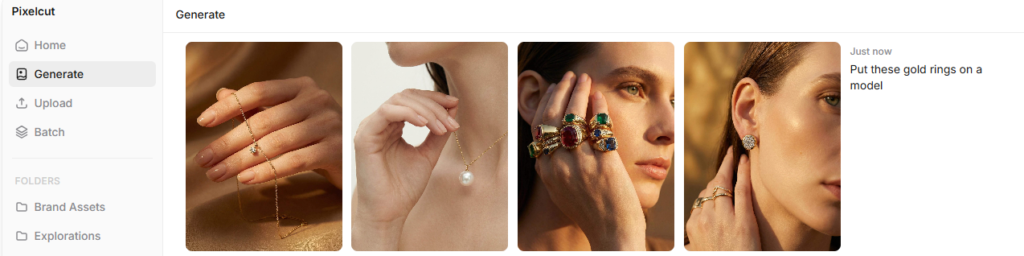
The Pixelcut AI tool lets you edit and enhance photos without advanced skills. This tool feacture you can use for image background removal and creating product visualisations without any extra time.
The platform is accessible via its browser experience and mobile app, so whether they want to edit photographs online or work from their phone. So, whether you’re an e-commerce seller designing product shots, a content producer crafting social media graphics, a marketing setting up promotional images, or a regular user seeking rapid photo adjustments, Pixelcut AI gives tools suited for various image-editing requirements.
Generally, those seeking for AI Pixelcut or www Pixelcut AI are interested in the platform’s AI-powered editing tools. Instead of complicated professional tools, Pixelcut emphasizes easy processes where you submit a picture, make an AI-powered edit, and get a finished product with little human labor.
Pixelcut AI Photo Editor: What Can You Do With It?
With Pixelcut’s AI photo editor you can edit, clean up and enhance pictures with a variety of AI tools without needing to be an expert in Photoshop. Users may delete backdrops, eliminate undesired elements, fill or change areas of a picture, and remove annoying writing. These tools are especially beneficial for product photography, e-commerce photos, social media material, and ordinary photo editing.
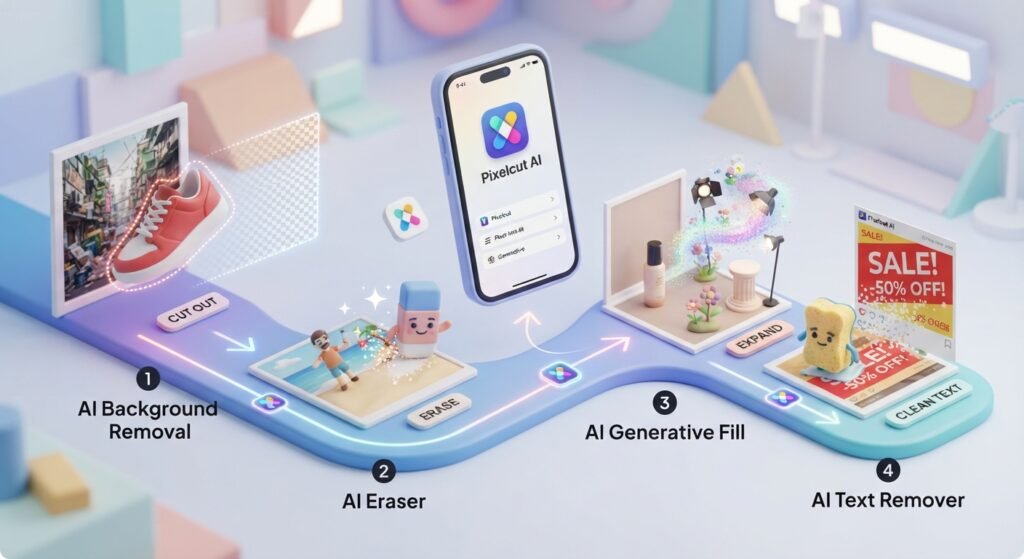
1.AI Background Removal
Pixelcut AI automatically separates the background from a picture and isolates the core topic. This is particularly helpful for product shots, where a clean backdrop may make an item seem more professional and simpler to utilize in online shops, catalogs, advertising and social media postings. Depending on the picture, the output may be a translucent or neatly separated topic that can be placed on a new backdrop.
2. Pixelcut AI Eraser
The Pixelcut AI Eraser is used to erase undesired portions of a picture. Users may paint over things, people, distractions or undesired text so the artificial intelligence can replace the chosen region with material that fits the surrounding environment. This may be handy to rapidly clean up product photographs and remove visual distractions, without having to manually edit each aspect of the shot.The Pixelcut AI Eraser is used to erase undesired portions of a picture. Users may paint over things, people, distractions or undesired text so the artificial intelligence can replace the chosen region with material that fits the surrounding environment. This may be handy to rapidly clean up product photographs and remove visual distractions, without having to manually edit each aspect of the shot.
3.Pixelcut AI Generative Fill
Pixelcut AI Generative Fill allows you edit or expand specified parts of an existing picture with AI produced material. This may assist fill in missing regions, provide visual space around a subject, or adjust elements of a picture while still keeping the overall style of the scene. It’s helpful when a shot requires more background room or a creative twist without rebuilding the whole picture.
The quality of the produced result relies on the original picture, the chosen region, the surrounding features, and the sort of alteration being requested. More intricate scenarios may give outcomes that need extra tweaking.
4.Pixelcut AI Text Remover
Pixelcut AI Text Remover allows you to remove undesired text, labels or other visible writing from a picture. The AI then tries to fill in the space left by the undesirable text using information from the surrounding backdrop. This makes it ideal for cleaning advertising photographs, product shots and other graphics where text has to be eliminated.
The outcome is dependent on the backdrop of the text. Generally, it is easy to recreate simple backdrops but text overlaying intricate objects, faces, patterns or key features of the picture may take some more editing.
Pixelcut AI Image Enhancer and Upscaler?
Pixelcut AI Text Remover allows you to remove undesired text, labels or other visible writing from a picture. The AI then tries to fill in the space left by the undesirable text using information from the surrounding backdrop. This makes it ideal for cleaning advertising photographs, product shots and other graphics where text has to be eliminated.
The outcome is dependent on the backdrop of the text. Generally, it is easy to recreate simple backdrops but text overlaying intricate objects, faces, patterns or key features of the picture may take some more editing.
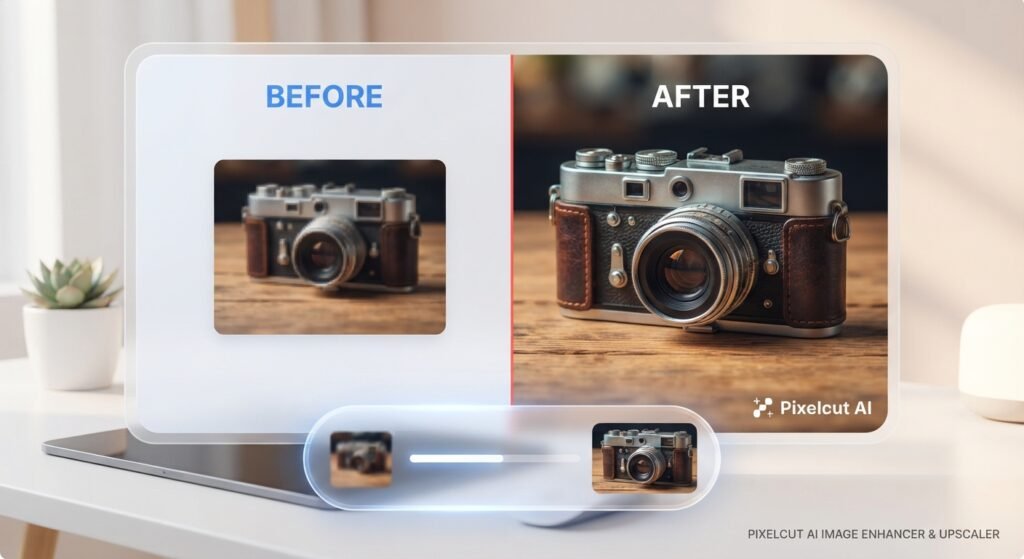
1.Pixelcut AI Image Enhancer
The Pixelcut AI image enhancer may improve the overall appearance of a picture by increasing visible features and making soft or low-quality photographs seem sharper. It may also be effective for product photographs that are not crisp, older photos that are faded or soft, and pictures that need to seem cleaner for online usage.
Enhancement does not just mean making a picture bigger. The aim is to enhance the perceived sharpness, clarity and detail of the current picture in a natural appearing way. The degree of enhancement achievable relies on the quality of the original picture and how much information it already has.
2.Pixelcut AI Upscaler
The Pixelcut AI upscaler is used to improve the resolution of a picture so that it may be presented at a bigger size. This might come in handy when you need to generate a modest product picture for an e-commerce listing, marketing material, website or social media design.
AI upscaling seeks to maintain existing features while creating the extra picture information required for the bigger output. However, upscaling cannot properly restore features that were never recorded in the original picture. So even after processing, a strongly compressed, very tiny or substantially blurred picture may have evident limits.
3.Pixelcut AI Image Sharpener
Pixelcut AI picture sharpener is a little more focused on sharpening faint or slightly fuzzy features. Sharpening and upscaling are separate things but linked . Sharpening is to make existing features and edges seem better . Upscaling is to increase the output size of the picture ( including increasing its resolution ) .
For example, a product shot that has somewhat soft edges may benefit more from sharpening, whereas a tiny image that has to be printed or shown at a bigger scale may profit more from upscaling. Neither approach can consistently recover fine detail that is totally absent from the original picture.
3.Pixelcut AI Image Sharpener
The first thing to ask while looking for a pixelcut ai image upscaler online free is not whether a program can resize a picture, but what features and use restrictions are offered for free without a subscription plan. Please be aware that free access may have certain limitations depending on what plan and features are available at the time, so verify what is available before counting on it for frequent or big volume picture processing.
Pixelcut AI Product Photo Tools?
Pixelcut AI product picture solutions are meant to assist sellers and enterprises produce cleaner, more professional product photographs without a difficult photo-editing methodology. Remove distracting backgrounds, generate crisp product images, increase picture quality and prepare photographs for e-commerce listings, websites, ads and social media.
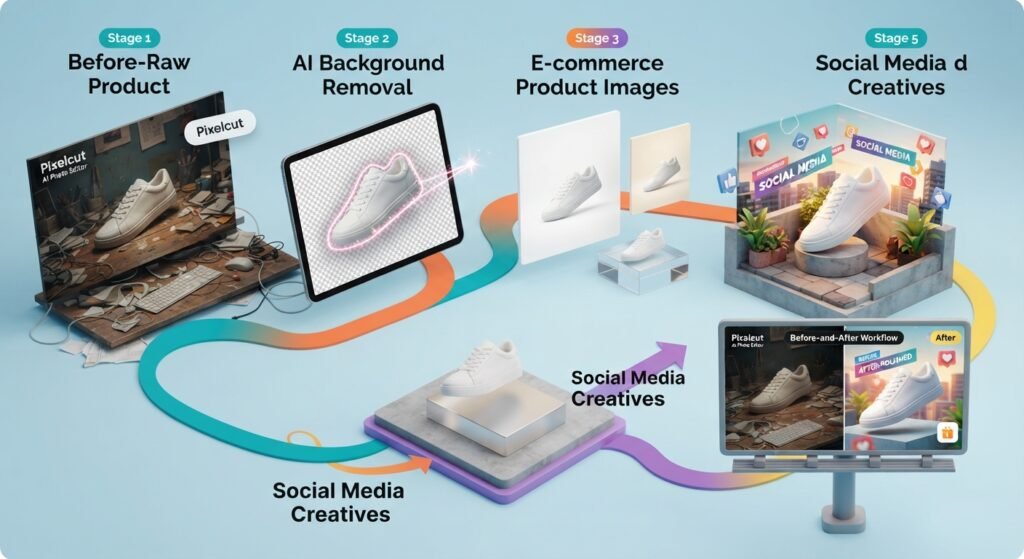
1.Product Photography and Background Removal
Pixelcut may make product photography easier by removing a product from its original backdrop and giving you a neater presentation. This is beneficial in case the seller has made a picture of a product at home or in a simple environment and requires an isolated image of the object for an online shop or a marketplace. Removing the backdrop also makes it easy to put the same product on numerous backgrounds for multiple marketing ideas.
2.E-commerce Product Images
Pixelcut may help you convert a simple product picture into a more acceptable image for an e-commerce listing. The basic approach is to upload the original picture, remove the background, improve clarity and then create a suitable visual for the shop or product site. This may save time compared to manually choosing things, masking backgrounds and doing repetitive modifications in typical editing tools.
3.Social Media Product Creatives
Product photographs may also be reused for social media posts, advertising, promotional graphics and other marketing material. It allows sellers to generate cleaner images and change the way a product is presented without needing to shoot the same thing over and over again for every campaign or design.
4.Before-and-After Product Photo Workflow
A basic Pixelcut process might be like original product picture → backdrop removal → image improvement → background or visual alteration → finished product creative
. The key benefit is ease, as customers may use AI-powered tools to get from a basic product shot to a more polished marketing image, instead of doing every editing operation manually. Final quality still depends on source picture, lighting, product details and modifications made.
Pixelcut AI Graphic Design Features?
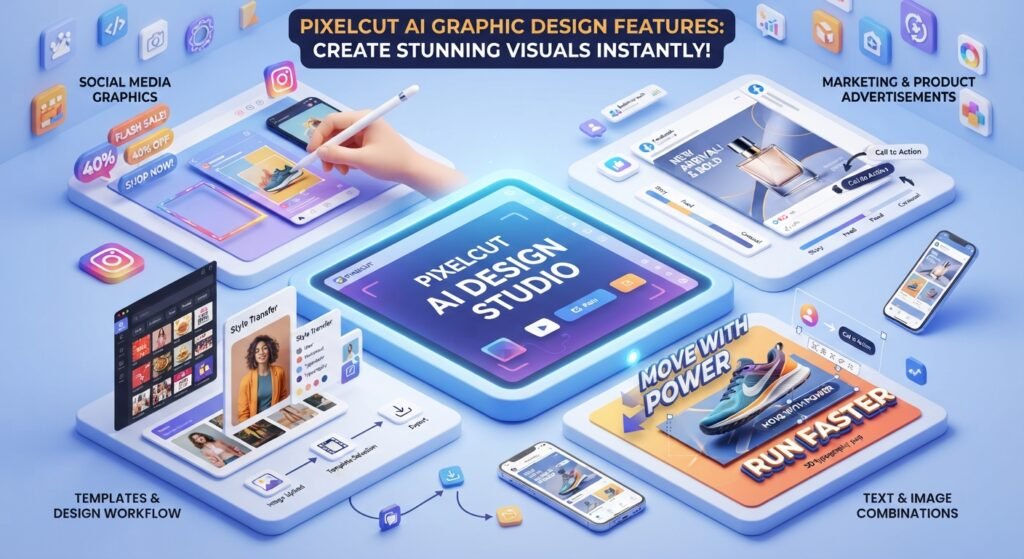
Pixelcut AI graphic design tools enable users to produce basic visual material without extensive graphic design expertise. The tool may be handy for developing social media graphics, marketing creatives, product commercials, promotional designs, and text-and-image layouts for numerous web platforms.
1.Social Media Graphics
Pixelcut is a tool that may assist users convert product photos or other images into social media content. A seller or maker may add photos to text, backgrounds and other design elements to create posts, promotional visuals and campaign graphics without having to construct each piece from beginning.
2.Marketing and Product Advertisements
Pixelcut is a tool that may assist users convert product photos or other images into social media content. A seller or maker may add photos to text, backgrounds and other design elements to create posts, promotional visuals and campaign graphics without having to construct each piece from beginning.
3.Templates and Design Workflow
Templates may aid you to accelerate the design process, giving you a beginning framework that you can then personalize with your own photos and content. Rather than start with a blank canvas to build a promotional graphic, users may start with an existing layout and change it to fit the product, message or campaign.
4.Text and Image Combinations
Pixelcut also comes in handy if you want text and pictures in the same visual for a design. Users may mix product images with headlines, promotional text, pricing or other information to make simple marketing visuals. The total effect still relies on the original photos, layout, text placement, and amount of customisation made.
How to Use Pixelcut AI?
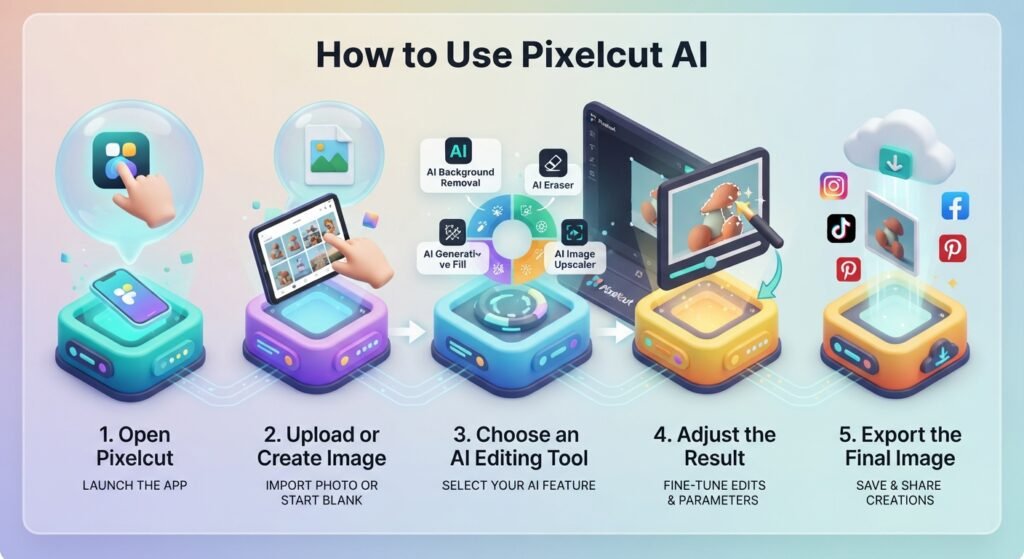
Pixelcut AI is rather easy to learn, as most editing jobs follow a simple upload, edit, and export cycle. You may begin with an existing picture or take use of Pixelcut’s various creative tools whether you want to remove a backdrop, improve a product shot, delete an unpleasant item or create a new visual. If you are looking to make Pixelcut AI or wish to produce an AI-driven graphic, the precise processes may differ based on what tool you use.
1.Open Pixelcut
Open Pixelcut on the web or mobile app and sign in if the desired function needs an account. Choose the image-creation or editing tool that suits your intent from the available options.
2. Upload or Create an Image
When you want to create a new visual, upload the picture you wish to alter or choose an existing AI generation procedure. Start with a clean photograph with decent lighting and a noticeable primary topic for best results.
3.Choose an AI Editing Tool
Pick the tool you want like background remover, picture enhancer, eraser, generative edit, or any AI-powered function. The controls that are accessible to you will depend on the assignment you are modifying.
4.Choose an AI Editing Tool
Look at the AI outcome and tweak if required. Refine the selection if the item was not cleanly eliminated or the produced region seems odd or attempt the modification again. The final output might vary considerably depending on the source picture and intricacy of the required alteration.
5.Export the Final Image
Once the picture appears good, evaluate the final version and export it in the appropriate format or quality choice. The completed picture may then be used for product listings, social media, marketing materials, websites or other allowed uses
Pixelcut AI Online vs App?
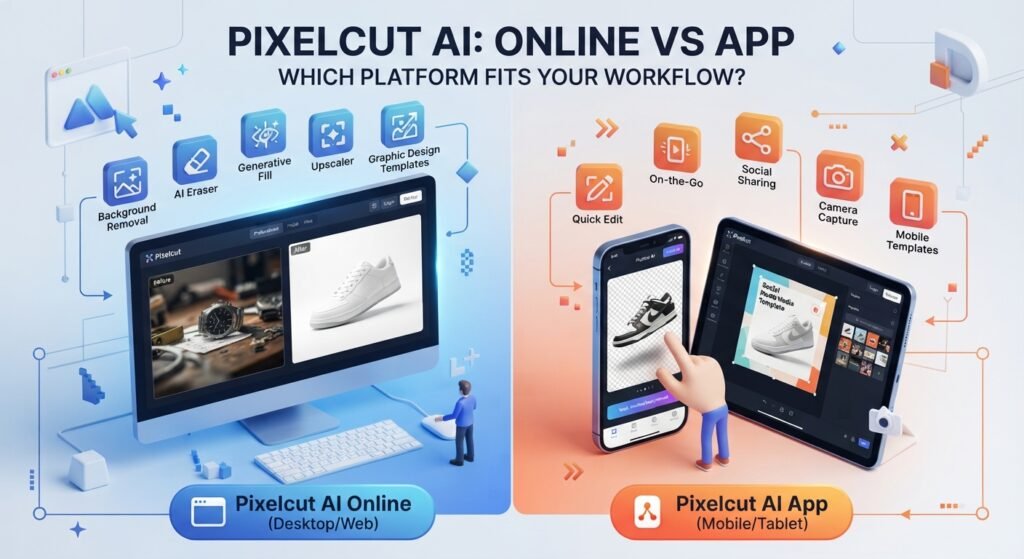
Pixelcut AI online provides an easy alternative for users to edit photographs via a browser without relying exclusively on a desktop photo-editing tool. The mobile app offers a comparable AI-focused workflow on a phone, making it simpler to update or create graphics while working on the move. Both may be beneficial, but the best decision depends on the sort of image-editing activity and how much control you require.
1.Pixelcut AI Online
This may make the browser experience more comfortable while dealing with product photographs, numerous images, marketing creatives, or bigger design assignments. A desktop screen also gives you greater room to examine details, compare modifications and manage your visual workflow. This makes the online version handy for e-commerce retailers, marketers and producers who often generate photos for websites or campaigns.
2.Pixelcut AI App
The mobile app is handy if you want to edit images right from your phone. Useful for things like backdrop removal, rapid picture improvement, object removal and social media graphics especially if the source photographs are already on your device. Android users may also utilize the app if their device and the current Pixelcut app requirements allow.
3.Online vs Mobile: Which Is More Convenient?
A mobile workflow may also be more handy for short adjustments and social media material because you can take, edit, and post photographs all from the same device. The browser experience may be better to work with for comprehensive product photographs, bigger quantities, or designs that demand more screen area. In actuality the two processes may compliment each other rather than being wholly separate procedures.
Is Pixelcut AI Free??
Is Pixelcut AI free? Yes, Pixelcut provides a free plan with some of the AI photo-editing features but with use constraints. Pixelcut AI Free is for basic editing and testing the platform. If you require larger limitations, sophisticated capabilities or more extended use, you may need a subscription membership. The Pixelcut AI unlimited access depends on the feature and membership plan, therefore you need verify the current constraints before you subscribe.
Pixelcut AI Pricing?
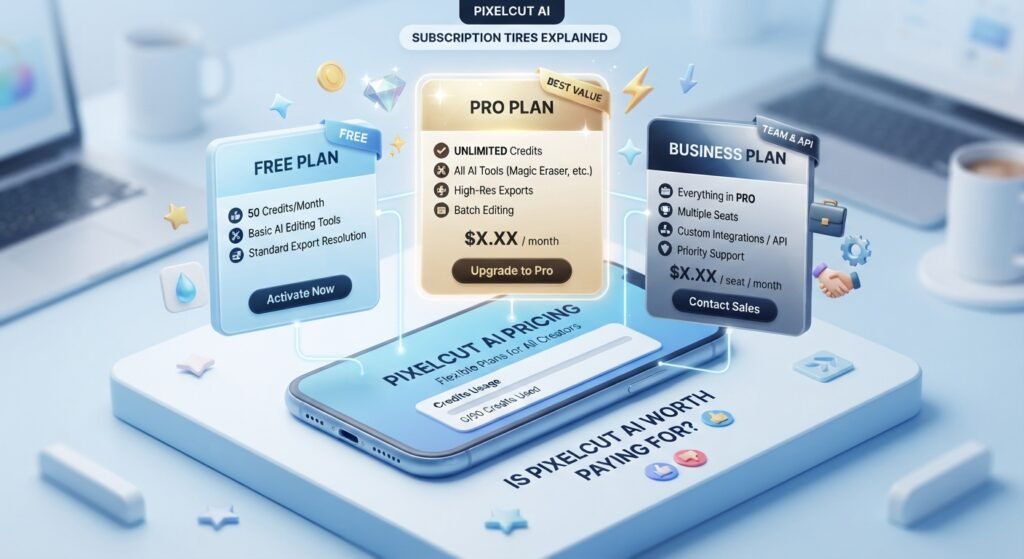
Pixelcut has a free plan, and premium Pro and Business plans with price and use for varying levels of image creation and editing. The Free plan costs $0 and has limited background removal and upscaling. Pro and Business plan contain more AI capabilities, larger use limits, credits, and more. There is additional 20% off Pixelcut with yearly billing.
1.Pixelcut AI Free Plan
The Free plan is perfect for individuals who wish to sample Pixelcut or simply require basic editing once in a while. Limited background removal and upscaling are available, and exports may be made watermark free. AI functions are limited for free users compared to subscribers.
2.Pixelcut AI Pro Plan
Pixelcut Pro is presently $10/month for monthly pricing or $8/month for yearly billing. It comes with 600 AI credits per month, access to all AI models, unlimited background removal and upscaling, three team members, 1,000 batch exports per month, and a commercial license.
3.Pixelcut AI Business Plan.
Business plan is built for teams and higher-volume operations. It now costs $30/month if billed monthly or $24/month if billed annually. It includes 3,600 AI credits each month, access to all AI models, limitless background remover and upscaler, up to 10 team members, 2,000 monthly batch exports, and a commercial license.
4.Credits and Usage Limits
Some of the complex AI models, especially those offered by third-party partners, in Pixelcut need AI credits. The quantity of credits needed will vary depending on the model, however certain essential tools require no credits at all. Some generative features may also have soft use limitations on paid plans, thus a subscription should not always be construed as limitless use of all AI models.
5.Is Pixelcut AI Worth Paying For?
How much of a bargain Pixelcut is for you depends on how often you use its AI editing features. For those who only use it sometimes and just require basic editing and a little of background removal or upscaling, free access may be sufficient. Paid plans are more relevant for sellers, marketers, artists and teams who need more consumption, powerful AI models, batch exports or commercial-focused processes. Pro sits in the middle, and Business is geared toward higher-volume teams.
So the primary caveats to remember are AI credit consumption, restrictions on certain features, and not all sophisticated AI features being infinite. Prices can also differ by platform, and Pixelcut notes that iOS, Android and web pricing can vary based on regional and platform-specific factors.
Pixelcut AI Quality: How Good Are the Results?
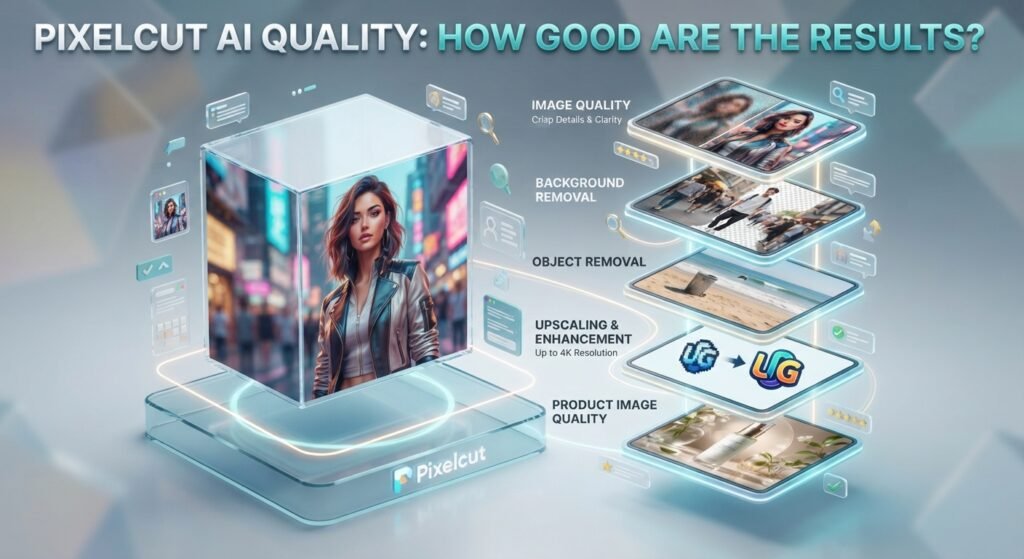
Pixelcut artificial intelligence can provide beneficial results for daily photo editing, product photography and marketing images, but the final quality will rely on the source picture, the AI tool you use and the intricacy of the edit. “Simple images with clear subjects tend to give the AI more information to work with, while fine details, complicated backgrounds and heavily damaged images can be more difficult.
1.Image Quality
Pixelcut offers AI editing and enhancement capabilities that increase an image’s detail, clarity, resolution, and overall look. The processed Product surfaces, edges and textures may seem cleaner but the outcome relies on the amount of relevant information included in the source picture. AI improvement is not capable of accurately reproducing every aspect that was entirely absent from a low-quality source.
2.Background Removal
Background removal may work successfully if the primary topic has nice edges and is properly separated from the background. Images of products with distinct outlines are often easy to separate. Hair, delicate edges, translucent items, shadows and complicated backgrounds might need more careful processing. So, the tool is not the only factor in the quality of the final cutout; it also relies on the topic and source picture.
3.Object Removal
Pixelcut’s object removal capabilities may assist to remove undesired objects, persons or text while trying to recreate the region behind them. When the eliminated part is quite little and the surrounding backdrop is basic, the results are more realistic. Larger items or spaces with rich patterns, significant textures or overlapping themes might be more difficult to rebuild successfully.
4. Upscaling and Enhancement
Pixelcut’s upscaling and enhancement tools may take a tiny or low-resolution picture and make it more appropriate for bigger monitors by boosting perceived sharpness and adding produced information. This is good for product shots and older photos that require a more simple look. But upscaling can not retrieve information that was never collected , thus very hazy , compressed , or small photos may still reveal limits .
5. Product Image Quality
Pixelcut is a good way to remove distracting backgrounds from e-commerce product photographs and make the image a little cleaner and more consistent. It also enhances the clarity of images and changes the visual environment surrounding the goods. Products are easier to exhibit against clean backdrops, and shadows placed just so may preserve the illusion of depth. However, users should carefully verify AI-generated results to ensure that product colors, forms, textures, labeling and other essential characteristics stay correct.
To summarize, a Pixelcut works best when you want to clean up, improve, isolate or prepare an existing picture, not to fully recreate a badly damaged shot. You should see the final result at full size before utilizing a modified picture for an essential product listing or marketing campaign.
Pixelcut AI Use Cases?
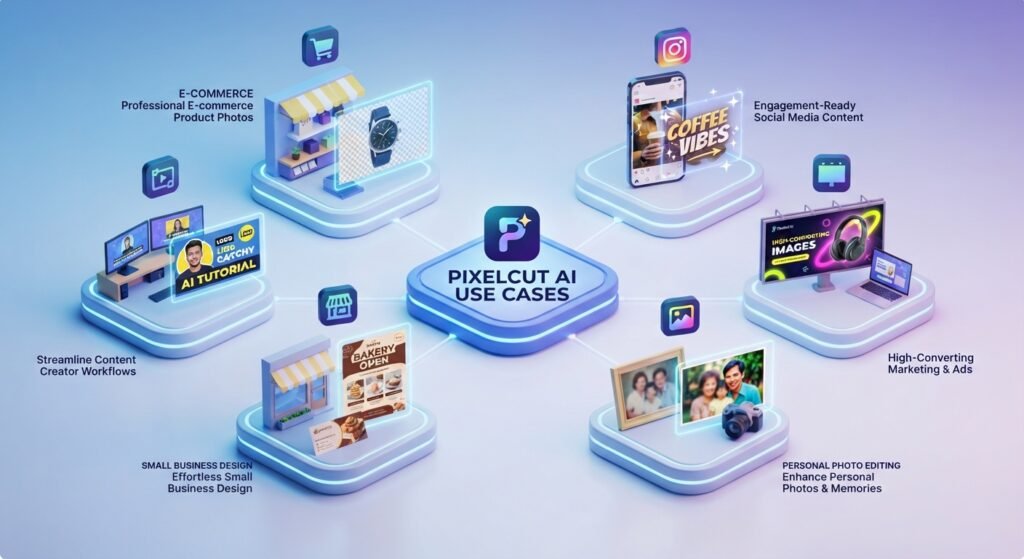
Pixelcut AI is able to be utilized for many image-editing and visual-content projects, from preparing photographs of e-commerce products to making graphics and marketing visuals for social media. Its AI-powered editing capabilities may help you decrease the manual effort required in basic photo-editing chores, making the platform suitable for sellers, artists, marketers, small enterprises and ordinary users.
1.E-commerce Product Photos
Pixelcut may help e-commerce businesses to make cleaner product photos for online shops and marketplaces. Removing backdrop, enhancing images, removing objects, and creating background may assist make simple product shots into more professional listing images. Sellers may also create numerous variations of the same product picture for websites, advertising and promotional campaigns.
2.Social Media Content
Pixelcut can help artists and companies produce graphic material for social media. Product photographs may be layered with backdrops, text and other design elements to create articles, promotional graphics and campaign visuals. This might be beneficial if you need to have a lot of photographs ready fast for frequent posting on social media.
3.Marketing Images
Marketers may use Pixelcut to generate graphic assets for advertising, promotions, websites, and digital initiatives. AI editing tools may aid with removing distracting features, improving the quality of a picture, swapping backdrops and preparing product-focused creatives, without altering each image manually from beginning.
4.Personal Photo Editing
Pixelcut may solve typical editing problems for home usage, such as deleting undesirable items, clearing up the backdrop, boosting picture quality, and making modest graphic modifications. That makes it a good choice for those who seek rapid AI-assisted editing without learning complex professional editing tools.
5.Small Business Design
Pixelcut allows small companies to produce product pictures, promotional photos, social media graphics and basic marketing materials on their own. This might lessen the outsourcing of each simple image-editing operation, especially when a firm always requires fresh images for items or promotions.
6.Content Creator Workflows
material makers may use Pixelcut as part of a process that begins with an original picture and finishes with a polished image for social media, websites or promotional material. A common workflow can be: upload a picture → remove background → improve image → include or alter visual elements → export final design. This makes Pixelcut a helpful tool for producers who need to create visual material often but want to keep the process of editing very straightforward.
Pixelcut AI Pros and Cons
Pixelcut AI integrates a few typical photo-editing activities into an AI-assisted workflow that might be valuable for e-commerce merchants, artists, marketers, and daily users alike. But, like with other AI image tools, how beneficial this is will rely on the kind and quality of the original picture and the capabilities offered on the plan you choose.
pros
AI-assisted editing –
Streamlines routine operations like removing backgrounds, objects, enhancing images, and other modifications.
Product picture process:
Allows for crisper product imagery for e-commerce listings, websites and marketing.
Background & Object Removal:
Easily remove backdrops, undesirable objects, and other visual distractions without a lot of manual editing.
Enhance and upscale:
Can enhance the look of soft or low quality photographs and prepare them for greater usage.
Simplified workflow for beginners:
The AI-based tools may help users with little or no experience in graphic design or picture editing to edit more easily.
Cons
Free limitations:
Free access is limited in use and features, thus regular users may have to pay for a plan.
AI results are hit or miss.
Results are not always the same. Especially with complex backgrounds, fine details or difficult objects.
subscription plans for advanced features:
Some advanced features, AI models and capabilities that are accessible with increasing use can need a subscription plan.
Source picture matters.
A poor quality, highly blurry, or very tiny initial image might affect the quality of the final outcome.
Pixelcut AI Alternatives
If Pixelcut AI does not fully match your needs, these alternatives offer similar AI-powered photo editing and design features, with different strengths for e-commerce, marketing, and creative workflows.
| Feature | Pixelcut AI | PhotoRoom | Canva | Adobe Express | insMind |
| Background Removal | ✅ | ✅ | ✅ | ✅ | ✅ |
| AI Photo Editing | ✅ | ✅ | ✅ | ✅ | ✅ |
| Product Photos | ✅ | ✅ | ✅ | ✅ | ✅ |
| Object Removal | ✅ | ✅ | ✅ | ✅ | ✅ |
| Image Enhancement | ✅ | ✅ | ✅ | ✅ | ✅ |
| AI Backgrounds | ✅ | ✅ | ✅ | ✅ | ✅ |
| Graphic Design | ✅ | ✅ | ✅ | ✅ | ✅ |
| Social Media Designs | ✅ | ✅ | ✅ | ✅ | ✅ |
| E-commerce Workflow | ✅ | ✅ | ✅ | ◐ | ✅ |
| Templates | ✅ | ✅ | ✅ | ✅ | ✅ |
| Best For | AI photo editing & products | Product photography | General design | Marketing & design | AI product editing |
Pixelcut AI Review: Final Take
Pixelcut AI is perfect for e-commerce merchants, small companies, marketers, content producers, and anybody who needs to edit product or social media photographs rapidly. Its major capabilities include AI-powered background remover, object editing, picture improvement, upscaling, and tools that focus on product photography. Its straightforward operation makes it ideal for those who don’t want to depend on complicated professional picture editing tools.
The biggest drawback is that the outcomes of AI may differ based on the source picture and how sophisticated the modification is. Finer details, tricky backdrops, objects, text and product features may still need to be checked manually. The free plan is great for testing out Pixelcut and doing simple chores but if you require more complex AI functions or larger use levels, the pricier plans could be more suited.
Pixelcut is a cool blend of AI editing & design capabilities all in one process for product photography & regular picture editing. It may save time in preparing clean product photos, promotional graphics and social media visuals, but the final output should still be checked for correctness and quality before publication.
Pixelcut AI Privacy and Safety
Pixelcut says submitted creations are sent using encryption and kept securely. The project privacy advice states that stored projects are private and not shared with other users unless the user elects to share the project.
Pixelcut’s privacy policy further says that it collects and processes information such as user credentials, usage statistics and purchase related information, and may engage third party service providers to administer its platform. Data may be maintained as required for the reasons mentioned in its policy.
If your photographs are sensitive or private, do not upload confidential papers, personal data, or unpublished business materials unless you are okay with Pixelcut’s data procedures. Businesses should also review picture ownership, confidentiality agreements and Pixelcut’s current privacy and commercial-use restrictions before submitting product or marketing photographs.
Pixelcut does provide privacy protections for stored projects, but overall users should still consult the active privacy policy if working with sensitive personal or corporate material.
Frequently Asked Questions