
HyperWrite AI Review 2026: Features, Pricing, Writing Quality & Is It Worth It?
Introduction
It’s a feeling most writers can relate to. You create a new document, type in a sentence, delete it, and then sit with the cursor for 10 minutes, and get a coffee you didn’t need. Getting started is the hardest part of writing a marketing e-mail, a blog entry or organizing research notes into something readable.
AI writing tools are at their home in solving just that type of challenge — and HyperWrite AI has subtly cultivated a fanbase for writers, students, and anyone seeking a helpful every-day tool.We’ll explore the capabilities of HyperWrite AI reviews, its performance in real-world scenarios, its price, and its suitability for various user types.
What Is HyperWrite AI?
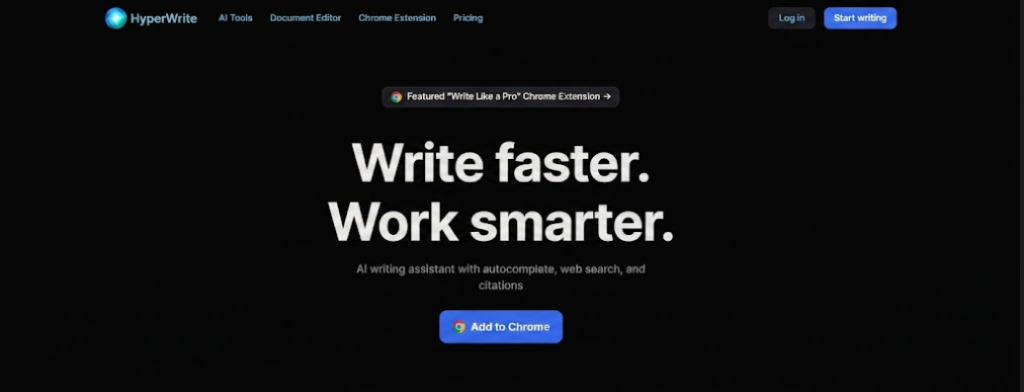
A person can use HyperWrite AI writing assistant to help you with different kinds of writing. It is an AI-powered writing and productivity tool. It can be used through hyperwrite.ai and is browser-based, so it could be helpful for making first drafts, redoing lines, and coming up with new ideas
The platform is designed to serve as an all-encompassing AI assistant for all types of writing, whereas some AI tools focus specifically on a single content domain. It’s also called hyperwriter ai personal assistant when looking for it online, demonstrating its seamless integration with the concept of a writing tool that assists with, rather than replaces, your own writing.
The tool is designed for a wide variety of users: freelancers, marketers, students, researchers, and anyone else who has to create written content regularly as part of their job.
What Can You Do With HyperWrite AI?
1. Writing and Rewriting
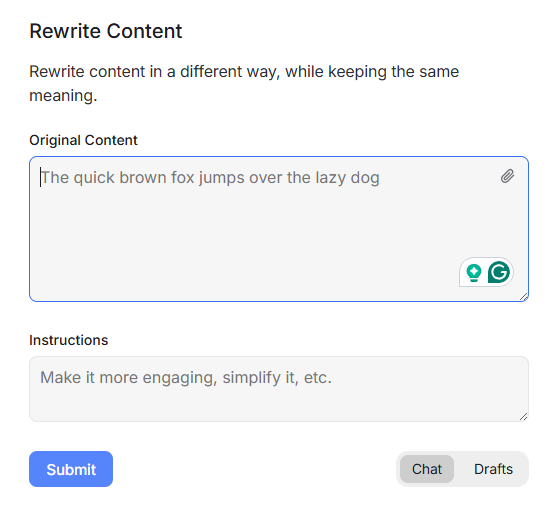
HyperWrite AI can support you in composing a first draft when you don’t know where to start, rephrasing confusing words, and enhancing the general flow of your writing. Use it for blog posts, emails, reports, social media material, and other daily writing activities. It may also help you reword and change the tone while keeping the primary concept the same.
2. Email Writing
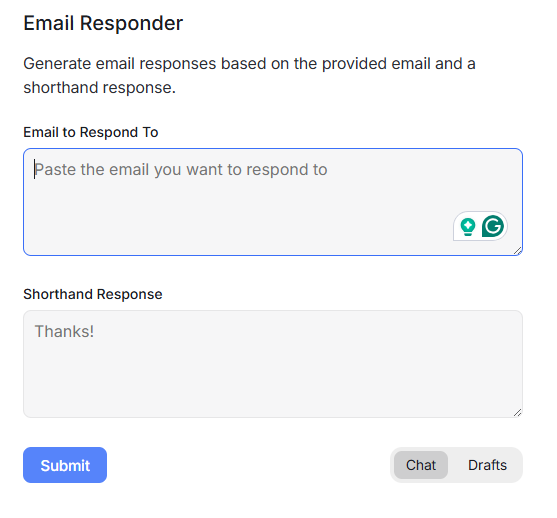
Today, writing emails is a big task for everyone, especially office workers. To say Hyperwrite AI can solve this problem, you only need to provide the main point you want to discuss with the person you are sending the email to. This tool can write a clear, professional email for you easily. The other person can easily understand what you want to say in the email.
3. Blog and Content Creation.
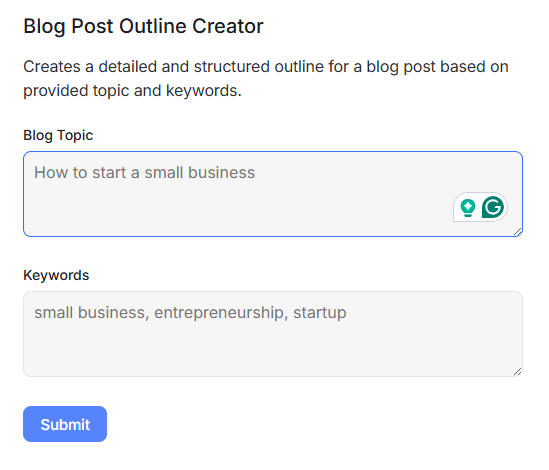
HyperWrite AI is able to assist users generate blog posts and other types of material when they require help organizing an idea into an organized draft. You may give it a theme, a few key ideas or an outline and it can write material depending on what you tell it. This might be handy for bloggers, marketers, and content providers who wish to create articles, website text or marketing material more effectively. But the output created still needs be checked and updated to ensure it is true, relevant and resonates with your target audience.
4. Brainstorming and Outlining
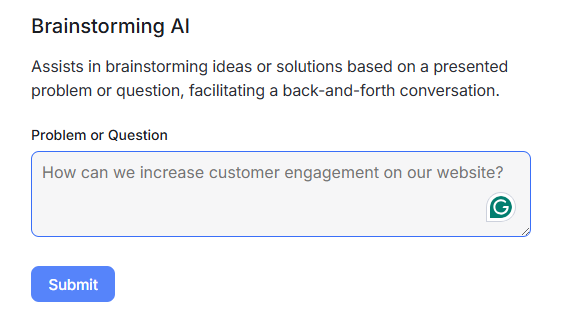
HyperWrite artificial intelligence can assist you when you know the subject, but are unsure what to write or how to arrange your thoughts. You provide it a subject, objective, or some basic points to work with, and it may provide fresh ideas and generate a framework for your material. This may be handy for preparing blog posts, articles, emails, presentations and other tasks before you start writing.
5. Summarizing and Editing
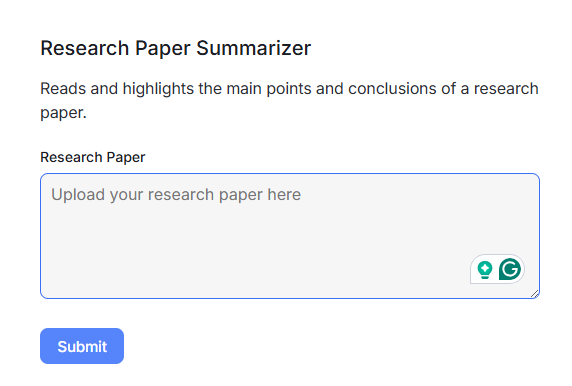
Sometimes content is very long, and the writer cannot easily understand it or identify the main point, but HyperWriter AI can solve this problem. Sometimes the writer manually corrects this content, which takes a lot of time. This tool can convert long content into a summary, highlight the main point, and improve the wording flow so it’s easy to understand
6. Resume Writing
When people don’t know how to successfully convey their talents and expertise, HyperWrite AI can help them build or edit a resume. You may submit your job history, talents, education and other relevant information to get AI help in organizing the material into a cleaner manner. It may assist enhance wording, and make your resume more succinct and professional. It saves time when producing a resume for a job application.

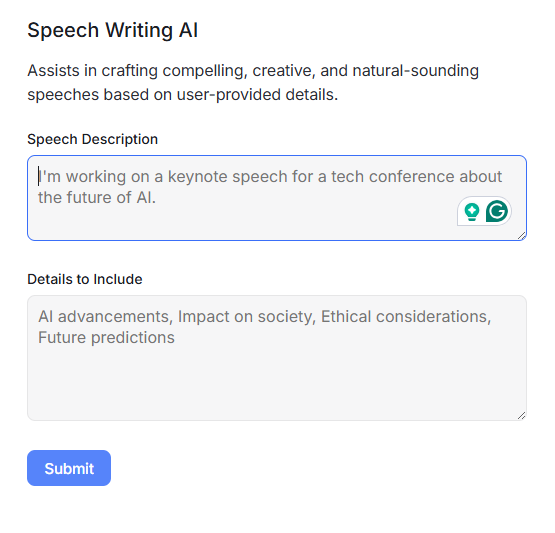
7. Speech Writing
Writing a speech may be challenging when you have ideas but aren’t sure how to put them together into a clear and interesting message. HyperWrite AI is able to assist you put your major ideas into an organized speech, and enhance the phrasing so it sounds natural when spoken. It may be handy for presentations, school or college lectures, business talks and other occasions where you need to prepare a well-organized speech.
HyperWrite AI Features: What Can It Do??
1. AI Writing Assistant
HyperWrite AI helps people generate, rewrite, and enhance all kinds of text. It might assist to put basic thoughts into a draft, simplify confusing phrases and make writing simpler to read. This might be a beneficial tool for bloggers, marketers, students and professionals that write material often.
2. Personal Assistant
HyperWrite AI’s Personal Assistant may aid users with activities like research, planning, and information collection. You may give it a job or a query and utilize its AI aid to discover information, organize thoughts, and go through the assignment more effectively, instead of beginning from zero. This may be beneficial for research, planning projects, obtaining information, and dealing with daily productivity
3. AI Agent
HyperWrite AI’s AI Agent can do more complex tasks by following many stages according to your directions. An AI agent can do much more than just give out a quick answer, it can assist you explore information, organize your results, and do sections of a work with minimal manual effort. This might be handy if you need support with research, content pipelines, planning, or any other multi-step jobs.
4. Browser Extension
HyperWrite AI also has a browser extension that enables users to utilize its AI writing and help functions as they surf the web. Instead of jumping to a separate AI tool, you can compose, edit, summarize or enhance content from within supported browser workflows with HyperWrite. This might be a time saver for anyone who operate often with email, papers, websites or internet research.
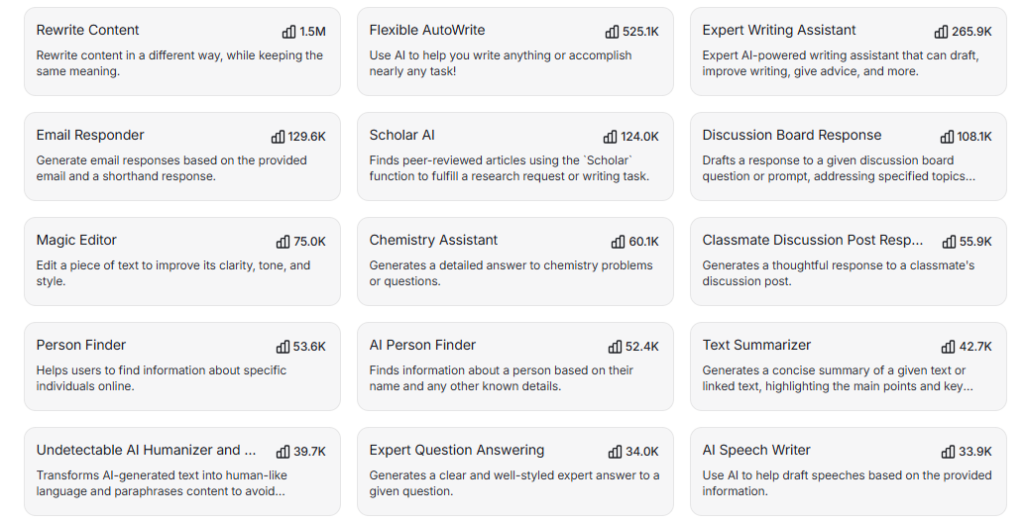
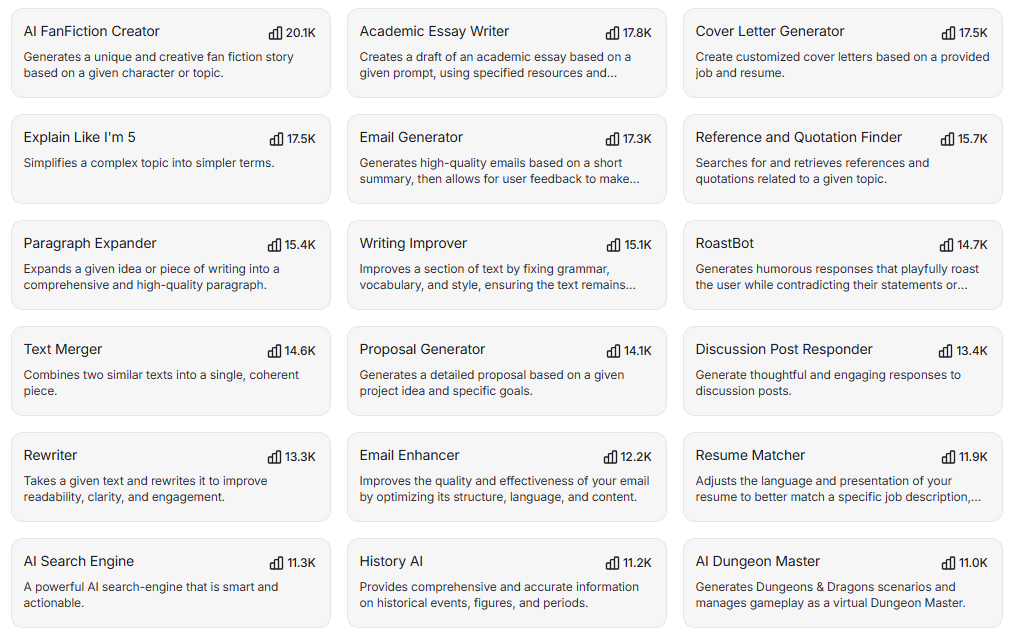
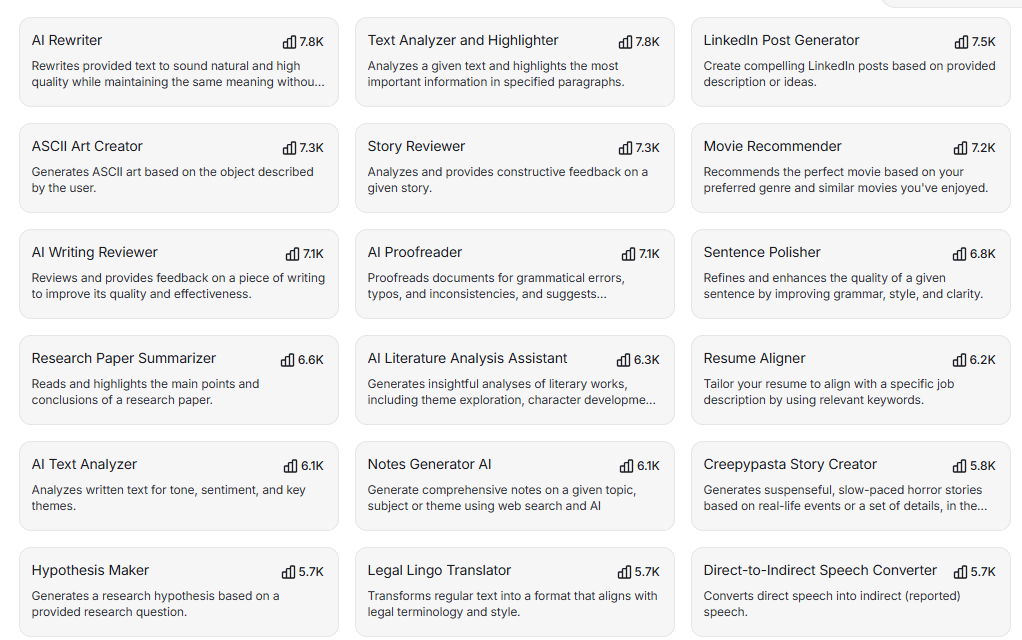
5. Templates and Writing Tools
HyperWrite AI offers templates and customized writing tools to help users get a good start on all kinds of material. You may choose a tool for article writing, email writing, rewriting, brainstorming or other writing requirements instead of producing each piece of material from fresh. These tools may be time-savers, giving users a starting point when they are unclear how to arrange or phrase their information.
6. Writing Style and Rewriting
Sometimes writing style matters a lot; it gives your content an attractive, premium feel for users. It can adjust your content’s tone if the sentences are awkward or confusing.
7.Integrations
HyperWrite AI is able to interact with various tools and platforms, which may enable users employ AI assistance as part of their current workflow as opposed to continually moving between multiple programs. This may make writing, research and productivity simpler to work with in one process. If you currently use many apps, integrations may help you save time by reducing repeated labor.
Another feature you can try from the official website
How Good Is HyperWrite AI’s Writing Quality?
1. Short-Form Writing Quality
HyperWrite AI is good for generating and improving short form articles such as emails, social media postings, short messages and short marketing copy. It might help to transform certain concepts into clear copy, and change the language or tone to suit the audience. This is excellent when you require material that is clear, interesting and ready fast without spending too much time on writing and revising it by hand.
2. Long-Form Content Quality
HyperWrite AI can help users generate longer-form material, such as blog posts, essays, reports and in-depth tutorials. It may take an outline or a group of thoughts and convert it into a more organized draft and assist enhance the flow between parts. This may reduce time in content creation especially for long-form material, but the produced text still has to be checked for correctness, consistency and originality.
3. Accuracy and Fact-Checking
For research-based writing, HyperWrite AI is able to help users in fact checking and identifying areas that may need additional verification. AI produced information may aid in organizing information and verifying if assertions are supported, however information from AI should not be accepted as automatically correct. If it’s a fact, statistic or study that matters, users should verify the material with trusted original sources before posting it or taking any action based on it.
4. Rewriting Quality
HyperWrite AI is able to enhance current material by rewriting the text while maintaining the original concept and meaning. It may explain clunky or vague writing, enhance flow of sentences and change the tone for various audiences. This is handy if you have a draft but want to make it clearer/refined/concise without manually redoing it all.
5.Does HyperWrite Sound Human
HyperWrite can definitely write in a genuine, conversational tone—especially if you can give it some explicit instructions about the tone and style you desire. But the quality is not consistent with the prompt and kind of material. AI-generated content may still have repetitious wordings, or seem generic, so going over and tweaking the output may make it sound more natural and suit your personal writing style better.
Example
To test the writing ability of HyperWrite, I gave it some typical writing assignments, such an email, a blog intro, a product description, and a rewriting prompt. I checked the outcomes for clarity, tone, structure and amount of editing required.
HyperWrite AI Pricing?
| Plan | Monthly Price | Annual Price* | Key Features |
|---|---|---|---|
| Free | $0 | $0 | Limited access to HyperWrite features |
| Premium | $19.99/month | $16/month | 250 AI messages/month, citations, real-time information, custom personas, AI tools, unlimited TypeAhead |
| Ultra | $44.99/month | $29/month | Unlimited AI messages, more custom personas, priority access to experimental writing and Agent features |
Is HyperWrite AI Free?
Yes, you can try HyperWrite AI for free, but free access comes with limits. Some of HyperWrite’s AI writing and productivity tools are free to use, which makes it a good way to test the platform before you buy a subscription plan. But consumers who want more broad access, greater use restrictions or advanced features could have to pay for a membership.
If you’re wondering, “is HyperWrite AI free?”, the quick answer is yes, but not entirely infinite. The free option is sufficient for occasional writing, brainstorming or testing the platform. Paid subscriptions may be better suited for regular users who depend on HyperWrite for frequent content production or for enhanced AI support. for regular users who depend on HyperWrite for frequent content production or for enhanced AI support.
HyperWrite AI Personal Assistant vs AI Writing Assistant ?
| Feature | Personal Assistant | Writing Assistant |
|---|---|---|
| Research | ✔️ | ✔️ |
| Writing | ✔️ | ✔️ |
| Rewriting | ✔️ | ✔️ |
| Brainstorming | ✔️ | ✔️ |
| Content Creation | ✔️ | ✔️ |
| Planning | ✔️ | — |
| Information Gathering | ✔️ | — |
| Productivity Tasks | ✔️ | — |
| Email Writing | ✔️ | ✔️ |
| Editing | ✔️ | ✔️ |
| Complex Tasks | ✔️ | — |
| Multi-Step Tasks | ✔️ | — |
| Writing-Focused | — | ✔️ |
| Tone & Style Adjustment | — | ✔️ |
HyperWrite AI Agent: What Is It?
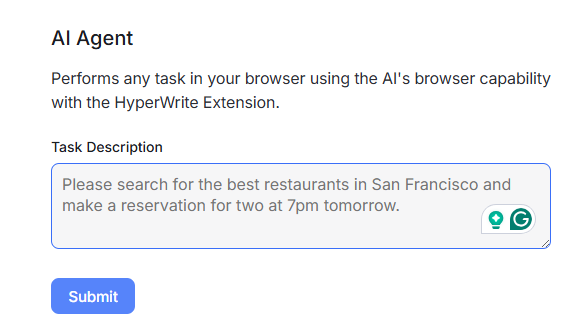
HyperWrite AI Agent aims to do multi-step activities, not only write text or answer a single query. It can execute activities and automate repetitive processes using the internet depending on your directions. For example, HyperWrite discusses things like as managing an email inbox, writing answers, finding information, and dealing with ordinary internet activities. This makes the AI Agent more effective for when a job involves many actions, rather than a single textual answer.
HyperWrite AI Pros and Cons ?
| Pros | Cons |
|---|---|
| ✔️ Supports writing, rewriting, editing, and brainstorming | ❌ Free access has usage limits |
| ✔️ Offers hundreds of specialized AI tools | ❌ Advanced features require a paid plan |
| ✔️ Provides real-time research and citations | ❌ AI-generated information still needs fact-checking |
| ✔️ AI Personal Assistant can handle broader tasks | ❌ Some advanced Agent features may not be available on lower plans |
| ✔️ Chrome extension lets you use AI while working online | ❌ Generated content may still need editing to match your style |
| ✔️ Supports different writing styles and custom personas | ❌ Pricing can be relatively expensive for casual users |
Who Should Use HyperWrite AI?
1.Students
Hyperwrite AI helps students organize assignments and study materials and improve their writing skills. Students can easily search for new topics or study notes and create clear content. In particular, students can access new and updated information through this tool.
2.Content Writers
HyperWrite AI may be used by content writers to develop ideas, produce first drafts, revise existing material, and increase clarity and flow. It may be handy when a writer is experiencing writer’s block or wants to generate material more quickly while still evaluating and refining the final piece.
3.Freelancers
HyperWrite AI is a helpful tool for freelancers to write client emails, create content, brainstorm ideas, and write all sorts of written materials. It may assist save time while working with several customers and repeated writing duties.
4.Marketers
Marketers may use HyperWrite AI to generate marketing text, emails, content ideas, social media content, and other promotional materials. It may also assist in tweaking the tone and language of material for various audiences and marketing efforts.
5.Professionals
HyperWrite AI is good for routine writing activities in the office, such as emails, reports, summaries, presentations and research assignments. It may assist to organize ideas, enhance confusing writing, and save the time spent developing typical business material.
HyperWrite AI Alternatives?
| Alternative | Best For | Why Consider It? |
|---|---|---|
| ChatGPT | General AI assistance | Writing, brainstorming, research, rewriting aur broader tasks |
| Grammarly | Editing & writing improvement | Grammar, clarity, tone aur rewriting par strong focus |
| Jasper | Marketing content | Brand voice, marketing campaigns aur long-form content |
| Writesonic | SEO & content creation | Articles, SEO-focused content aur multiple content formats |
| Copy.ai | Marketing workflows | Marketing content aur repeatable business workflows |
| Rytr | Budget-friendly writing | Simple AI writing aur templates ke liye useful |
HyperWrite AI vs Other AI Writing Tools?
| Tool | Best For | Writing | Research | Ease of Use |
|---|---|---|---|---|
| HyperWrite AI | Writing + research + productivity | ✔️ | ✔️ | ✔️ |
| ChatGPT | General AI assistance & writing | ✔️ | ✔️ | ✔️ |
| Grammarly | Editing, grammar & tone | ✔️ | ✔️ | ✔️ |
| Jasper | Marketing & brand content | ✔️ | ✔️ | ✔️ |
What Do Users Say About HyperWrite AI?
HyperWrite AI review User response is quite favorable, particularly from those who use it for writing, help with email, rewriting and productivity. Features like autocomplete and writing aid are something that users want, which may help speed up ordinary writing activities and enhance language. However, some users may find the cost or use limitations limiting and material created by AI may still need editing to reflect a certain tone or style.
HyperWrite AI Review: My Final Verdict
If you want more than just a simple AI authoring tool, HyperWrite AI is a good choice. It integrates writing, rewriting, brainstorming, research, citations, hundreds of specialist AI tools and productivity features all on one platform. Its Personal Assistant and AI Agent also make it beneficial for those who desire support with larger or multi-step activities.
But it’s not the greatest decision for everyone. The free plan comes with a limited amount of monthly credits, while the premium Premium and Ultra plans are better suited to frequent users who want larger use limits and additional features.
My verdict: 8.5/10 ⭐
If your primary focus is on writing, rewriting, research, and daily productivity, HyperWrite AI is worth looking into. Free access might be adequate for infrequent users to try the platform, while regular users can find greater value in a premium subscription. What sets HyperWrite apart is that it offers not just AI writing but also wider productivity aid, not just content generating.
Frequently Asked Questions