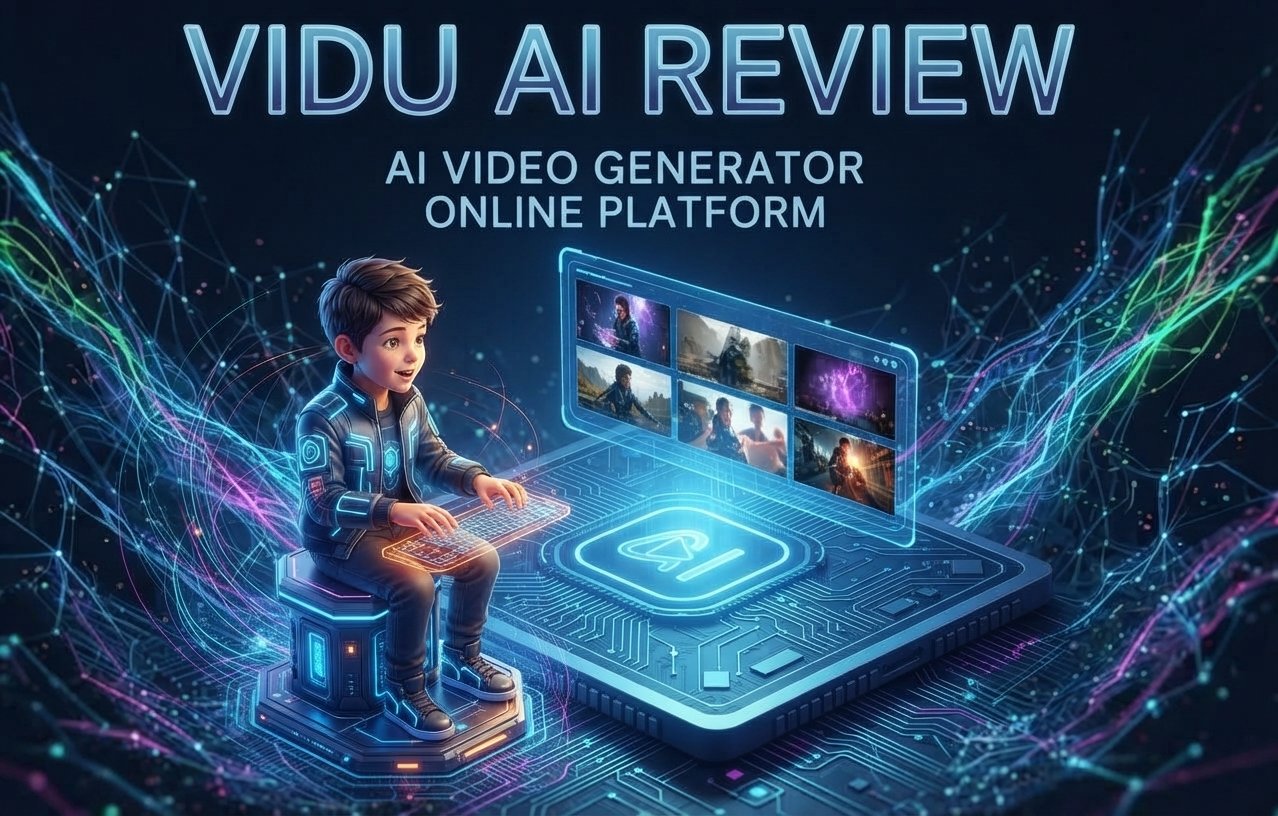
Vidu AI Review 2026: AI Video Generator, Features, Pricing & More
Introduction
Vidu AI is an AI video generator that can make films from text prompts and pictures. It might be beneficial for artists, marketers, YouTubers and companies that wish to create video content without conventional editing abilities. It enables text-to-video and image-to-video, so users may create short AI films using thoughts, pictures, and characters. Vidu AI also includes capabilities like as character references, templates, and several visual styles, providing producers with more control over the final product. To explore the practical use of Vidu AI in creative processes, I experimented with text prompts, image-to-video production, character references, templates, and various types of videos. In this Vidu AI review, I will discuss its main features, video quality, simplicity of use, cost, and overall capabilities to help you determine whether Vidu AI is the perfect AI video generator for you.
What Is Vidu AI?
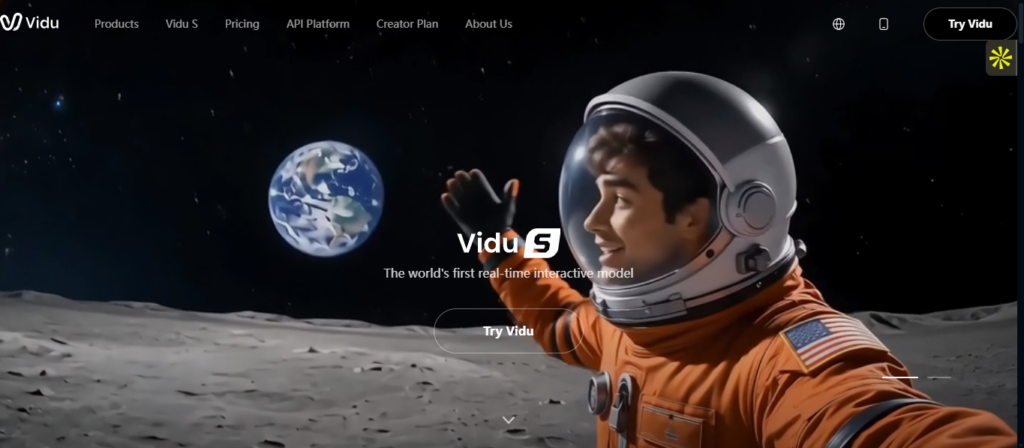
Vidu AI is a platform for AI video creation, helping users make films from basic text prompts and 0pictures. Vidu AI allows you to convert a concept into an AI-produced movie with text-to-video or animate an existing picture with image-to-video production. The technology also offers reference-based and character-focused creation, which allows for a more uniform appearance across creative scenarios.
Vidu AI is built for artists, marketers, YouTubers and companies who require compelling video content without the time investment of conventional video creation. Leverage Vidu AI for social media content, marketing campaigns, product images, narrative, advertising, and other creative endeavors.
How Does Vidu AI Work?
Using Vidu AI is fairly simple, even if you have never worked with an AI video tool before. You basically give the platform an idea of what you want to create, and it handles the video generation for you.
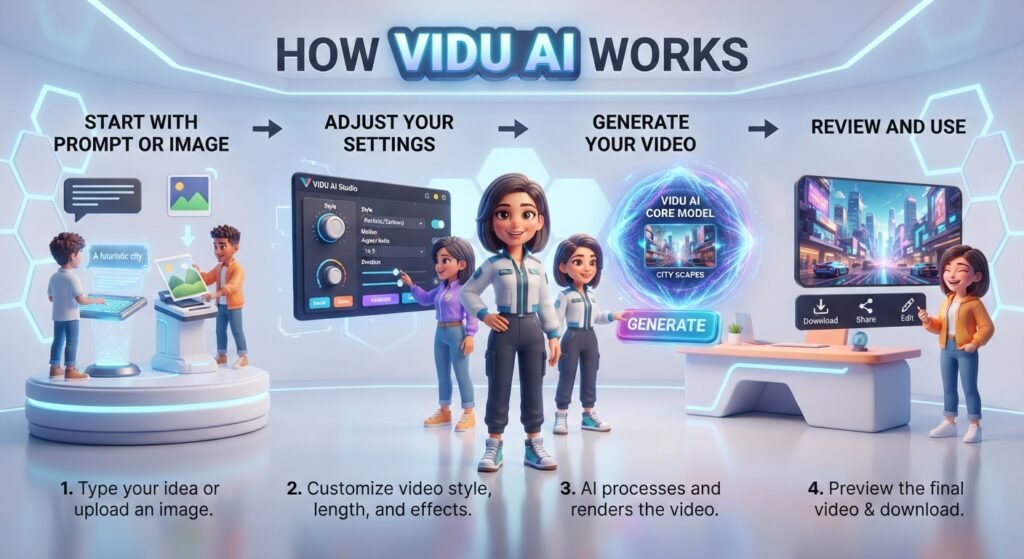
1.Start with a prompt or image:
Write a short description of the scene you want, or upload an image that you want to turn into a video.
2.Adjust your settings:
Choose the available model, video format, duration, and other settings to match the type of video you want.
3.Generate your video
Click the generate button, and Vidu AI will turn your prompt or image into a video. The result will depend on how detailed your prompt and source image are.
4.Review and use the result:
Once the video is ready, you can preview it, make changes if needed, and download it for social media, YouTube, marketing, or other creative projects.
The whole process is designed to be quick and beginner-friendly, so you can go from a simple idea or image to an AI-generated video without traditional video-editing skills.
Vidu AI Features
Vidu AI provides several tools to convert basic concepts, photos, and reference material into AI-generated films. It has capabilities like text-to-video, image-to-video, reference-based production, templates and controls to tweak the output for various creative purposes.
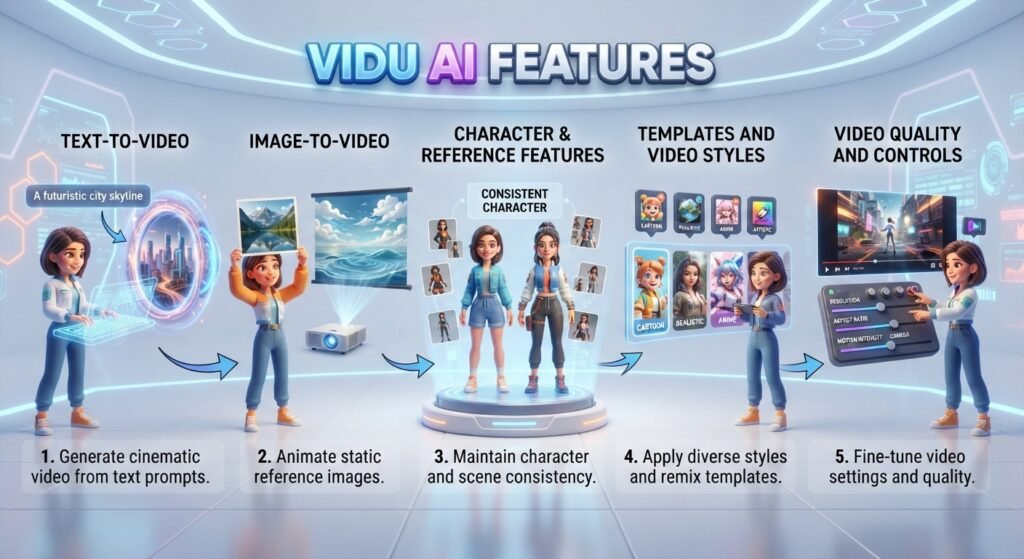
1.Text-to-Video
Vidu AI has a text-to-video capability that enables you to produce a video by just expressing what you want to see. You may provide a prompt that describes the topic, action, environment, camera movement, and visual style and Vidu will make a video based on those directions. Depending on the model, customers may pick from various durations, aspect ratios and resolutions. The latest Q3 devices offer video creation from 1 to 16 seconds, with several choices available depending on the model.
This is especially beneficial when you have a concept in your brain but don’t already have graphics or video material
2.Image-to-Video
Vidu AI image-to-video lets you take a still picture and transform it into a moving video. Upload any picture to be your first frame and explain the motion or action you wish to happen. Then Vidu creates motion. He takes the original picture as the visual start point.
This might come in handy whether you are animating product graphics, characters, artwork, photography or social media visuals. Depending on the model you choose, you may also alter options like length, resolution, aspect ratio and motion strength.
3.Character & Reference Features
Vidu AI also supports reference-based creation, which is essential when you want a character, object, or visual topic to be identifiable across diverse settings. You may provide reference photos and then use a prompt to define the scenario or action you wish to construct. The current Vidu models can handle numerous reference photos, with certain versions supporting up to 7 images.
For instance, you might provide many photos of the same figure and then build a new scenario around that individual. This capability is especially beneficial for narrative, character animation, product material and short-form video projects that need visual
4.Templates and Video Styles
vidu AI offers templates to enable the creation of certain sorts of films simpler by not having to develop each generation from start. Templates may take photos and prompts, and some templates have extra settings based on the kind of impact or scenario you’re creating.
The software also supports multiple themes Its text-to-video options include general and anime styles on compatible models, with prompts able to specify a specific visual direction, for instance.
Templates are particularly helpful when you want to rapidly generate social media material or try out a certain visual impact without spending a lot of time crafting prompts.
5.Video Quality and Controls
One of the nice things about Vidu AI is that it has a lot of controls for generation. You may pick resolutions such as 540p, 720p and 1080p, depending on the model, while certain models have varying resolution constraints. Video length also varies from model to model, with newer models being able to generate longer videos than certain older models.
Vidu supports popular aspect ratios including 16:9, 9:16, 1:1 and others on certain models. Some generating modes additionally include motion amplitude controls so you may choose between auto, small, medium, and large if supported.
With these parameters, Vidu AI is able to be more versatile for diverse sorts of content, whether you’re making a landscape YouTube video, a vertical social media clip, or a square creative asset.
My Vidu AI Test: What I Created
I prefer not to judge Vidu AI on the things it advertises, but rather how it works when making real films from varied inputs. I used written prompts, still photos, character references and graphic styles on the platform to assess how accurate it is to follow directions and how consistent the outcomes are. In addition, I evaluated motion quality, timely accuracy, character consistency, and the suitability of the films for practical applications such as YouTube, social media, and creative material. This is what I got from my hands-on testing with Vidu AI.
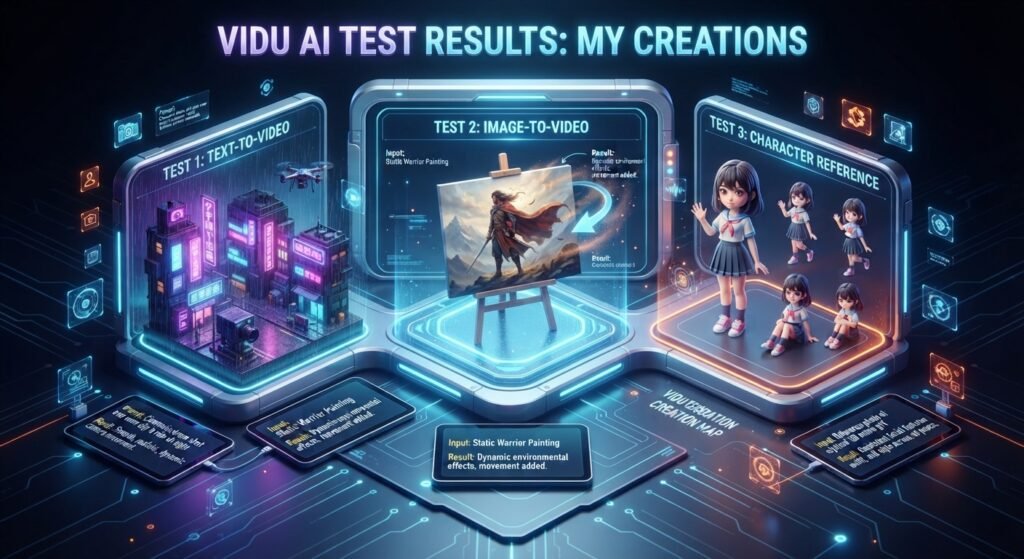
Test 1: Text-to-Video
For my first test, I utilized a cinematic prompt, depicting a genuine city scenario, with a person strolling across a crowded street at dusk. I included specifics on the scene, lighting, camera movement and general visual style to test how closely Vidu AI could follow a thorough suggestion.
The created video was good at capturing the entire scenario. The lighting and scenery looked genuine and the camera movement gave the clip a more theatrical vibe. The primary topic was also easy to see for much of the video.
What worked: Vidu AI performed an excellent job grasping the primary topic, surroundings, lighting, and overall movement mentioned in the prompt. When I provided particular information to the prompt, the output was more controlled.
What didn’t: Some of the little elements weren’t quite consistent. Some of the motions appeared a little strange and the model didn’t always follow every little command to the letter. It is something to think about while building more complex settings.
Test 2: Image-to-Video
For the second test, I used a static picture and requested Vidu AI to convert it into a brief moving scenario. The challenge was to create natural movement while retaining the original topic and overall look.
Initial picture: I chose a high-resolution, sharp photograph with a strong topic so it would be easy to compare to the movie made from it.
I instructed Vidu AI to make the subject move in a fluid, realistic way while retaining the original composition, look and backdrop as near to the source picture as feasible.
Result: Vidu AI introduced motion to the still picture, keeping the primary topic. Results were especially good when the proposed motion was simple and adequately stated. More complex moves caused some inconsistencies, but the image-to-video workflow was simple and useful for creating short social media clips and creative visuals.
Test 3: Character Reference
For the character reference test, I gave reference photographs of the same character and utilized a prompt to position the figure in a different situation. I wanted to investigate whether Vidu AI could preserve recognized characteristics, rather than developing an entirely new character.
Reference: I utilized clear character photographs depicting face, hairdo, clothes and general look from several angles.
The created movie retained the character as quite identifiable, especially in cases when the reference photos were clear and the instruction was explicit. In the results I tested, the face and overall look were similar to the original reference.
Consistency: The best character consistency was when the situation was rather straightforward. With more complex activities or big changes in camera angle, certain elements in face and clothes might shift a little. So yes, the reference function may be handy for narrative and recurrent characters, but it might still take a few generations to obtain the precise outcome that you want.
Test 4: Different Video Styles
I also tried Vidu AI with several visual directions to see how easily it could take the same sort of concept and adapt it to different creative approaches. I contrasted the appearance and motion of the created video overall, running cinematic, realistic, anime, and social-media-style prompts.
Cinematic: The cinematic prompt resulted in a more dramatic appearance, with attention to lighting, camera movement, and mood.
Realistic: The realistic style was more focused on things such as people, settings, lighting and movement seeming genuine.
Anime: The anime test resulted in a stylized look with more artistic features than the realistic generations.
Social Media: For social media-type material, I utilized a more dynamic prompt with vertical-friendly framing and fast graphic movement, making the outcome more ideal for short-form content.
In general, these experiments indicated that the outcome might differ greatly based on the prompt, the reference picture, the model used, and the generation parameters. Vidu AI is able to make a lot of various forms of video material; however, if you want a certain outcome, it usually takes a little of trial and error with the prompt and making many versions.
How to Use Vidu AI
Getting started with Vidu AI is really easy. You don’t need to be a pro video editor to make an AI-generated video. You may start with a written prompt or a picture, then tweak a few variables before making your movie.
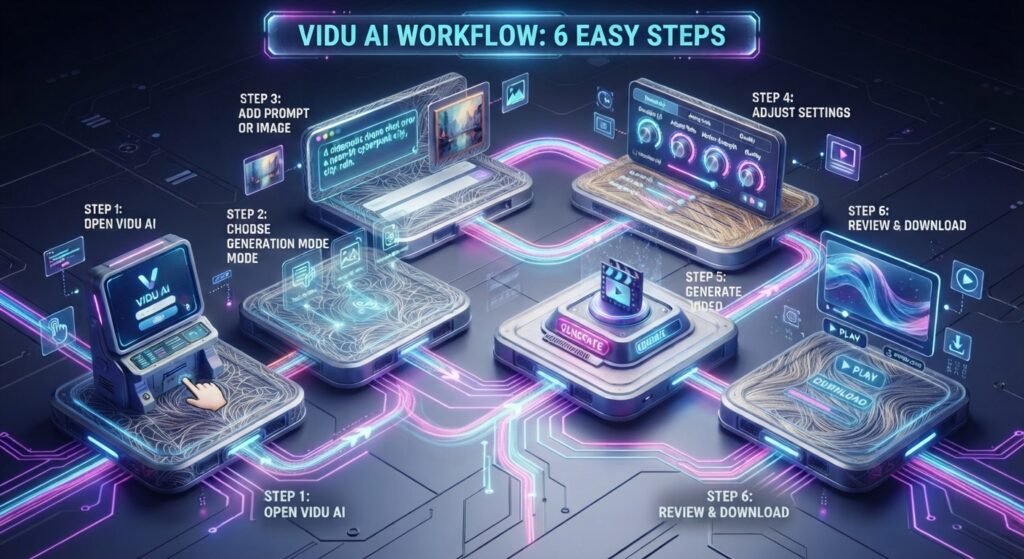
Step 1: Open Vidu AI
Go to the Vidu AI website and log in to your account. Once you’re on the platform, you’ll see the accessible video-producing tools and creative possibilities.
Step 2: Choose a Generation Mode
Select the video type you want to make. With Text to Video, you are able to make a video from a textual prompt, or animate a still picture with Picture to Video, depending on what your project needs.
Step 3: Add Your Prompt or Image
For text to video, explain the scenario you wish to produce. Include important data such as topic, action, surroundings, camera movement and visual style. For picture to video, post your image and tell us how you want it to move.
Step 4: Adjust Settings
Before you generate the movie, verify the parameters accessible for your chosen model. Depending on the method of creation, you may be able to choose settings such as aspect ratio, length, resolution, and motion.
Step 5: Generate the Video
Once everything seems fine, go ahead and click create. You provide your prompt or picture to Vidu AI and it generates the movie for you. Generation time is variable and depends on model and platform load at the moment .
Step 6: Review and Download
Once the video is complete, study the outcome closely. Check topic consistency. Movement, and whether the output follows your prompt. If you are pleased with it, save the video and use it in your project.
Vidu AI Pricing
Looking for Vidu AI pricing? Vidu provides monthly and yearly membership plans with a free method to test the platform. How much you pay will depend on the plan/billing choice you choose. Vidu says that monthly memberships are billed monthly and yearly subscriptions are billed once a year.


1.Is Vidu AI Free?
Yes. Vidu AI is free to test, although the free tier is limited in terms of credits and generation. Vidu also provides paid options for those who require extra generation capacity.
2.How Much Is Vidu AI?
So, what is Vidu AI pricing? Price: It is determined by your membership level and whether you pay monthly or yearly. Vidu may modify its plans, credits and pricing at any time; therefore, I urge you to check the official pricing page before subscribing (and not use an outdated price from a third-party review).
If you’re just dabbling with AI video generation, the free option is a wonderful way to try out the process initially. If you’re using it for regular YouTube, social media, marketing or client work, a subscription plan may offer you more credits for more frequent generations.
Pricing note: Vidu says subscription credits inside a plan are good for 30 days; however, bought credits have a longer validity period.
Is Vidu AI Free?
Yes, Vidu AI is free to test, but with limited credits and generation. You may try out Vidu’s AI video-generation tools on the free tier and don’t need to subscribe for a membership right away.
1.what do you get with free vidu ai subscription
Depending on the model, movie length, quality, and other parameters you pick, the number of videos you can make will vary. There is not a predetermined number of videos any free user may make since various generations may utilize varying amounts of credits.
Vidu’s official information for now, is a free monthly credit allotment, which means you may explore with the site before you upgrade.
2.Does Free Vidu AI Have a Watermark remover ?
The regulations for watermarks in Vidu may differ based on the plan and the creation technique. If you want to utilize a free-generated video for commercial purpose, be sure to review the download and use restrictions shown in your Vidu account before to uploading it.
3.What Are the Free Generation Limits?
The biggest constraint of the free version of Vidu AI is the amount of credit accessible. When you run out of your free credits, you may need to wait for the allowance to refresh or move to a premium plan/buy new credits. Higher-definition films, longer generations and certain complicated models might also use more credits.
4.When Should You Upgrade to a Paid Plan?
The free tier is nice if you just want to try Vidu AI or make the odd video. If you’re consistently making YouTube videos, social media posts, marketing material, client projects or commercial content and constantly reaching the free credit limit, it’s worth thinking about a premium plan.
To summarize: If you are looking for “vidu ai free”, “free vidu ai”, or “is Vidu AI free”, then yes, you may start using it for free but free use is restricted to the credits and features offered on the current free tier.
Is Vidu AI Free?
Yes, Vidu AI is safe for standard AI video production; however, you should know their privacy and content regulations before posting anything. Vidu claims it has security measures in place to secure user information and its privacy policy states it may collect account information and user supplied material such as text, photographs and videos.
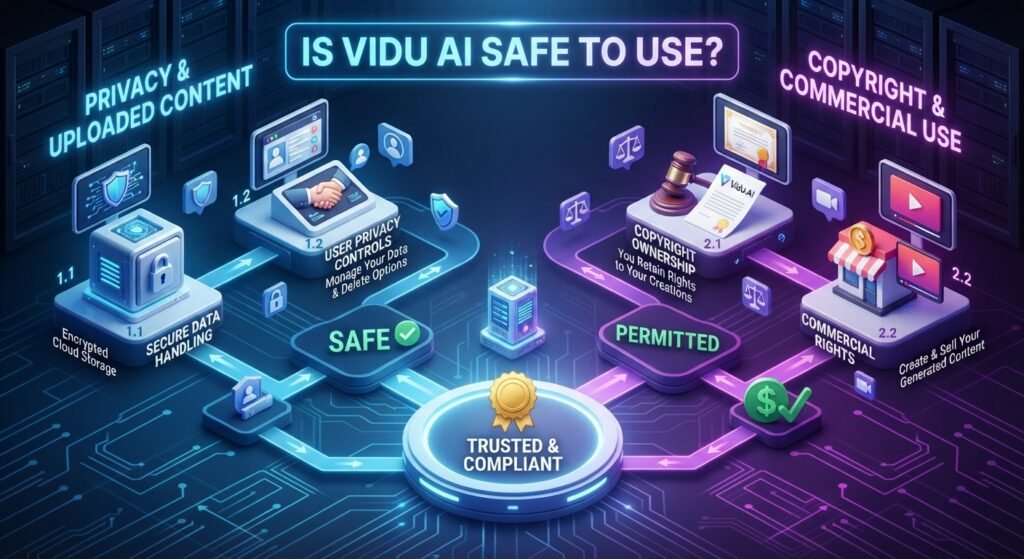
1.Privacy & Uploaded Content
Vidu processes the photographs, videos, and prompts that you send to its services. Its conditions also require users to have the appropriate rights and permissions to post material. Do not submit private or sensitive information for processing unless you are satisfied with the way it will be handled for privacy concerns.
2.Copyright & Commercial Use
Vidu permits commercial usage according to its conditions; however, you should make sure you have permission to use any photos, characters, trademarks or other copyrighted content you submit. Copyright rights for work produced by AI may also vary based on your country and the way in which the content was developed.
Can You Use Vidu AI Videos Commercially?
Yes, Vidu AI is available for commercial usage, subject to its terms and license requirements. This implies that Vidu-generated films may possibly be used for YouTube, social media, marketing, client work and other commercial projects but you should verify the individual plan and licensing requirements before uploading monetized material.

1.You Tube
Vidu-generated videos may be used in YouTube content, including paid videos, as long as it is in accordance with Vidu’s terms and YouTube’s standards. You should also check the created video for copyright or any other third-party rights before posting.
2.Marketing & Client Projects
Vidu may be utilized for marketing material and client tasks. If you’re producing commercials, promotional films or material for your client you need to get the correct rights and permissions for your inputs and ensure the final output is acceptable for the intended purpose.
3.Important Licensing Restrictions
Vidu’s conditions say that it does not prohibit commercial use of its services, but they do impose major restrictions on how the service and its output may be utilized. Users should comply with all relevant laws, intellectual property rights and Vidu’s policies. Vidu also stops users from deleting or hiding markers identifying material created by deep-synthesis technology.
Not every created product will have the same commercial rights across free and premium plans. Vidu’s current product documentation says the commercial rights may vary on the plan utilized, so be sure to verify the latest plan-specific commercial license before utilizing free material in ads, client work, goods, or other paid projects.
Vidu AI Alternatives
If you’re searching for anything like Vidu AI, there are a lot of AI video generation tools to consider. Websites like as Vidu AI provide varying combinations of text-to-video, image-to-video, editing, character consistency, and creative controls, so the appropriate one for you will be determined by the sort of films you wish to make.
Vidu AI vs Alternatives
| AI Video Tool | Text-to-Video | Image-to-Video | Character / Reference | Best Known For |
| Vidu AI | ✅ | ✅ | ✅ | Fast AI video creation and reference-based generation |
| Kling AI | ✅ | ✅ | ✅ | Realistic motion and cinematic video generation |
| Hailuo AI | ✅ | ✅ | ✅ | Short AI videos and creative scenes |
| Luma AI | ✅ | ✅ | ✅ | Creative video generation and visual quality |
| Runway | ✅ | ✅ | ✅ | AI video generation plus editing tools |
| PixVerse | ✅ | ✅ | ✅ | Short-form videos, effects, and creative generation |
The primary difference between these Vidu AI alternatives is in the mix of generating quality, creative controls, editing tools, cost, and available models. If you are looking at websites or applications like Vidu AI, it is worth trying the same query on other platforms since you will get quite different results on different models.
Who Should Use Vidu AI?
Vidu AI is able to be helpful for anybody who wants to make brief AI-generated videos without depending too much on standard video-editing tools. Its text-to-video, image-to-video and reference powers make it usable for a variety of creative and marketing operations.
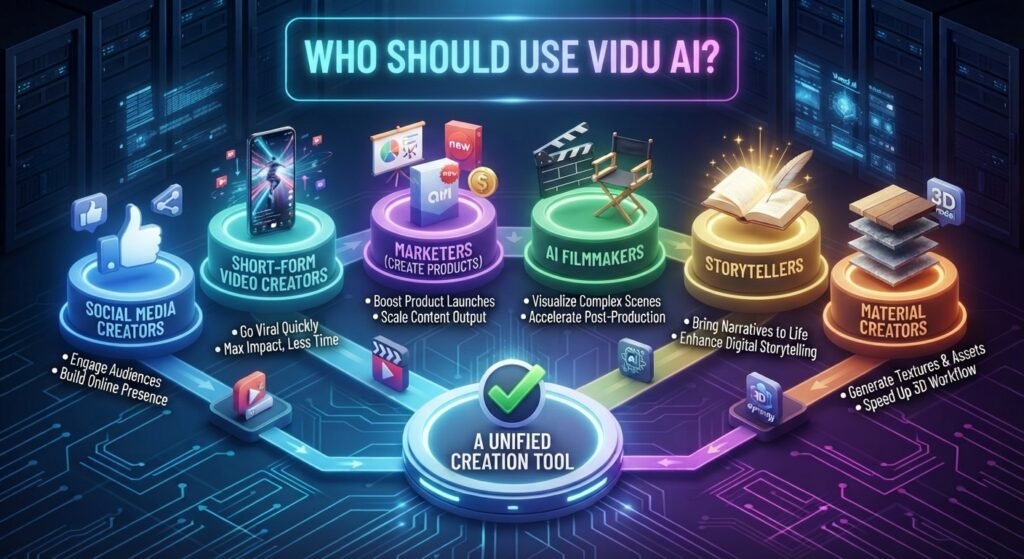
1.Good for Social Media Creators:
Produce compelling videos for Instagram, TikTok, Facebook, and other social media.
2.Short-Form Video Creators:
Create fast visual clips for Shorts, Reels, and other short-form video.
3.Marketers create product
images, promotional video, advertising and social media campaigns.
4.AI Filmmakers:
Try out AI-generated scenarios, camera moves, characters and cinematic ideas.
5.Storytellers –
Transform textual ideas and characters into visual settings for storytelling and creative endeavors.
6.Material Creators:
Create video assets for YouTube, blogs, presentations and other digital material.
Overall, Vidu AI is best for producers who want to rapidly transform ideas, prompts or photos into movies and are comfortable experimenting with AI-generated outcomes.
Vidu AI Pros and Cons
Pros
Simple text-to-video:
Turn your written concept into an AI-generated video in minutes — no conventional editing skills needed.
Vidu AI is a handy image-to-video technology that can bring still pictures to life, making it ideal for photography, artwork, goods and social media graphics.
Reference and character traits:
Reference photos may assist to retain an identifiable character or topic over generations.
Different visual styles:
Depending on your prompt and the settings you pick, you may produce material in different styles, such as cinematic, realistic, and anime.
Good for short-form content:
Vidu AI is able to be helpful for YouTube Shorts, TikTok, Instagram Reels, marketing clips, and other short videos.
Simple procedure:
The fundamental method is simple: add a prompt or picture, tweak the available options, create, and check the outcome.
Cons
Results not always consistent:
Complex prompts may not generate all details precisely as asked.
Character consistency may vary:
While reference features might be helpful, characters may nonetheless somewhat alter across generations.
Credits are capped:
Heavy video production may drain credits fast, pushing premium plans to the forefront for consistent users.
Occasional visual issues:
Some generations may have abnormal movement, distorted features, or other AI-created artifacts.
Not as accurate as conventional editing:
Vidu AI makes the video for you. It doesn’t have the frame-by-frame control of professional editing tools.
Results are dependent on prompting:
You may need to experiment with prompts and generate numerous copies to get a precise outcome.
My Verdict on Vidu AI
I tried Vidu AI for text to video, picture to video, character references, and other visual styles and found it quite beneficial for making short, cinematic movies without hours of conventional editing.
What struck me most throughout my testing was the straightforward process. I can start with a prompt or picture, define the movement and visual style and come up with a functional film in a reasonably rapid procedure. The picture to video function was especially handy for bringing static imagery to life, and reference photographs provided me greater freedom when dealing with recurrent characters or topics.
However, Vidu AI is not flawless. Sometimes it took a generation many tries, particularly if the request included several precise features or intricate motions. Character consistency and objects might also alter from generation to generation.
My take: If you’re mostly in it for rapid testing of AI-generated short videos, social media clips, dramatic sequences, narrative or creative material, Vidu AI is worth a look. If you want really exact, professional video editing, you may still need a specialist video editor to go along with it.
Frequently Asked Questions