Recraft AI Review 2026: Complete Guide, Features, Pricing & How to Use It.
What Is Recraft AI?
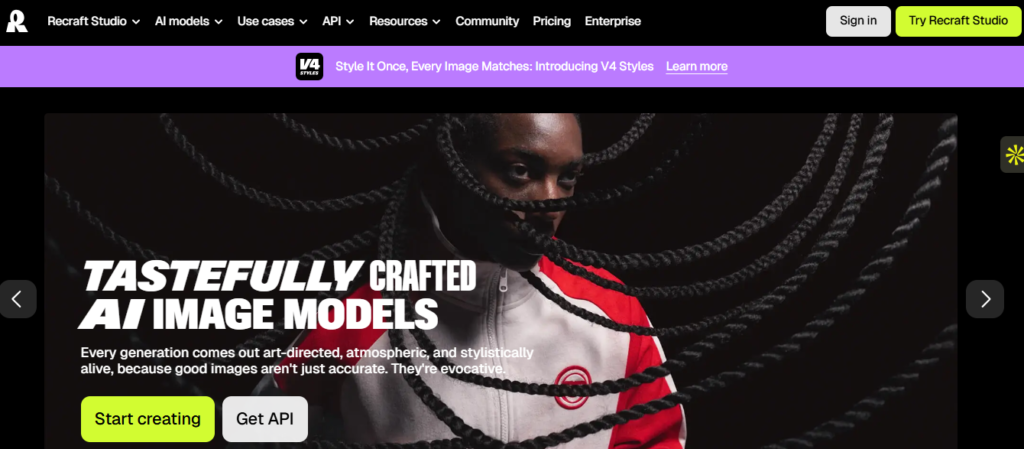
This is an AI-powered platform for designing and generating images from language prompts, allowing users to produce professional pictures. Recraft.ai is built for designers, marketers, artists, and companies that need to create photos, drawings, logos, icons, mockups, and other visual assets without having to create everything from scratch.
The Recraft platform is focused mainly on graphic design and editable images—not just an AI picture generator. It has tools for creating graphical pictures and modifying SVG vector graphics. It is ideal for logos, icons, images, posters, branding, and web graphics.
What Is Recraft Ai Used For?
Recraft AI tool may be used for:
How Does Recraft AI Work?
Recraft lets you write a text prompt explaining the picture you desire. You may then produce a raster or vector image, improve the output, change its style and colors, and export the completed design. Its vector generator can create SVG files that are ready to be edited and have nice paths and layers, which is great for professional design processes.
Is Recraft AI an App or Website?
Recraft AI is offered via a web-based design platform and mobile applications. Recraft Studio is a platform for creating and modifying pictures, vectors, and other design materials.
In basic words, Recraft AI is an AI design and image-generation application that integrates image-generation, vector-creation, editing, and mockup capabilities into a single workspace.
Recraft AI Image Generator: How It Works?
Recraft AI picture generator is a text-to-image application that takes textual instructions and converts them into images, drawings, graphics, and other visual assets. You may tell Recraft what you want, and it will build a picture for you from your instructions, instead of hand-designing it from the beginning. Recraft.ai image generator is oriented strongly toward visual design; therefore, it can produce not only realistic pictures but also drawings, logos, icons, posters, mockups, and vector graphics.
1.How Does Recraft AI Image Generation Work?
The picture generator is really simple to use:
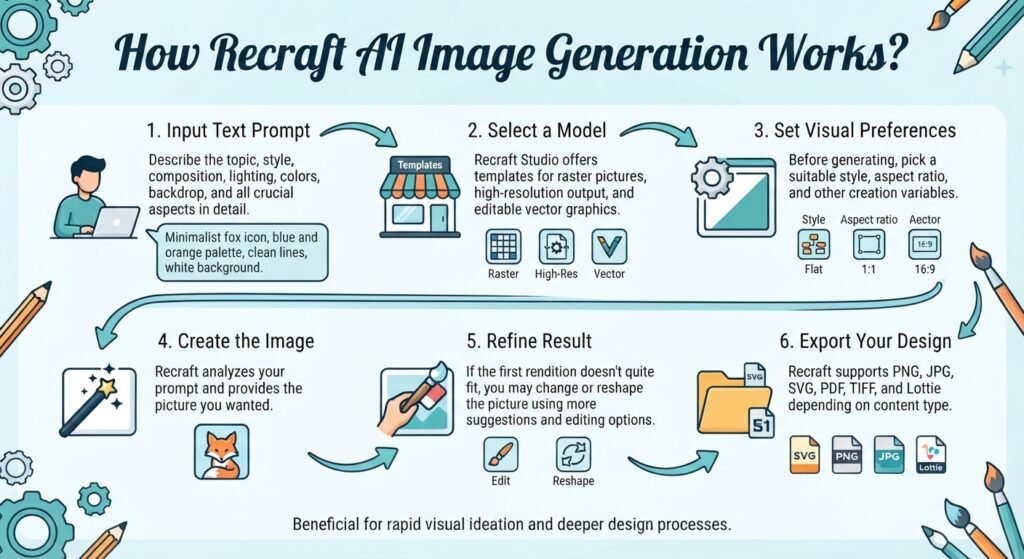
1. Input text prompt:
Describe the photograph you desire. Describe the topic, style, composition, lighting, colors, backdrop, and any other crucial aspects.
2.Select a model:
Recraft Studio offers templates for raster pictures, high-resolution output, and editable vector graphics.
3.Set visual preferences:
Before generating the picture, you may pick a suitable style, aspect ratio, and other creation variables.
4.Create the image:
Recraft analyzes your prompt and provides the picture you wanted.
5.Refine result:
If the first rendition doesn’t quite fit the bill, you may change or reshape the picture using more suggestions and editing options
6.Export your design:
Recraft supports PNG, JPG, SVG, PDF, TIFF, and Lottie depending on content type.
That makes Recraft AI image gen beneficial for rapid visual ideation and deeper design processes.
2.Image Styles and Settings.
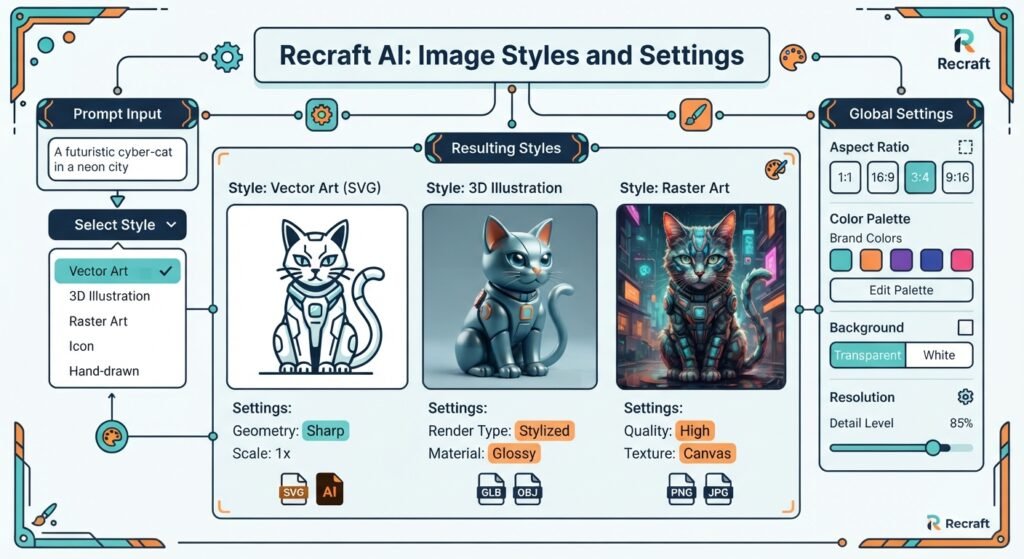
One benefit of Recraft is the creative control it gives you over the image creation process. you may generate a variety of pictures, including photorealistic photos, drawings, vectors, icons, 3D images, and typography images. Recraft also includes a large style library to explore alternative visual possibilities.
You may also include elements like composition, lighting, colours, objects, camera angle, and mood. That means you may provide the Recraft AI picture generator with a basic concept or a thorough description, depending on the level of control you want.
3.Can You Edit and Refine Recraft AI Images?
Absolutely. Recraft is not just a basic AI picture generator. Once you’ve created a picture, you may still go back and modify it in the same workspace. Its image-editing capabilities let you remove backdrops, upscale photos, vectorise graphics, correct details, or replace a visual with another prompt.
This is helpful if the initial picture is close to what you want but needs some tweaking. You can’t just work from zero. You may enhance the current design.
4.Can Recraft AI Generate Multiple Image Variations?
Yes. Recraft’s Exploration Mode may produce many visual choices from a single question, which lets you see alternative interpretations of the same concept before selecting one to improve.
For example, a marketer may enter one product-ad prompt and browse many compositions or visual styles before choosing the best images for a campaign.
5.What Can You Create With Recraft AI?
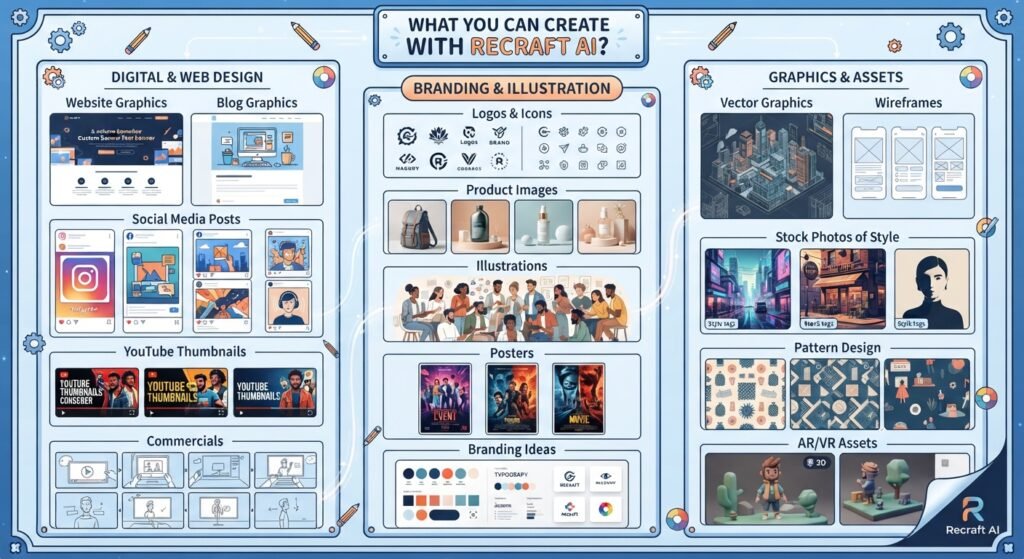
Recraft is especially helpful for designers since its models can also create editable SVG vector files, which may be handy for logos, icons, graphics and other scalable design materials.
6 .Is Recraft AI Image Generator Free?
The picture generator is free to use. Recraft’s website says that under the Free plan, you can generate up to 30 free images each day, and credits reload every 24 hours. With the Free plan, you can get to utilise Recraft’s models and create photos, vectors, mockups, and altered visuals for free.
But there’s a big catch with the Free plan: photos generated on it are public and cannot be used for commercial purposes. Paid plans include ownership and commercial rights to photographs created during a subscription.
Recraft AI Vectorizer: Convert Images to Vector.
The Vectorizer is an AI tool that converts raster-style pictures into editable vector drawings. Instead of tracing a picture manually, you may use Recraft to turn a bitmap image like a PNG or JPG into a scalable vector design. This is extremely useful if you need to resize a logo, icon, image, or other visual without sacrificing quality.
The Recraft.ai vectorizer is part of the wider AI design platform from Recraft that brings picture production, vectorizing, editing, and other creative tools together in one workspace. Its vector features are especially valuable for designers, marketers, and artists who require visuals that can be modified and resized for diverse reasons.
How Does Recraft AI Vectorizer Work?
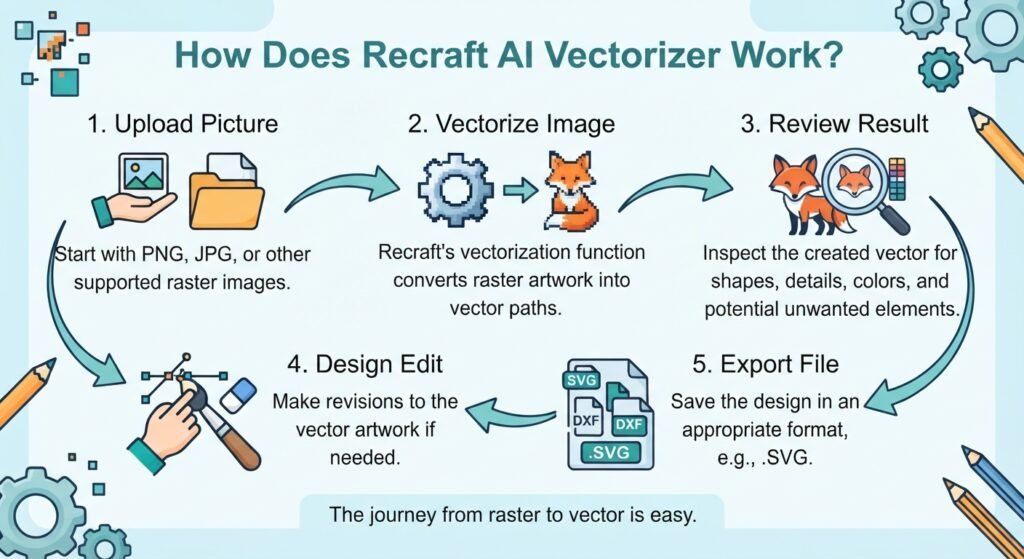
The picture vectorizer is said to be really easy to use. Take an existing raster picture and utilise Recraft’s vectorisation skills to produce a vector version of the design.
Here is a typical workflow:
Upload a picture: Start with a PNG, JPG, or other supported raster image.
Vectorise the image: Recraft’s vectorisation function may turn the raster artwork into vector pathways.
Review the result: Inspect the created vector for forms, details, colours, and unwanted elements.
Design edit: Make revisions to the vector artwork if needed.
Export the file: Save the design in an appropriate format, e.g..SVG.
What Is Recraft AI Vector Used For?
The vector capability is very useful for reworking existing visuals into editable designs. For example, you may have a tiny raster logo that you want to expand for print, or an image that you want to alter as vector artwork.
Normal usage includes:
- Converting logos to vector format
- Scalable icon design
- Illustration vectorization
- Preparing artwork for print
- Website & App Graphics Translation
- Creation of editable branding assets
- Design for all screen sizes
- Converting AI-generated graphics to vector formats
This gives you the Recraft AI vector-generating utility when you want more control over a picture than a regular raster file
What Images Work Best With Recraft AI Vectorizer?
The results are often most helpful when the source picture has distinct forms, well defined edges and relatively basic visual features.
Potential possibilities include:
- Logos Symbols
- Flat Art
- basic graphic
- Line art
- Basic typographic designs
- Trade Marks 1.
Photographs and really complex pictures might be more difficult since they have various colors, textures and little features which are not always easy to transfer neatly to basic vector lines.
Recraft AI Logo, Icon, Sticker & Mockup Generator .
This Tools isn’t only for image generation. This tool is used for many other tasks, like making logos, different icons, and mockups. This tool is helpful for branding, media graphics, product marketing, and websites.
1.Recraft AI Logo Generator.
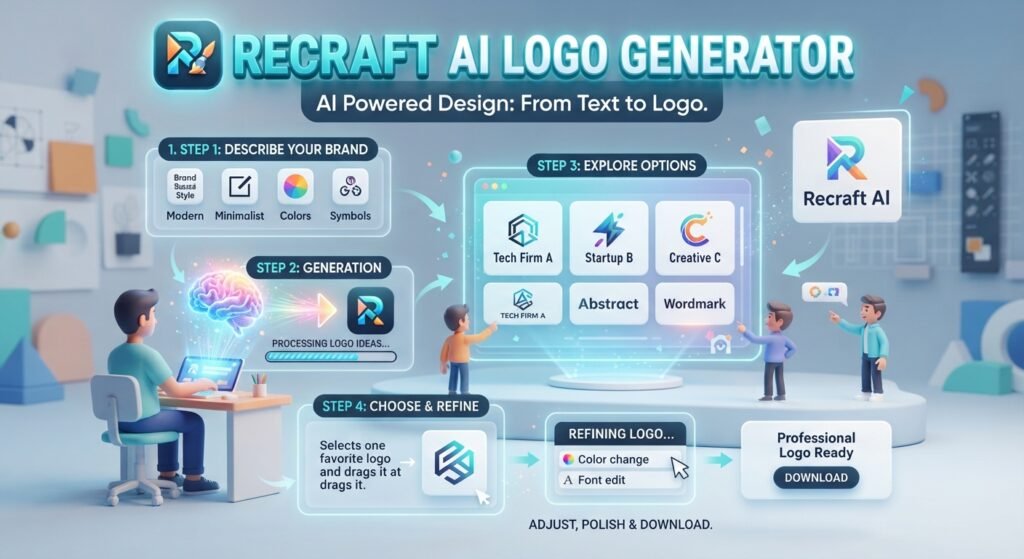
First logo generator allows you to generate logo designs based on a basic text description. Recraft may create multiple design directions for you instead of you designing every piece by hand. You can explain what sort of brand, the visual style, colors, symbols, and overall appearance you desire.
For example, you may describe a contemporary tech firm that wants a basic geometric logo with a simple color palette. From there, Recraft can spit forth logo ideas that you may tweak and polish.
The logo process could be helpful for:
- Developing basic logo ideas
- Different branding styles to explore
- Designing visual signs and symbols
- Testing ideas for color and type
- Design Ideas for Startups & Small Businesses
- Creating visual concepts prior to professional logo refining
2.Recraft AI Icon Generator .
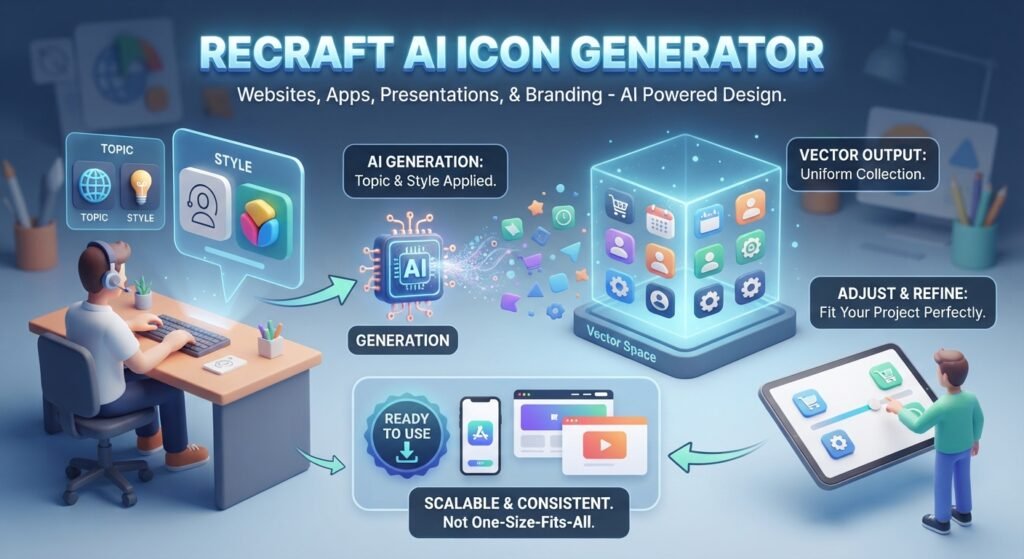
The icon generator may be handy for producing basic icons and visual symbols for websites, apps, presentations, and branding tasks.
Describe the topic and desired visual style, and then adjust the created icon to better fit your project. Recraft’s vector output and visual design emphasis might be handy when you want scalable images instead of a one-size-fits-all image.
For example, you may define a uniform collection of icons for a website by defining identical designs, colors, and visual qualities.
3.Recraft AI Mockup Generator .
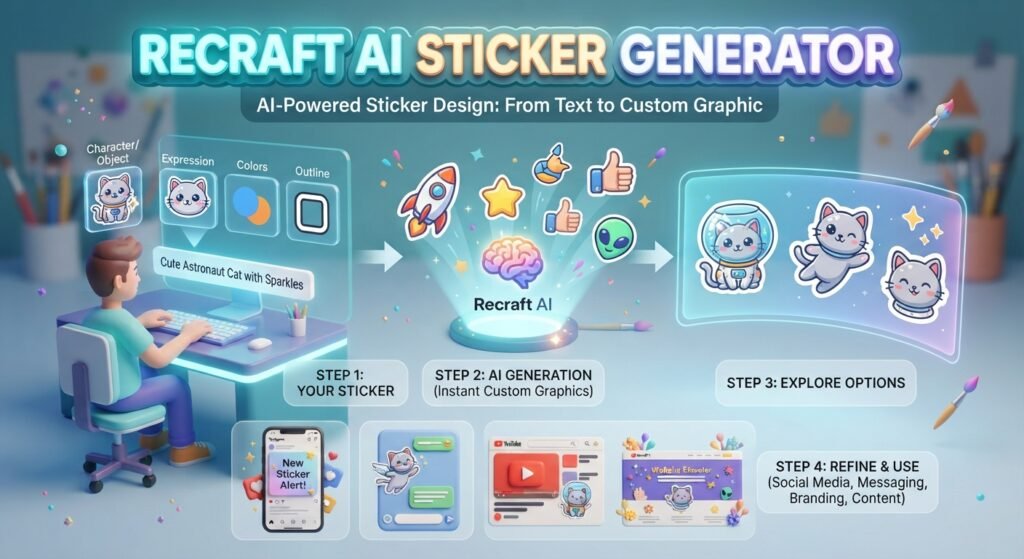
The sticker generator allows users to create custom sticker-style graphics from text prompts. You can describe the character, object, expression, colours, outline, and overall sticker style you want.
AI-generated stickers can be useful for:
- Social media posts
- Messaging graphics
- Brand promotions
- Digital products
- YouTube and content-creator graphics
- Decorative website elements
You can experiment with different styles and concepts until you find a design that fits your project. You can then refine the generated sticker further instead of starting the entire design from scratch.
4.Recraft AI Mockup Generator.
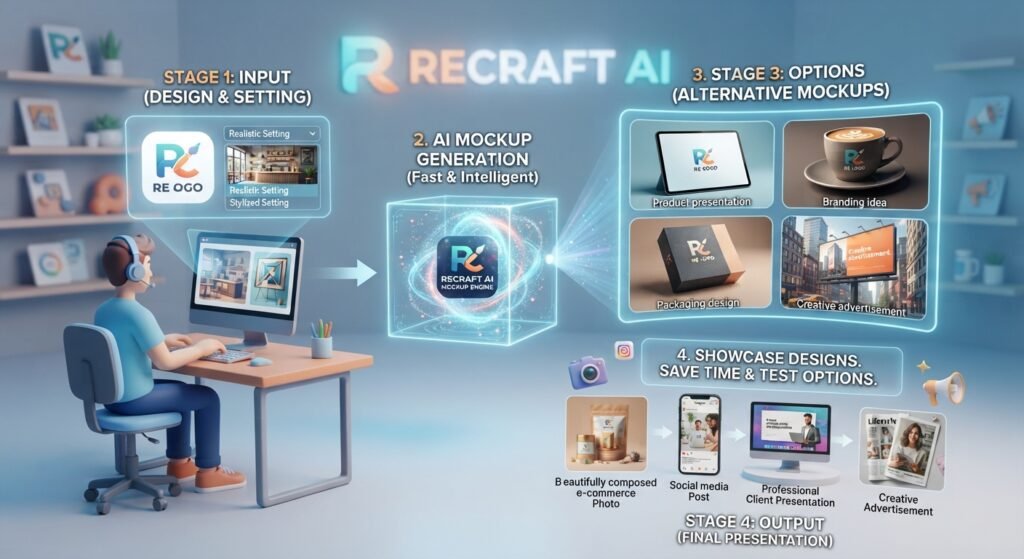
The mockup generator is a presentation tool that helps you showcase designs in realistic or stylized product and marketing settings
A mockup from Recraft artificial intelligence may come in handy for:
- Product presentations
- branding ideas
- Ideas for packaging
- Creative advertisements
- Social media posts
- Presentations to clients
- Photos of e-commerce
The biggest benefit is speed: you don’t have to develop every prototype from start, so you may test alternative presentation options.
Which Recraft AI Generator Should You Use?
The right tool depends on what you want to create:
| Design Need | Recraft AI Tool |
| Brand identity concepts | Logo generator |
| Website or app symbols | Icon generator |
| Fun promotional graphics | Sticker generator |
| Product and branding presentations | Mockup generator |
Recraft AI Book Illustration, Game Assets & Landscape Generator?
Rectaft AI is able to create beautiful images. This program is quite creative, enabling users create game objects, environments and artwork from a prompt. This application is incredibly useful for game developers, designers and content producers that wish to convert a creative concept into a film.
1.Recraft AI Book Illustration Generator .
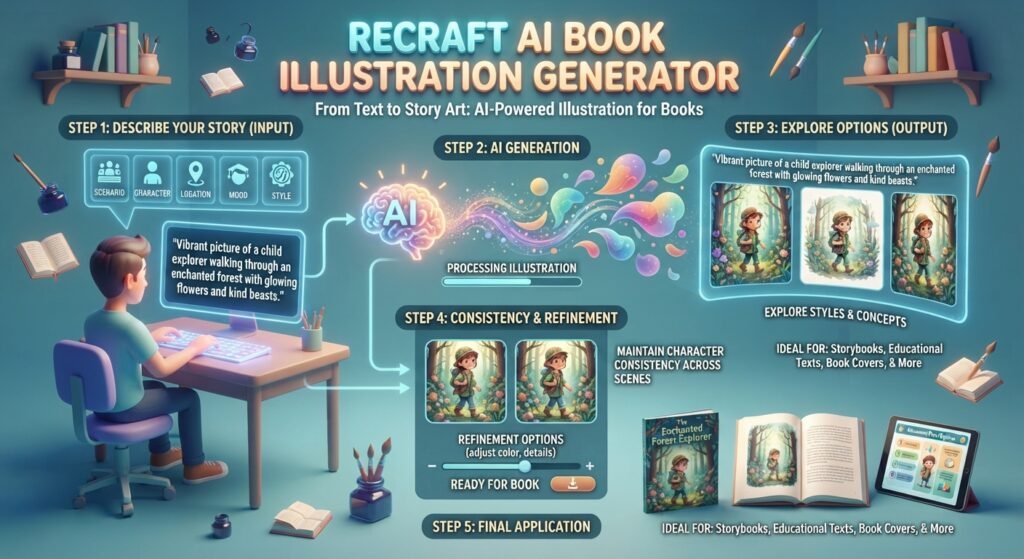
Recraft AI book illustration generator lets people generate visual artwork for books and other story based projects. Recraft may produce an illustration from a description of a scenario, character, location, mood, or creative style in a prompt.
For example, a children’s book novelist would say to Recraft: “Make me a vibrant picture of a child explorer walking through an enchanted forest filled with glowing flowers and kind beasts.”
The Recraft AI book illustration generator might be used for:
- Texts for Kids
- Story Books
- Books for Education
- Fictional tales
- Character art
- Story Scenes
- Ideas for Book Covers
- Educational and editorial graphics
A book with many pictures must have consistent character descriptions, colors, art styles, and visual references. AI-generated artwork may occasionally create anomalies across distinct pictures that will need further editing to get a professional final release.
2.Recraft AI Game Asset Generator .
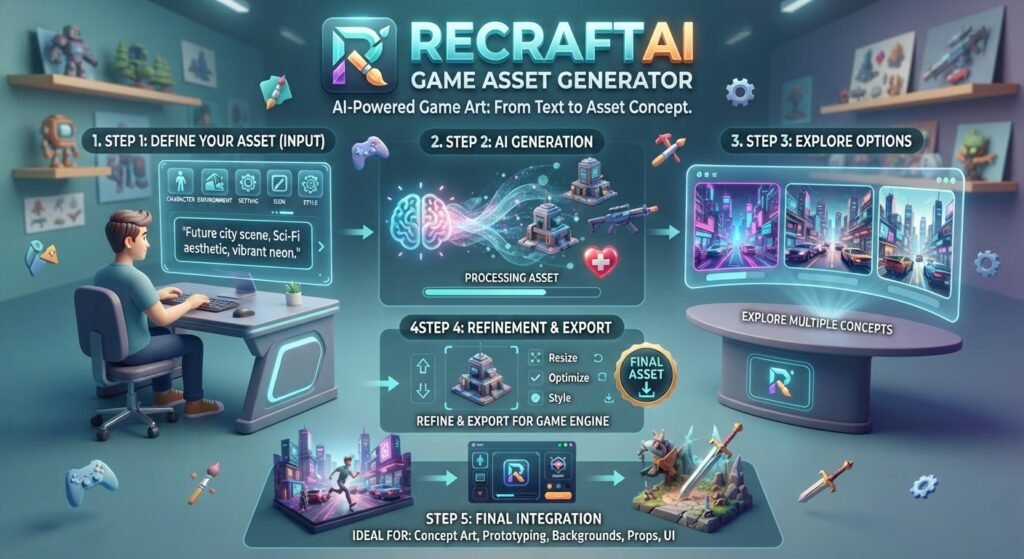
The AI game asset generator from Recraft may help game developers and artists generate graphic designs for games. Rather than building each element yourself, you may define the character, object, setting, icon, or visual style you require and produce a first idea.
For example, you may build a prompt for a future city scene, a fantasy figure, a medieval gaming logo, or a sci-fi product. This produced artwork may then be tweaked, or be a starting point for a bigger game-design procedure.
Typical usage includes:
- Character Design
- Environments of games
- Backgrounds –
- Props and objects
- Game icons
- Items: Fantasy
- Sci-fi assets
- User Interface Graphics Concept art
The primary benefit is quick visual exploration. There are several alternative ideas the developer might investigate before determining which path the game will go.But game assets created by AI may need further development before they are usable in a full game. Developers may need to resize dimensions, eliminate unnecessary features, optimize files, develop uniform graphic styles, and prepare assets for a certain game engine.To summarize: Recraft AI is a powerful tool for creating and exploring game-art ideas, particularly in the early phases of design and development.
What Can You Create With Recraft AI?
These Recraft AI tools are helpful when you need to rapidly translate an idea into a visual notion. Authors may create graphics for stories, game makers can test locations and elements, and designers can build landscape artwork for websites, presentations, and marketing materials.
The biggest advantage is speed and creative experimentation. Instead of spending hours manually brainstorming a first idea, you may produce dozens of ideas, then tweak the one that suits your project best.
Just remember that AI-generated images may not always be great the first time. Complex scenarios, character consistency, tiny details, and production-quality materials will need more prompting or manual editing.
Recraft AI Meme & Ad Generator.?
Recraft AI is able to produce memes, social media graphics, product images, and advertising creatives in a flash, using basic text prompts. who’s great for artists, marketers, and enterprises who require plenty of visual concepts but don’t want to develop each picture individually.
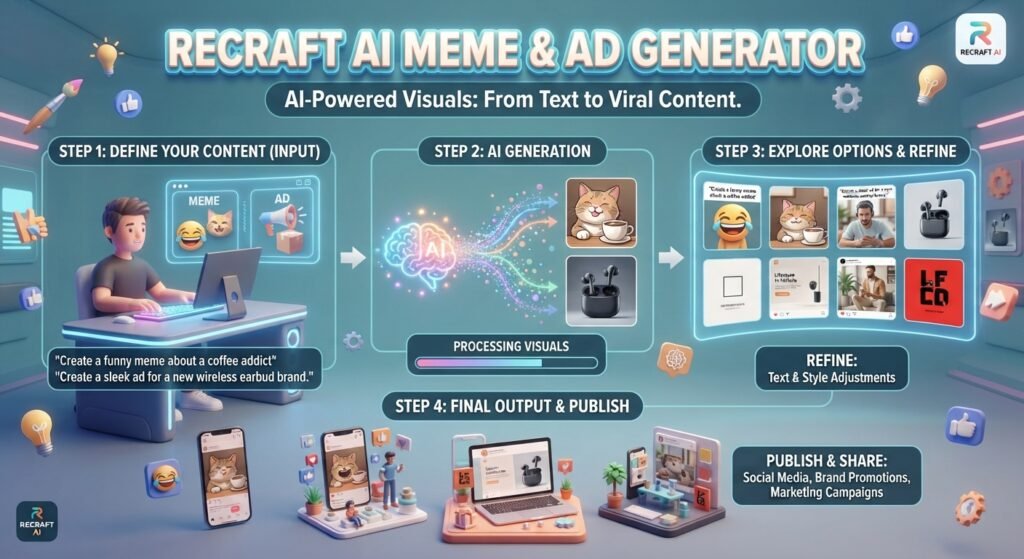
1.Meme Generator .
The Recraft AI meme generator allows you to generate personalized meme-style images by specifying the setting, character, attitude or joke you desire. Then you may modify the picture and add or edit text for social media, brand content or promotional postings.
This is particularly good for response shots, funny brand material, Instagram posts, Facebook content.
2.Ad Generator.
Recraft AI ad generator helps generate graphic ideas for product commercials, social media campaigns, e-commerce promotions, and branded content. You may specify your product, colors, audience, backdrop and intended advertising style to create many creative alternatives.
This allows you to test a variety of visuals before you start a campaign.
How to Use Recraft AI?
No graphic design experience? No problem. Recraft AI is easy to learn, even for first-time designers. You may set the project, define what you want using a text prompt, produce the graphic, then modify or enhance the output.
1.How to Sign Up and Log In to Recraft AI.
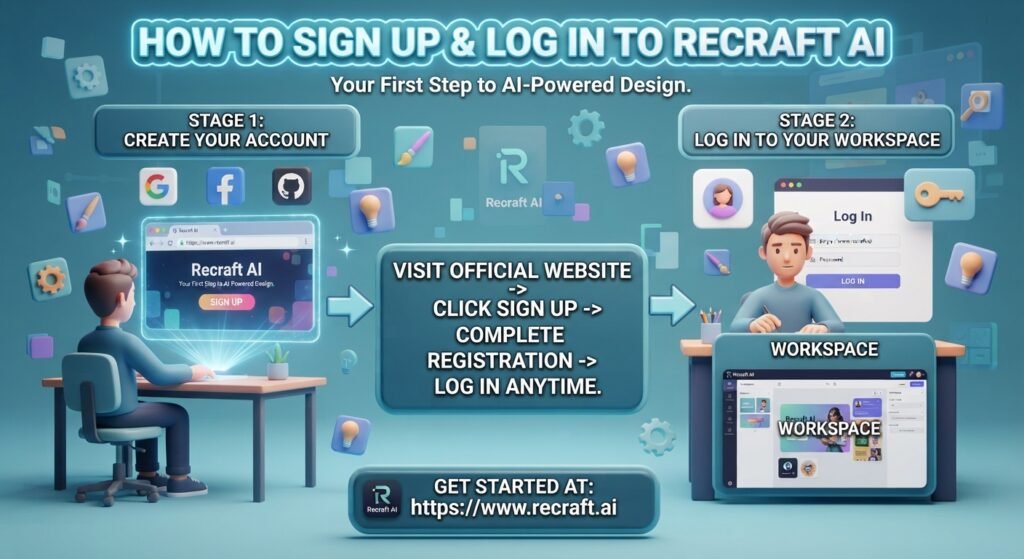
To begin using the Recraft AI tool, you’ll need to establish an account first:
Visit the official Recraft website.
- Choose Sign Up and set up an account using one of the sign-in options.
- Sign up and complete the necessary account creation.
- Log in to Recraft AI anytime you want to return to your workplace.
Searching for Recraft AI sign-up, Recraft AI login, The official website is the best place to go to access Recraft Studio.
2.How to Create a Recraft AI Project.
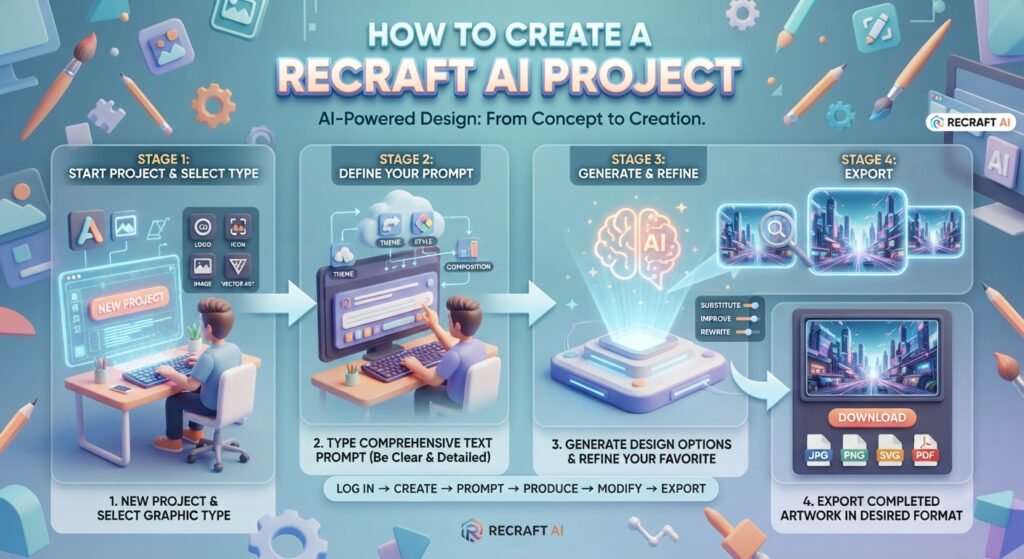
Once signed in, you are able to create a new Recraft AI project from your workspace. A typical process is as follows:
New project.
- Select the graphic type you wish to create.
- Type in a comprehensive text prompt.
- Make a picture or design.
- Go through the results and choose your favorite.
- Substitua, melhore ou reescreva o design.
- Export the completed artwork in a format of your choice.
Describe the theme, style, colors, composition, backdrop and crucial information in your prompt for better results. The clearer you tell it what you want the simpler it will be to improve the design it generates.
In short: Register or log in → make a project → type your prompt → produce → modify → export.
Can You Remove Text from an Image Using Recraft AI?
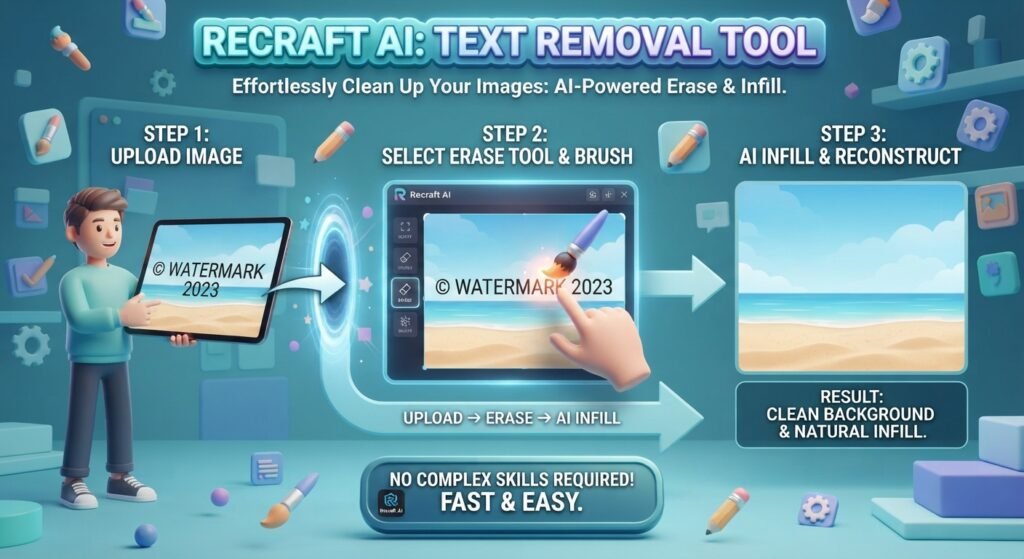
Yes, you can erase text from a picture using Recraft AI’s image editing features. Upload the picture, pick the region with the undesirable text, and then use the editing or wipe option to remove it. Recraft may then re-create the damaged region so it seems more natural in the backdrop.
1. How to Remove Text in Recraft AI.
How can I delete text in Recraft AI? You may open your picture in the editor and use the erase or editing option to indicate the text you wish to remove. After you’ve made the modification, check out the output. Make another edit if the backdrop or surrounding elements require improvement.
If the text overlaps a significant item or complex backdrop, be sure to properly choose the text area and provide extra directions for the best results.
Short version: Upload picture, highlight undesirable text, erase/edit, regenerate area, review and export.
Recraft AI Pricing:
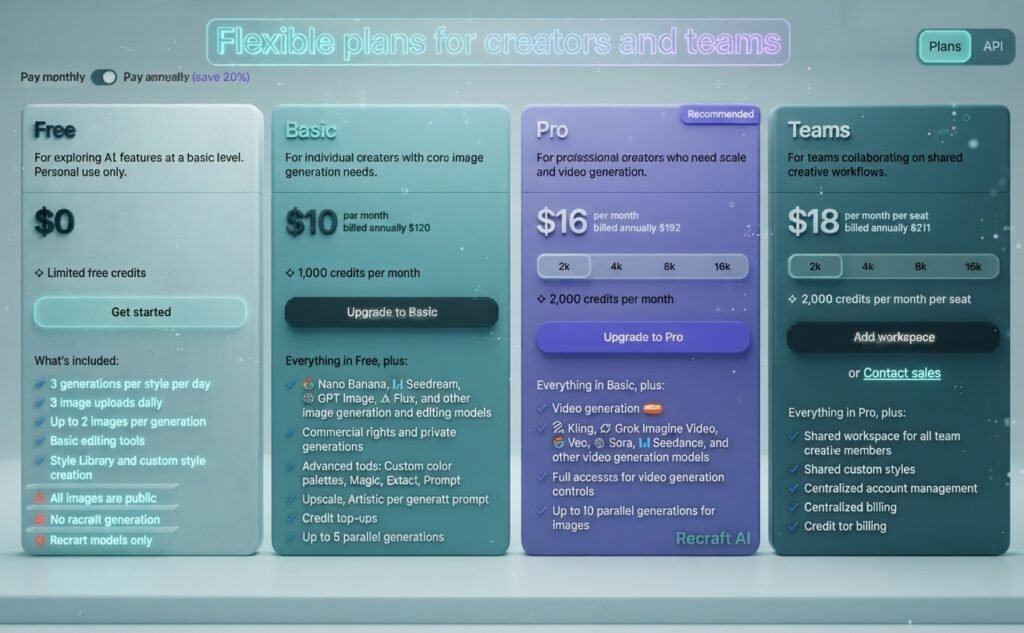
Yes, Recraft AI is free to use. Recraft has a Free Tier that gives you 30 daily credits that reset every 24 hours. You can use these credits to create images, vectors, mockups, and edited visuals without paying.
Recraft AI Subscription.
If you need more credits, private generations, and full commercial rights, you can opt for a Recraft AI subscription. Currently, paid plans start at $10/16/18/month, according to Recraft’s 2026 information. To summarize: Recraft AI is free for basic use, but a paid subscription is better suited for professional and commercial projects.
Does Recraft AI Have a Promo Code or Coupon?
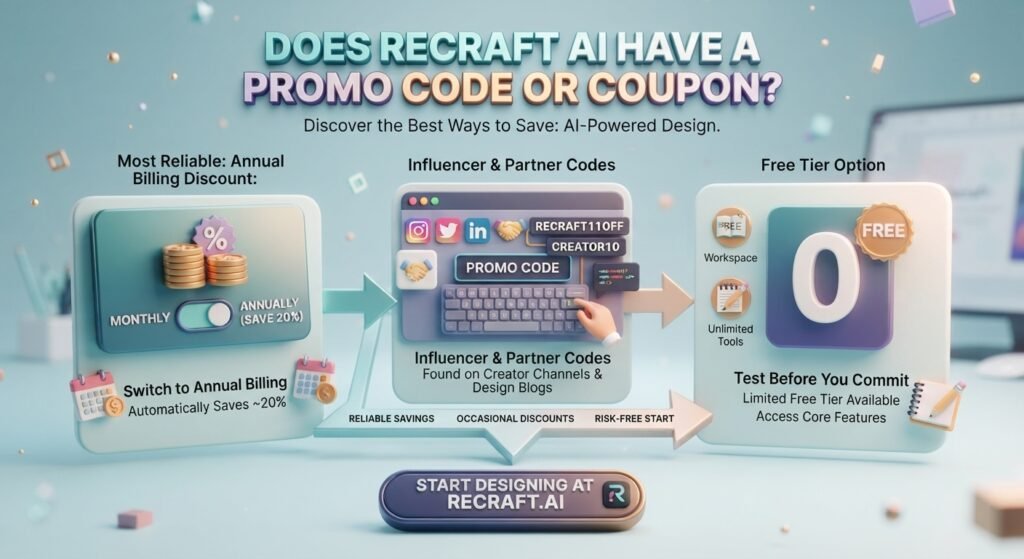
Currently, there is no validated public Recraft AI promo code or discount code. If you are searching for a Recraft AI discount code, go to the official pricing site for current specials and plan reductions.
Recraft AI Coupon Code & Promo Code.
When you search for Recraft AI promo code, Recraft AI coupon, Recraft AI coupon code, Recraft AI discount code, or Recraft.ai promo code, you may find some third-party deals that may be expired or unconfirmed.
The safest approach to save is to verify Recraft’s official price and current promos before to enrolling.
The fine print: There are currently no validated Recraft AI promo codes or Recraft AI discount codes.
Recraft AI V3: What’s New?
Recraft AI V3 was launched in October 2024 with significant advances in picture quality, text rendering, and creative control. It was built specifically for visual design and can produce graphics with longer, better-placed text.
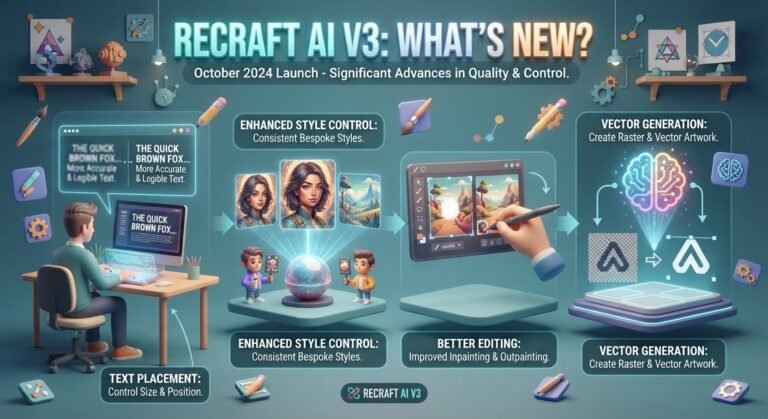
Highlight Features of Recraft V3 AI
Improved text creation:
Generate more accurate, legible text in photos.
Text placement:
Control how text is sized and positioned in a design.
Enhanced Style Control:
Create consistent images with bespoke styles
Better editing:
Improved support for inpainting and outpainting.
Vector generation:
Create raster and vector artwork.
The short: Recraft V3 AI was a big update, with improved text, realistic visuals, design control, and pro creative processes.
Recraft AI Video: Can You Create Videos?
Yes, Recraft AI is able to generate videos. Today, Recraft Studio has a handful of AI video models including Veo, Sora, Kling, Seedance, and PixVerse. You may make films using text prompts, or you can animate an existing picture.
How Recraft AI Video Is Working
Simply switch from Image to Video in Recraft Studio, pick a video model, type in your prompt or use an existing image, and make the clip.
This makes Recraft AI video helpful for social media content, product videos, advertising, narrative and creative initiatives.
Briefly, Recraft has moved beyond image creation to offering text-to-video and picture-to-video capabilities in the same creative environment.
Recraft AI Review: Features?
Recraft AI is a powerful AI tool for design and image development, notably for logos, vectors, drawings, advertisements, and branded images. The V4 models it offers now are all about design quality, composition and consistent visual outcomes.
Recraft AI Feature
- AI-generated images and illustrations
- Editable SVG Vector Creation
- Logo, symbol, poster, and commercial development
- Image Editing, Background Removal & Vectorization
- Custom designs and branding consistency
- Multiple AI image and video models in the same workspace
Recraft AI Pros & Cons?
Recraft AI: Pros & Cons
Recraft AI Alternatives & Competitors
?
If Recraft AI isn’t just what you’re looking for, there are plenty of worthy Recraft AI alternatives and rivals to explore. The ideal solution will depend on whether you want superior creative pictures, text production, editable vectors, or a simpler design process.
| Recraft AI Alternative | Best For |
| Ideogram | Text-heavy images, posters, and typography |
| Adobe Firefly | Adobe workflows and professional design |
| Midjourney | Artistic and photorealistic images |
| Canva AI | Social media and quick marketing designs |
| Leonardo AI | Creative control and game assets |
Which Recraft AI Alternative Is Best?
Ideogram is a good choice if you care most about getting accurate text in your images. Adobe Firefly is excellent for people already working in Photoshop and Illustrator, whereas Midjourney is a better alternative for creative and highly detailed graphics.
Recraft is one of the best design-oriented tools for editable SVG vectors, logos, icons, and brand elements.
To summarize, don’t choose an option merely because it’s popular. Select according to your workflow. Ideogram for typography, Firefly for Adobe users, Midjourney for creative graphics, Recraft for vectors and branded design elements.
Recraft AI FAQ.