Luma AI Review 2026: Video Generator, Dream Machine, Ray3, 3D & Pricing
Introduction
Luma AI is an AI-driven creative platform that enables anybody to create films and visual material from their ideas without needing expert editing abilities. Its tools, known as Dream Machine, are available for text-to-video and image-to-video generation, enabling users to generate moving pictures from simple prompts or existing images.
it also provides more control and higher-quality video production with newer models like Ray3, and its technology extends to areas like 3D content development and visual effects. They also provide a free trial version that allows you to explore the site before upgrading to a subscription plan with more features and use restrictions.
If you are a creative, marketer, filmmaker or social media user, or a company looking to develop AI video content more quickly, then Luma AI might be handy. In this review, we’ll cover its core features, video quality, price, free choices, capabilities and limits, and how it compares to other AI video makers.
What Is Luma AI?
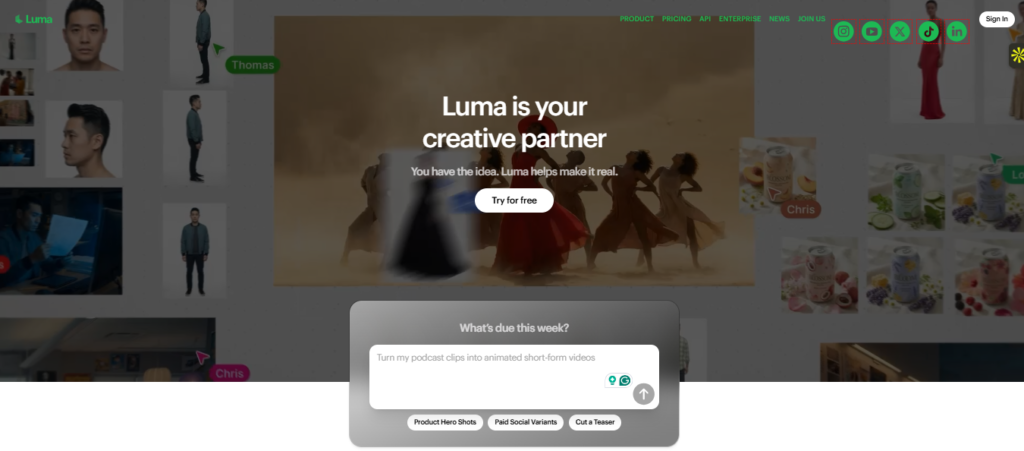
It is a generative AI platform by Luma Labs that enables users to generate films, photos, and other visual content from text prompts and images. Luma began in 2021 with 3D capture and computer vision, and then expanded into AI-powered video and picture production. It can make films from text (text-to-video), transform still photos into moving footage (image-to-video), and enable complex visual and 3D processes. Luma employs generative AI models to interpret cues, topics, motion, scenery, and camera orientations, then generates or modifies visual content according to those instructions. Its technology is well-suited for artists, marketers, filmmakers, and enterprises that want to create visual content without traditional production methods. Luma AI is a privately held firm whose co-founder and CEO, Amit Jain, will be speaking at the event. In simple terms, if you’re wondering, “What is Luma AI, what does it do, and how does Luma AI work?”, it is an AI-powered creative platform that converts ideas and visual references into films and other digital material, with its origins in both generative AI and 3D technology.
What Can Luma AI Do?
This is best for its AI-powered movie production, but it can do much more than just generate videos. The current Ray3.2 video model allows users to generate films from text or pictures, edit videos, extend videos, and manage scenes using keyframes.
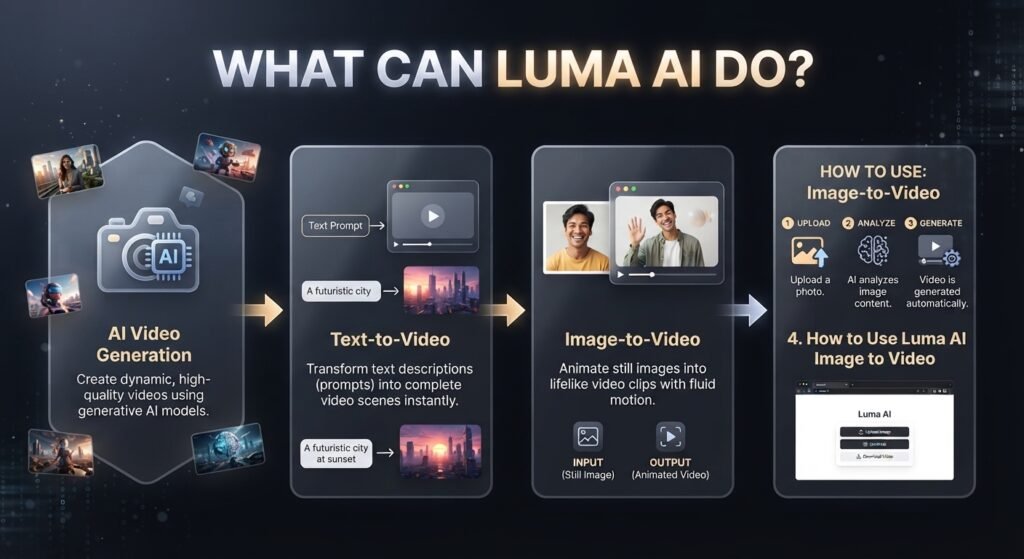
1.AI Video Generation
This is a video creation tool allows users to generate visual content from text prompts and reference photos. Instead of physically recording a scenario, you define the topic, action, surroundings, camera movement, and style, and Luma makes a video based on your directions. Ray3.2 now allows video production of several resolutions and aspect ratios with output up to 1080p.
This makes a good tool for social media producers, marketers, filmmakers, advertisers, and companies who need to transform ideas into films fast.
2.Text-to-Video
Luma AI text-to-video lets you produce a video from a text prompt. You may define what should be in the scenario, how the subject should move, and how the camera should operate. Then Luma’s Ray3.2 model creates the video from that instruction.
For example, if you want to make a video, you don’t have to capture that scenario personally, but you may construct it from a prompt like “A cinematic drone shot flying over a snowy mountain at sunrise.
3.Image-to-Video
A key aspect of this is Luma AI picture-to-video if you already have a photo, art, product image, character design, or anything else that you want to animate. You upload a picture to function as a visual reference for what you want, explain the movement or motion you desire, and Luma makes a movie from that image. Ray3.2 now allows image-to-video using in/out frame references and more powerful keyframe techniques.
Also known as picture to video, this is because you can start with a still photo and create an animated clip. If you want to know about Luma AI picture-to-video free choices, the availability and use restrictions are subject to the current Luma plan, so you’ll want to verify the latest official pricing before making specific free-credit claims.
4.How to Use Luma AI Image to Video.
Picture-to-video: Give an image that you want to animate and tell what movement you want in the prompt. Provide the image as the visual reference by uploading it. You may define actions, camera movement, mood, or any other alterations, but the original picture is the basis for the scenario. Luma also allows start/end frames and several keyframes for more customized video production.
In basic terms, image-to-video generator converts a still picture into a moving movie. This makes it great for product demos, social media clips, cinematic shots, concept graphics, and creative storytelling.
Luma AI Dream Machine
Dream Machine is Luma’s creative platform for producing and modifying AI movies using text prompts, photos, and other visual inputs. It enables processes such as text-to-video, picture-to-video, video manipulation, keyframes, reframing, and video extension. The current Dream Machine experience is Ray3.14; however, Luma’s developer documentation mentions Ray3.2 for its video-generation API.
1.What Is Luma AI Dream Machine?
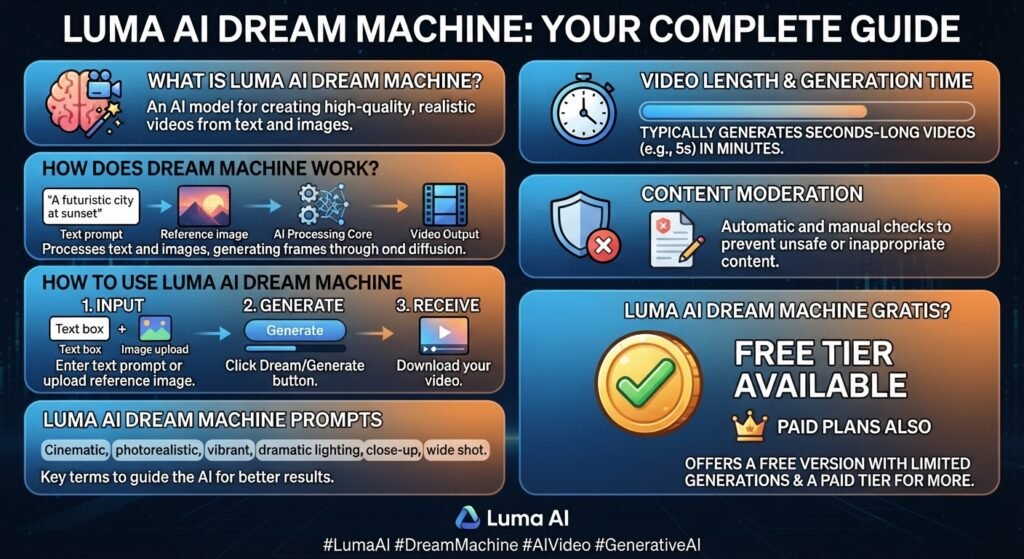
Dream Machine is a web-based AI platform for creating videos. It allows you to create short video clips using natural-language prompts and visual references. You may also have the AI construct the video for you instead of capturing a scenario yourself, by describing the topic, action, surroundings, camera movement, and style.
It may also be used to animate graphics, edit existing films, alter aspect ratios, and prolong created clips. Current Ray3.14 supports text-to-video clips of length 5 or 10 seconds, image-to-video for 5 seconds, and Modify Video for up to 18 seconds. Generated videos may also be expanded to around 30 seconds in many phases.
2.How Does Dream Machine Work?
Dream Machine use generative AI models to read your prompt and visual references to generate a film that resembles the scenario you asked for. A good prompt will usually specify the topic, action, setting, camera movement, lighting and visual style.
For example, instead of “a car video,” you may write about a sports car moving through a wet city at nite with a slow tracking camera. More explicit visual instructions usually offer the model clearer direction.
3.How to Use Luma AI Dream Machine
It’s easy to use Dream Machine online:
- Open Luma AI Dream Machine and open the online app.
- Log in or Create an account Luma also offers Google and Apple sign-in on the web.
- Select your generating process (e.g. text to video, picture to video).
- Type in your prompt or upload a picture you wish to use as a reference.
- Configure the available options like length, resolution or aspect ratio.
- Wait for processing to complete and generate the video.
Preview the output and save or change it further if the tools provided facilitate the process.
1.Luma AI Dream Machine Prompts
Good Dream Machine prompts should clarify what you want to see and how the scenario should progress. A simple structure:
Environment + Camera + Lighting + Style + Subject + Action
Example 1 — Cinema:
Cinematic lighting, realistic reflections, detailed film appearance, slow tracking camera, futuristic race vehicle moving through a neon-lit metropolis at night, rain pouring across streets.
Example 2 — Nature.
Cinematic gradual push-in of a tranquil alpine lake in the morning, gentle fog over the water, distant flying birds, natural lighting.
4.Dream Machine Video Length & Generation Time
If you’re wondering about movie length, the available length depends on the model and methodology. Currently, Ray3.14 supports text-to-video for 5 seconds or 10 seconds, and image-to-video for 5 seconds at the moment. Video Modify supports clips of up to 18 seconds, and created clips may be expanded to create larger sequences.
How long does it take to generate video? Processing time is not set and depends on the model, resolution, workload, features, and whether the account is in a quicker or relaxed processing mode. According to Luma, Relaxed Mode may take longer than Fast Mode.
it is a busy service and higher-quality generation, complicated workflows, or relaxed processing may result in longer waiting times.
5.Luma AI Dream Machine Content Moderation
Dream Machine manages content moderation in the prompts, uploaded sources, reference pictures and created outputs. Luma’s regulations limit restrictions like sexually explicit material, graphic violence, abusive content, destructive activities and other deceptive or unauthorized uses. Moderation is not a choice.
Sometimes, however, a prompt gets highlighted even if the user thinks it’s innocuous — Luma claims that’s because its moderation mechanism is purposely cautious. Named prominent personalities, certain violence-related phrases, medical language, or photographs with actual persons might trigger false positives.
6.Luma AI Dream Machine Gratis?
Dream Machine provides free access levels, although the free, credits, watermarks, and model access are subject to change as Luma changes its plans. Free and Lite generations may include watermarks. See Luma current account documentation.
If you are looking for Dream Machine online free, or the Dream Machine free tier, you should verify the current plan specifics before setting your article on a certain credit amount.
Luma AI Ray3
1.What Is Luma AI Ray3?
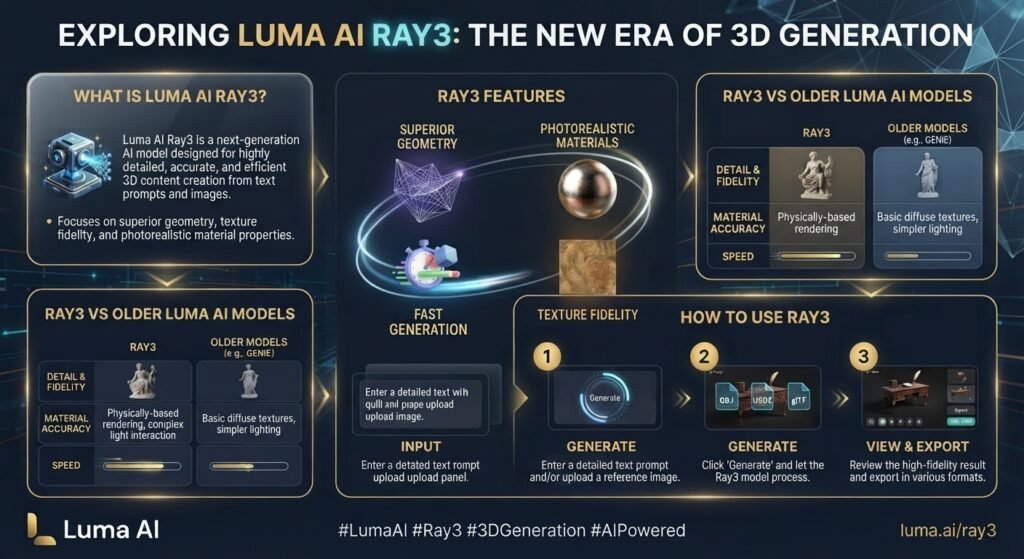
Ray3 was a significant evolution of Luma’s AI video technology, providing more sophisticated control over video production and visual cohesion. But Luma’s current video model is Ray3.2, whereas the previous Ray3 has been transferred to the legacy model group. Ray3.2 can generate videos from text and images, edit videos, extend them, and reframe them.
2. Ray3 Features
The updated Ray3.2 Luma AI methodology is meant for more controlled AI video creation, not just prompt-to-video generation. Its primary skills are:
- Written cues to video generation
- Image-to-video with start frame or end frame reference
- Multi-keyframe video direction
- Video conversion and editing
- Video extension (from earlier generations)
- Video Reframing to Arbitrary Aspect Ratios
- HDR video output up to 1080p resolution in approved workflows
- More control over subjects, movements, situations, and visual consistency
These capabilities may make Ray3.2 valuable for producers who want to have greater influence over an AI-generated scene instead of just one text prompt.
3.Ray3 vs Older Luma AI Models
The only change is that Ray3 and Ray2 are now older versions of Luma AI. Luma’s current documentation lists Ray3.2 as the public video model, with prior Ray versions (Ray3, Ray2, Ray2 Flash, Ray2 Relaxed, etc.) being phased out of the newer API.
If you’re looking for Ray 2 it’s good to note that Ray2 is not the current model anymore. Ray3 Luma AI usually refers to the previous edition of Ray3 and current procedures need to be validated against the Ray3.2 specification.
4. How to Use Ray3
If you wish to take advantage of the features associated with Ray3, the current way is to utilize Luma’s Ray3.2-powered video processes. Choose the video method that best matches your needs, choose the available settings like aspect ratio and quality, and then render the clip. You may start with a text prompt or an image reference.
Ray3.2 has more sophisticated options, such as multiple keyframes, editing a current movie, extending a previous generation, or reframing a film for a different aspect ratio. The current API offers video creation up to 1080p or down to 360p, depending on the process.
In brief: if you’re after Ray3, then you probably want Luma’s superior Ray video-generation tech. For the current 2026 version, Ray3.2 is the model to look at, whereas Ray3 and Ray2 should be viewed as previous versions.
Luma AI 3D Features
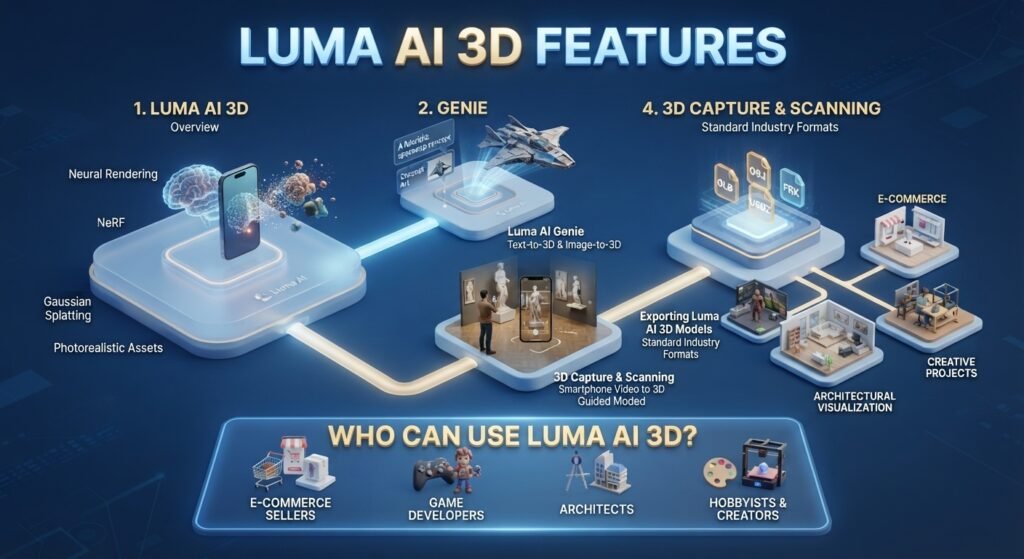
it has a solid pedigree in 3D creation, so it’s useful for users who wish to create, record, edit and share 3D material without being fully reliant on conventional 3D modeling procedures. Its 3D tech includes generative 3D models like Genie, as well as 3D capture and interactive scene tech. Since then, Luma has greatly extended its product ecosystem, but its 3D tools from previous iterations still provide a window into what is capable of beyond generating video.
1.Luma AI 3D
3D is the name of the platform’s tools for the creation and capture of three-dimensional objects and scenes. Depending on the technology you’re using, a 3D model may be generated using generative processes or collected from the real world. The platform has also dealt with 3D capture, photogrammetry-style processes, and interactive 3D scenes, offering producers numerous options for turning real-world material into digital content.
This tool is especially useful for users of Luma AI’s 3D model generator, since Luma announced it as a generative 3D model that can produce 3D assets from prompts. Luma said Genie can create 3D things using quad meshes and materials in common formats.
2.Luma AI Genie
Genie was Luma’s generative 3D model of Luma to convert creative thoughts into 3D things. One of the prominent 3D use cases of the platform was the Luma AI Genie text-to-3D, which let the user describe an item and create a matching 3D asset.
The premise behind Genie was basic: Instead of designing each thing from the beginning, you could tell it what you want and let generative AI make a 3D product. This was especially fascinating for designers, game developers, and makers working with AI-produced assets, such as the Genie 2D-to-3D and picture-led 3D production procedures.
3.Luma AI 3D Capture & Scanning
Luma has gained a reputation for Luma AI 3D capture and scanning operations that could translate real-world topics into digital 3D scenes. These procedures are tightly coupled with photogrammetry and neural rendering approaches, enabling users to record objects and situations and interact with them as 3D content.
Searches for topics like Luma AI photogrammetry, Luma AI scans, Luma AI NeRF, and Gaussian Splatting seem to be on this side of Luma’s technology. Instead of building a 3D object with text from scratch, capture-based processes leverage the visual information from the actual world to rebuild a digital representation.
Luma has also created interactive 3D sceneries for online and mobile viewing and sharing, demonstrating how its 3D technology can be used beyond traditional modeling into interactive experiences.
4.Exporting Luma AI 3D Models
Exporting is a big element of any 3D process, since creators frequently have to migrate their objects into other apps. When transferring recorded or created assets into another environment, users may seek keywords like export mesh, Luma AI export OBJ, and Luma AI web export mesh, depending on the Luma 3D workflow and export choices available.
If you’re a creator using 3D software, you’ll see searches like to Blender, Luma AI Blender, Luma AI to Unreal Engine, Luma AI Unreal Engine, and Luma AI Unity — all of which reflect the same intent: taking an asset generated or captured by Luma and continuing to work on it inside a professional 3D or game-development workflow.
In general, the actual export formats and compatibility may differ according to the particular Luma product and process. It’s best for users to evaluate the current export choices before beginning a production pipeline, rather than assuming that every Luma 3D feature supports every format.
5.Who Can Use Luma AI 3D?
Luma’s 3D features could be a good fit for 3D artists, game developers, product designers, filmmakers, marketers, architects, and others who wish to experiment with AI-assisted 3D creation or real-world capture. Text-to-3D procedures are handy if you want to rapidly explore an idea for an item, whereas 3D capture and scanning are more applicable if you want to digitize an existing object or environment in the real world.
Luma AI’s 3D technology boils down to two concepts: creating a 3D item from a concept, or capturing the actual world and transforming it into a digital 3D experience.
How to Use Luma AI
Luma AI allows you to make films from text prompts, animate still pictures, edit existing video, and manage how a scene changes over time. The current Ray3.2 video model enables text-to-video and image-to-video production, and has capabilities like keyframes, video editing, reframing and video extension.
1.How to Create Better Luma AI Videos
Better Luma AI films tend to emerge from clear prompts, controlled movement, and good source images—not from adding additional words to a question.
These are the practices to remember:
- Describe one major activity (not a series of minor activities).
- The topic is the United States and it is being analyzed.
- Discuss camera movement when it counts.
- Use specific descriptions for lighting, environment, and atmosphere.
- Trim away any excess that doesn’t influence the photo.
- For picture-to-video, adapt the required movement to the source image.
- Use keyframes when you want more control over the transition from one scene to another.
- First, make a rudimentary version, then enhance the prompt using the output.
If your movie seems strange, simplify the action before giving extra instructions. For instance, asking a character to walk, then turn around, then pick up an item, then talk and do any other complicated activity all in one short clip might make the generation less predictable.
2.Luma AI Transition
Luma AI transition techniques might be beneficial when you don’t necessarily want a photo to stand alone but rather go from one visual state to another. Ray3.2 enables multi-keyframe processes, letting authors to offer visual cues that govern how a scene evolves between distinct points in the generation.
Choose start and end references that seem similar for a smoother transition. Keep the subject, camera perspective, and overall scene direction consistent unless the transition itself is intended to create a dramatic transformation.
3.Luma AI Loop Video
A Luma AI loop video is meant for generating video footage that can loop naturally back to its beginning point. This is excellent for generating backdrops, social media images, websites, presentations, and for scenes that play seamlessly.
For a good loop, you want to use anything that can be repeated naturally, like flowing water, moving clouds, spinning items, or a controlled camera movement. Make the first and last frames visually comparable, so the shift back to the first frame is less obvious.
Seamless looping is likewise listed as a supported generating feature of Luma’s current video API, although the specific choices you have will depend on the workflow and interface you’re using.
Is Luma AI Free?
Generations. Luma is free to use, but you can also pay for a subscription, with options including Plus, Pro and Ultra. You can also get free trial credits.
1.Is Luma AI Completely Free?
No. Luma AI is not entirely free. You may use the site for free with trial credits but you need a premium subscription to utilize limitless generations.
2.What Does the Free Plan Include?
Luma currently does not list a permanent Free subscription tier. Instead, free trial credits are available with its individual plans. The exact limits can change, so check Luma’s current pricing before publishing fixed numbers.
| Feature | Free / Trial | Paid |
| Video generation | Limited | Yes |
| Image-to-video | Limited by credits | Yes |
| Credits | Trial credits | Monthly credits |
| Resolution | Model/workflow dependent | Plan/model dependent |
| Watermark | Check current terms | Check current plan |
| Commercial use | Terms apply | Available under applicable paid terms |
Luma AI Pricing?
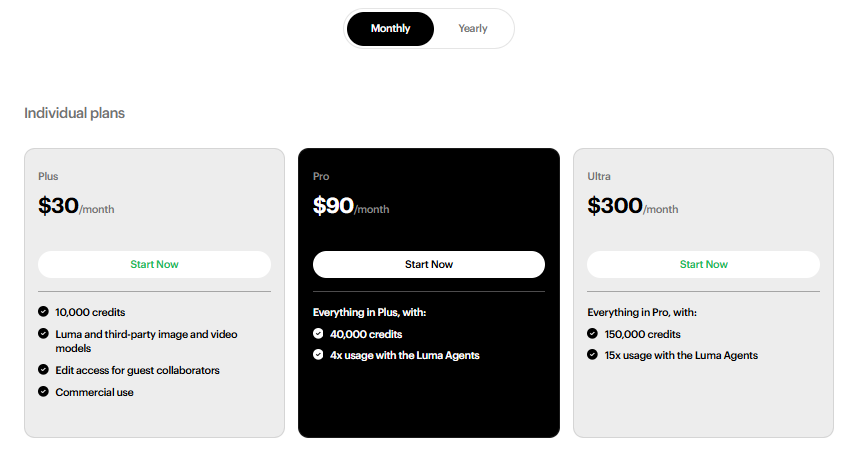
Luma AI provides picture and video creation on a credit basis. The Luma App now has options for individual users called Plus, Pro, and Ultra, all of which contain free trial credits. Luma now provides annual billing, saving you up to 20%.

Luma AI Pricing Plans
| Plan | Price | Credits | Features |
| Free Trial | $0 to try | Trial credits | Limited generation |
| Plus | Paid | Monthly credits | More generations and creative features |
| Pro | Paid | More monthly credits | Higher usage and advanced access |
| Ultra | Paid | Highest allocation | Designed for heavier creative use |
Note that the precise plan rates and credit amounts of Luma are subject to change, so check out the official pricing page before enrolling. The main distinction is that paid plans include monthly recurring credits, whilst free access is for testing the service out, not endless creation.
1.Does Luma AI Offer Monthly and Yearly Plans?
Sure. Luma’s App subscriptions come with a monthly or annual paying cycle. Luma’s current data says that you may save up to 20% with annual payment. Luma’s billing structure also allows annual members to convert to monthly paying.
2.Do Unused Luma AI Credits Roll Over?
No. Any remaining subscription credits do not carry over to the next month and expire at the end of the payment cycle. Spent credits on unsuccessful generations are promptly repaid.
3.How Many Credits Does One Luma AI Video Use?
No one-off credit charge per video. Luma’s present video price is variable, depending on the kind of Ray3.2 request, quality, time and dynamic range. So a normal 5-second video may cost differently than a longer or better-quality creation.
So don’t say anything definitive like “one Luma AI video always costs X credits.” Determine the current generation cost for the particular Ray3.2 parameters you are going to employ.
Does Luma AI Have a Watermark?
Yes, Luma AI can watermark material produced on free or restricted plans. Luma’s licensing information says its Free and Lite generations include a watermark, whereas qualifying premium plans (Plus and above) provide watermark-free generations.
Please consult the particular plan and export terms for the current Luma App before publishing. The current Luma Terms also retain the right to apply watermarks, content credentials or other provenance information as appropriate.
To summarize: free or restricted access may include a watermark, whereas subscription plans are normally for professional production without watermarks.
Luma AI Video Quality, Length & Generation Time
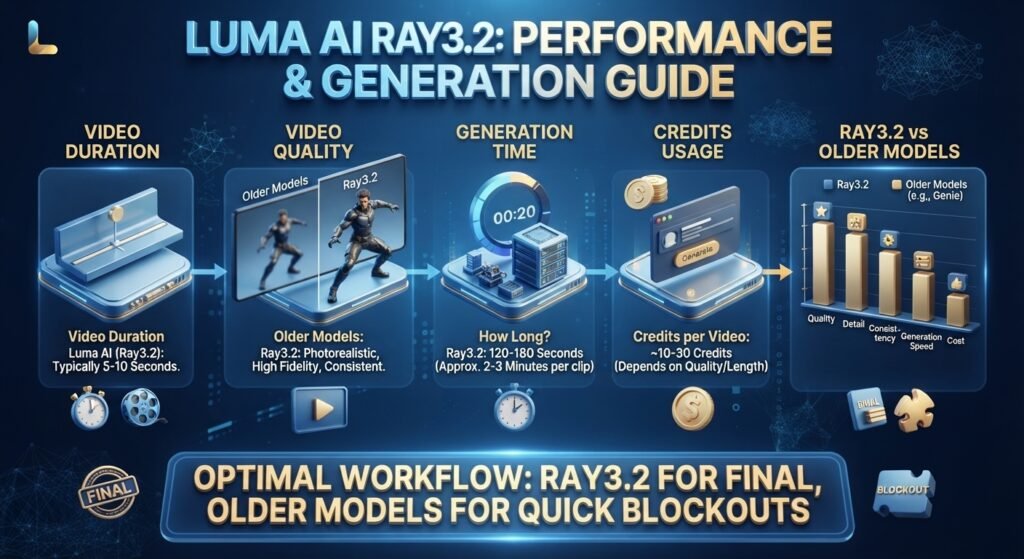
The quality and creation time of Luma AI videos depend on the model, resolution, length, and kind of generation. The latest Ray3.2 model has 5sec and 10sec generations and resolutions from 360p to 1080p.
1.Video Duration Luma AI
The existing Ray3.2 video model can generate 5s and 10s videos for general video production. Luma enables video editing and extension procedures, enabling developers to build larger sequences from lesser clips as well.
So if you are seeking Luma AI video length or Luma AI video generation length restrictions, presently one generation may be up to 10 seconds using the typical Ray3.2 generation method.
2.Luma AI Video Quality
Ray3.2 supports 360p, 540p, 720p, and 1080p video output. The 360p option is designed as a faster, lower-cost draft tier, while higher resolutions require more credits. Luma also supports HDR workflows at supported settings.
| Resolution | Best For |
| 360p | Fast previews and testing |
| 540p | Quick generation and drafts |
| 720p | General high-quality video |
| 1080p | Higher-quality final output |
3.How Long Does Luma AI Video Generation Take?
Luma AI generation time is not set. Processing may differ by model, resolution, generation type, system demand, and queue. Luma’s API confirms that generations may take some time to process – they appear as queued, processing, finished, or failed.
Lower resolution drafts are generated quicker. Higher quality generations usually need more processing. Luma’s prior literature for Ray3 also noted that Draft Mode was far quicker than full-fidelity creation.
4.How Many Credits Does a Luma AI Video Use?
Not a single credit fee for each video. Ray3.2 cost: The current cost of Ray3.2 is variable depending on the resolution and duration. For example, Luma’s regular Ray3.2 text-to-video and image-to-video creation costs 20 credits for 5 seconds in Draft, 50 credits at 540p, 100 credits at 720p, and 400 credits at 1080p. A 10-second generation costs more.
This implies that a quick, low-resolution draft might require significantly fewer credits than a lengthier 1080p generation.
5.Ray3.2 vs Older Luma Models
Older Ray models have varied duration, resolution, and generation characteristics. The latest form of Ray3.2 has extended control and allows for up to 10-second standard generations and 1080p output. Compare specs against Luma’s present-day documentation; previous Ray3 material is likely probably no longer relevant.
Luma AI App, Website & Login
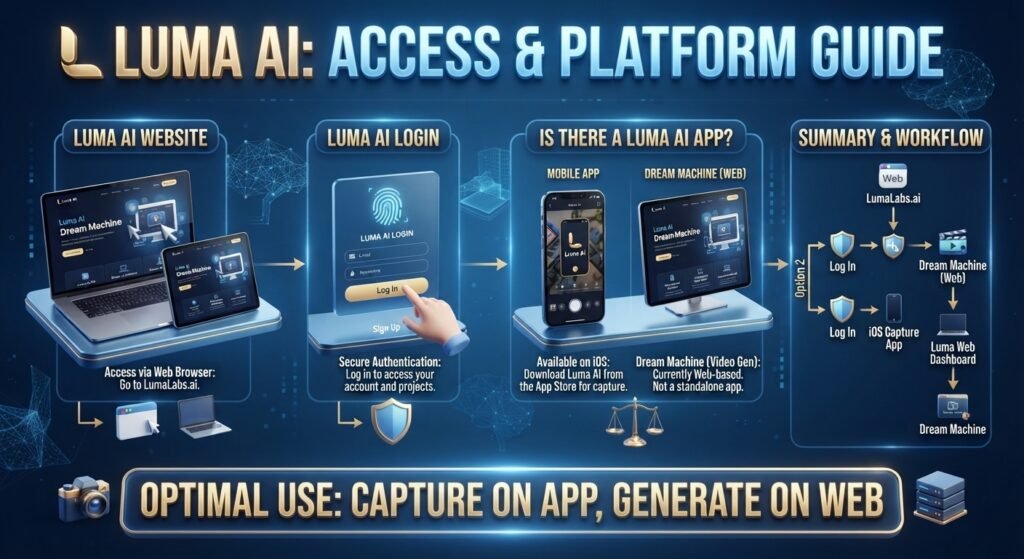
f you want to access Luma AI, you can use the official web app in your browser or the official iOS app Your account and projects are meant to function across supported Luma endpoints.
1.Luma AI Website
Luma AI’s official website is lumalabs.ai and the primary Luma App may be accessed at app.lumalabs.ai. The online version launches Luma’s creative workspace right in the browser and you don’t have to install any desktop software.
2.Luma AI Login
To utilize Luma AI, go to the official online app and log in with your account. Luma demands that customers sign up for an account and utilize certain login information to use its services.
3.Is There a Luma AI App?
Yes. Luma AI offers an iOS app and a web app that runs in the browser. The only official information Luma currently provides is exclusive to the iOS app on the App Store and the Luma App for browsers.
| Platform | Official Access |
| Web / PC | Yes — Luma web app |
| iPhone / iPad | Yes — App Store |
| Android | Check Luma’s current official availability |
| Mac | Use the browser-based Luma App |
Always get Luma AI Android search, Luma AI Android download, Luma AI app for Android, or Luma AI Play Store via Luma’s official sources. Never go to third-party APK sites. As of October 2023, there is no mention of an Android app on Luma’s official information, hence an unauthorized APK should not be provided as an official download.
The easiest official version for Luma AI PC or Luma AI Mac is the browser-based Luma App. The browser experience requires no extra download for Windows or macOS desktop.
Is Luma AI Safe?
Yes, Luma AI is typically safe to use if you adhere to their Terms of Service and content rules. Luma has content control, privacy safeguards, and guidelines around copyright and permissible usage. However, you should avoid uploading extremely sensitive or personal information and be sure to read the rules before using Luma AI for any professional or commercial purpose.
Luma also has a content moderation policy that prohibits some types of dangerous, unlawful, sexually explicit, bigoted, and copyright-infringing material. Users are responsible for the material they post, and for the way they utilize the resulting results.
For commercial use, always review Luma’s current Terms of Service and use permissions for each plan before posting or monetizing any material created by AI.
Luma AI Reviews?
Overall, the experience with Luma AI is mixed and depends on the process, model, and expectations, based on user evaluations and comments. Luma is widely praised by users for its creative video quality and easy-to-use workflow, while other conversations indicate problems with credits, customer assistance, and uneven outcomes. Input from Reddit is anecdotal, so take it as input from the community rather than a controlled product evaluation.
1.What Users Like
Positive Luma AI reviews usually cite a no-nonsense creative methodology, great visual outcomes, and helpful tools for creating customized AI video clips. Others emphasize the speed of creation and the freedom to explore other creative ideas with less editing procedure.
2.Common Complaints
Some consumers are frustrated with credit consumption, cost, customer assistance, generating lines, inconsistent outcomes. Earlier Reddit threads also mention occasions when picture to video generations led to restricted movement or outcomes that fell short of expectations. That may be a very different experience depending on the model, plan and time frame.
3.Who Should Use It?
Luma AI is a good choice if you want to make AI video clips, cinematic shots, image-to-video animations, or experimental visual material without creating a sophisticated video-production pipeline. This is especially valuable for producers, marketers, filmmakers, and social media content providers looking for AI produced images.
4.Who May Want Another Tool?
If you want to generate videos at scale, have predictable prices, comprehensive editing processes or very responsive customer support, you may want to have a look at alternative AI video technologies. The best decision relies on your particular process, budget, and the kind of films you want to make.
Luma AI Alternatives?
If you’re searching for Luma AI alternatives, there are various AI solutions that provide comparable or complimentary functionality for video production, creative editing and 3D content. Kling, Runway, Hailuo AI, and Pika are other options for AI video production . Polycam is more about 3D scanning and capturing . Free solutions are available as well, although the credits, watermarks, generating restrictions and commercial-use conditions may differ.
| Luma AI Alternative | Best For | Main Focus | Free Option |
| Kling AI | AI video generation | Text-to-video & image-to-video | Yes, limited |
| Runway | AI video creation & editing | Generation, editing & creative tools | Yes, limited |
| Hailuo AI | Quick AI videos | Text-to-video & image-to-video | Yes, limited |
| Pika | Creative AI effects | Video, image & creative apps | Yes, limited |
| Polycam | 3D scanning | 3D capture & photogrammetry | Yes, limited |
| Luma AI | Generative video & creative workflows | Ray video generation & multimodal creation | Trial access |
Luma AI vs Dream Machine — What’s the Difference?
Dream Machine was Luma’s AI video-generation product and is now an older moniker for Luma’s earlier video-generation experience. Luma AI is the wider AI platform and corporate environment.
1.Dream Machine vs. Luma AI
The titles might be misleading since many older articles, videos and search results still refer to Dream Machine by Luma AI . Luma has subsequently migrated its current video-generation experience to the Ray family of models, and Ray3.2 is the current video model.
So if you see Luma AI Dream Machine, think of it as Luma’s previous AI video-generation product, and Luma AI as the larger platform and its ongoing creative capabilities.
Luma AI vs Dream Machine — What’s the Difference?
Luma AI is more than just simple AI video creation. Depending on your process, it may assist with social media material, marketing images, product films, narrative, and certain 3D workflows.
1.Luma AI for Social Media Videos
Luma AI is able to assist generate short, compelling videos for Instagram, TikTok, YouTube Shorts, and other social media channels. Its text-to-video and image-to-video procedures make it handy for converting basic concepts or still pictures into brief visual material.
2.Luma AI for Marketing
Marketers may utilize Luma AI to develop promotional images, social media advertising, campaign ideas and various video formats. It may also useful to develop an early marketing idea into a visual concept before investing in full production.
3.Luma AI for Product Videos
Luma AI is able to transform product photos and creative ideas into short promotional movies. This is great for ecommerce firms, product launches, commercials and social media campaigns when a static product picture may not cut it.
4.Luma AI for Storytelling
Luma AI helps filmmakers, producers and storytellers envision their scenes, characters, camera motions and narrative ideas. Image-to-video and keyframe-based processes might further facilitate the development of individual shots using existing visual references.
5.Luma AI for 3D Assets
Luma has experience in 3D capture and generative 3D tech including photogrammetry and Gaussian splatting. Luma’s current platform is primarily focused on generative video and multimodal creative tools, but these capabilities might be beneficial for producing or collecting 3D representations of real-world objects and surroundings.
6.Luma AI for Game Development
Luma artificial intelligence may be used in game development for visual concepting, environments, cinematic sequences, references and other creative elements. But for production-ready game materials, developers could still require specialized 3D modeling, texturing, and game-development tools like Blender, Unity, or Unreal Engine.
Luma AI Troubleshooting
If Luma AI isn’t functioning, try checking your internet connection, refreshing the Luma App, signing out and back in, or trying a different browser. If Luma AI is offline or not generating on numerous projects, the problem can be transitory. You can check Luma AI’s official status page to see if there is a service outage. The generation time might also depend on the model, video length, quality, request type, and current demand on the servers. If Luma AI is taking too long, Other reasons for a failed message from Luma AI generation may include lack of credits, content moderation, an invalid request, or a temporary technical difficulty. It can help to try again with a simpler question. Having trouble signing into Luma AI? Ensure you’re using the right account and sign-in method. Try opening a private browser window or clearing your cache. Having issues with Luma AI credit? Check your plan, remaining credits, video settings, quality and length since credit use might vary per generation. Note that Luma AI Dream Machine is an outdated product name. Luma’s current video experience employs its updated Ray models.
Frequently Asked Questions