OpenArt AI Review 2026: Features, Pricing, Video & Image Generation
Introduction
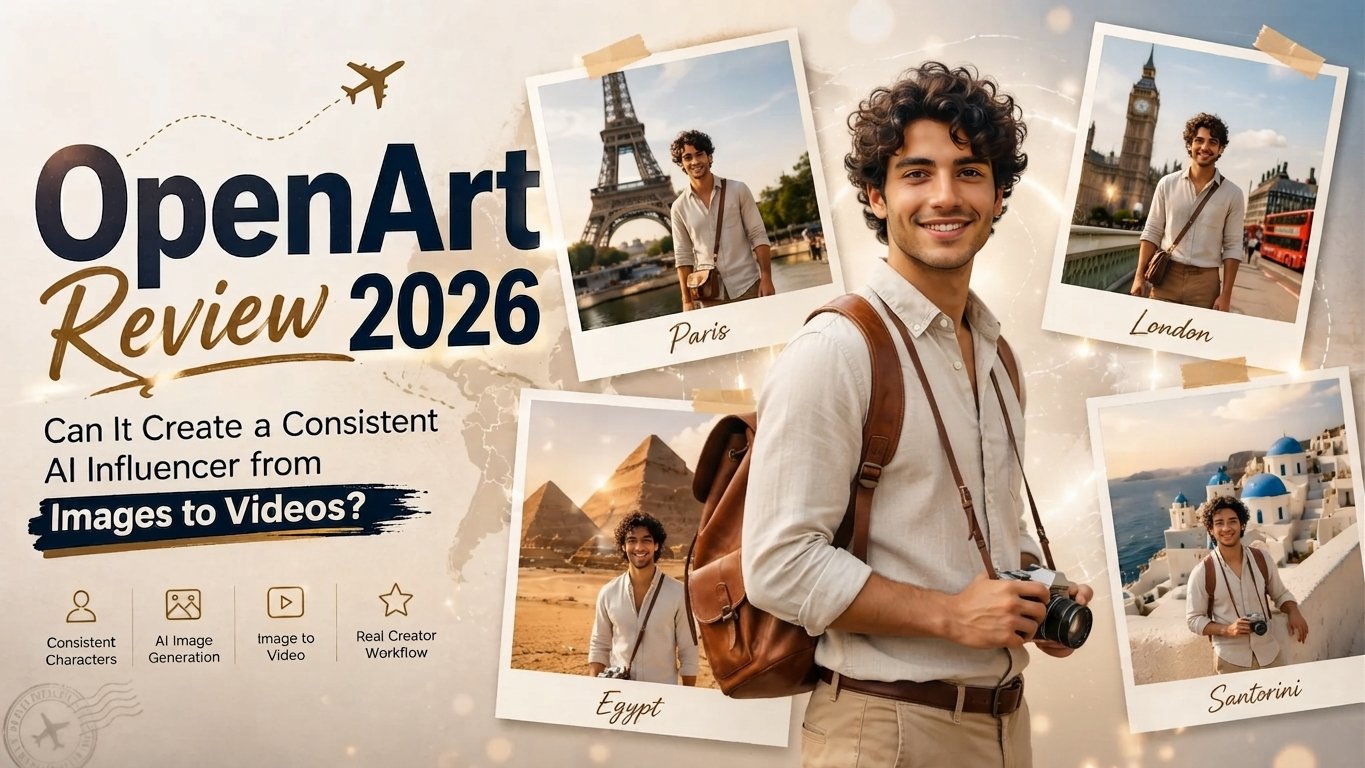
OpenArt AI is an AI-powered creative tool that allows you to create and modify photos, films and other visual material using text prompts or reference images. It provides a variety of AI models and tools for picture production, image-to-image editing, AI video, character development, image improvement, and creative design processes. OpenArt also offers a free plan with limited credits and subscription plans with more credits and advanced features. In this OpenArt AI review 2026, we’ll check up its essential features, picture and video production, cost, free plan, performance, and who OpenArt AI is ideal for.
What Is OpenArt AI?
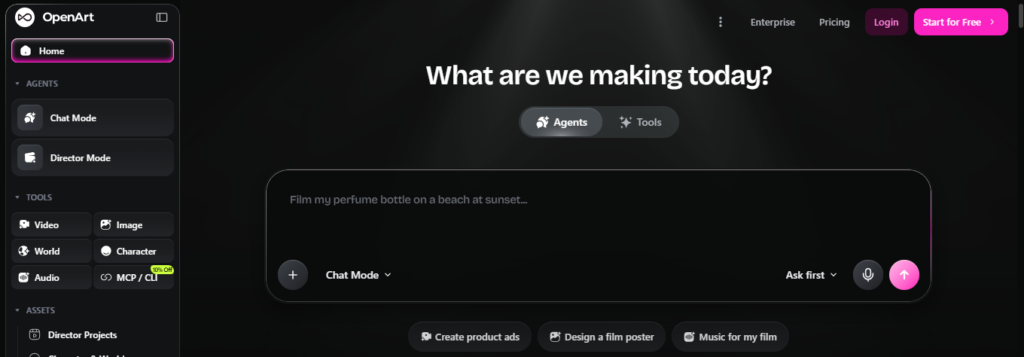
OpenArt AI is an AI-powered creative tool that lets users develop, modify and alter visual output based on simple language prompts and reference photos. It’s an OpenArt AI art platform that connects diverse AI models and creative tools to make it simpler to produce digital art without the need for high-level graphic design expertise.
Users may produce all sorts of things: AI pictures, drawings, characters, product shots, real-life settings, artistic creations, and more. Artists, designers, content producers, marketers, companies and amateurs utilize OpenArt AI to swiftly convert ideas into high-quality pictures. It also gives tools to modify and enhance photos you already have, so OpenArt may be beneficial for both generating new art and enhancing old projects.
What Can You Create With OpenArt AI?
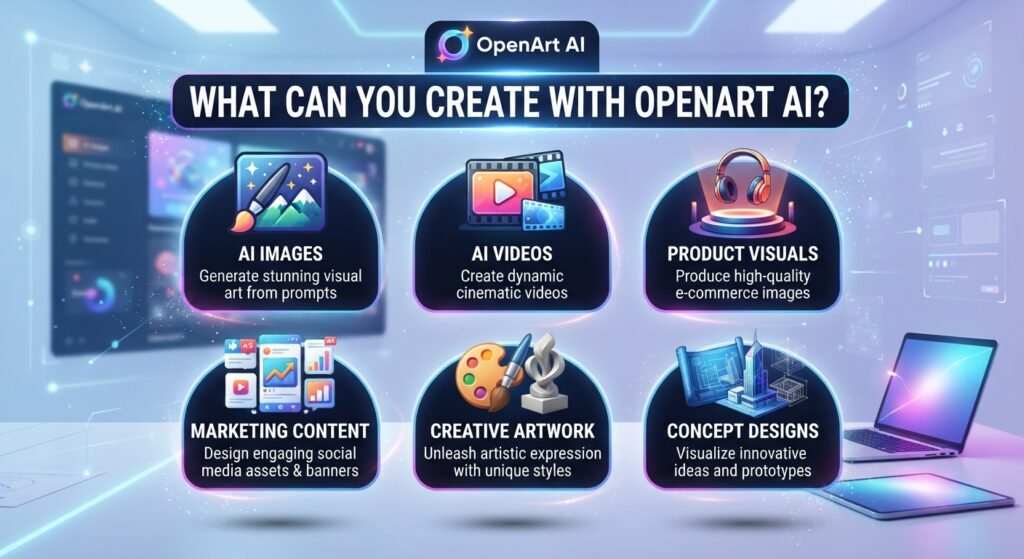
OpenArt AI allows you to generate a broad variety of visuals using text prompts, reference photos, and AI-powered creative tools. The platform has numerous processes to help you transform your ideas into polished content, whether you require realistic photographs, short movies, characters, product visualizations or marketing graphics.
1.AI Images
OpenArt AI allows you to produce pictures from text prompts to build realistic scenarios, drawings, portraits, digital art and other visual styles. Reference photos may also be used to help shape the appearance and direction of a new project.
2.AI Videos
Generate AI films from text or pictures using OpenArt AI. Users are able to generate animations from static images and produce short videos for creative projects, social media, presentations and marketing.
3.Characters
You may use OpenArt AI to build bespoke characters for tales, games, drawings, social media and other creative endeavors. Users may play with numerous looks, clothing, styles and scenarios.
4.Product Visuals
OpenArt AI is able to be used by businesses and creatives to generate product photos, promotional graphics, lifestyle scenes, and idea shots. This is good if you need product material but don’t want to do a full photoshoot.
5. Marketing Content
OpenArt AI is able to be used to produce visual content for social media posts, ads, banners, campaigns, thumbnails, and other marketing content. It helps marketers to transform basic concepts into images that may be used in several campaigns.
6.Creative Artwork
Artists and designers may experiment with numerous styles and produce artwork, illustrations, portraits, backdrops and experimental images. The tool may also assist in turning pre-existing photographs into fresh creative iterations.
7.Concept Designs
OpenArt AI is great for generating first visual ideas for people, goods, interiors, architecture, surroundings and creative ventures. Users may spitball ideas and tweak them as their thoughts grow instead of a blank canvas
OpenArt AI Features?
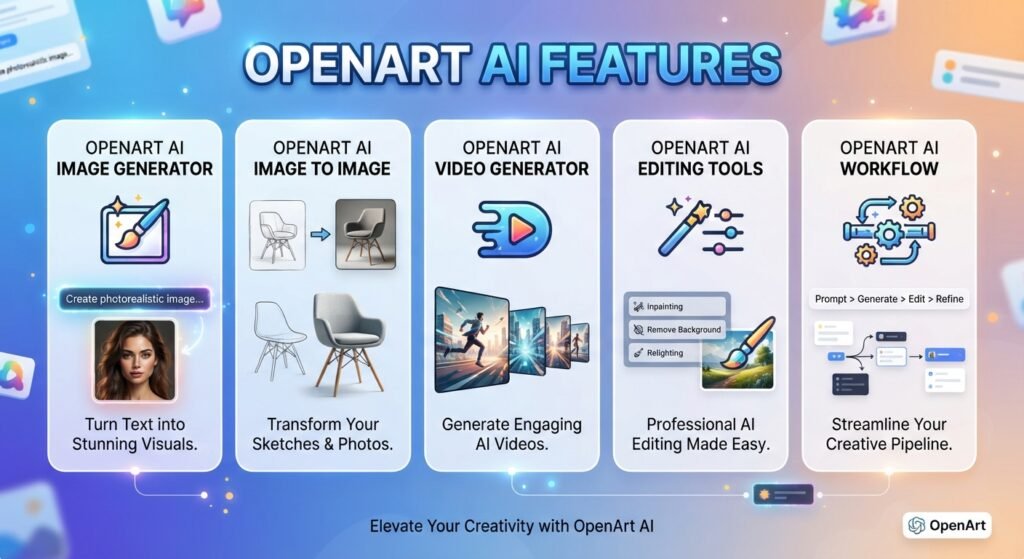
OpenArt AI puts a suite of AI-powered tools together into one creative workflow, allowing users to generate images, change existing photos, create films, and refine their output. Its capabilities are useful for artists, designers, marketers, content makers and anyone who wants to turn ideas into visual material without starting everything from scratch.
1.OpenArt AI Image Generator
With the OpenArt AI generator, users can produce graphics from text prompts, as well as experiment with various visual styles and AI models. You can describe a scene, character, product, artwork, or concept and create a graphic based on your specifications.
Depending on the selected model and settings, users can modify prompts and other generating controls to influence the result. OpenArt also allows you to creatively edit after an image is made, giving you the ability to enhance an idea instead of creating a whole new image every time.
Best for: AI art generation, concept art, character graphics, product images, marketing graphics, and creative experimentation.
2.OpenArt AI Image to Image
OpenArt AI picture to image lets users take an existing image and then produce a new visual from it. Instead of only providing a written description, you can also offer a reference picture and utilize that as a starting point for the generating process.
This is great for restyling, generating variants, changing visual ideas, and exploring new takes on an existing design. For instance, an initial design may be reworked into a different art style, or a reference picture might be reimagined as a fresh visual notion.
Best for: Restyling, variants, idea development, transformation of reference photos
3.OpenArt AI Video Generator
OpenArt AI video generator takes AI creativity beyond still photos. Users may generate video from text or animate photos into videos depending on the model and process that is accessible.
Supported text-to-video processes may assist in turning explanations into short creative pieces, while image-to-video workflows can add movement and motion to static graphics. Such features might be valuable for social media material, promotional imagery, narrative, and marketing efforts.
Best for: Social media videos, animations, promo videos, creative videos, marketing videos.
4.OpenArt AI Editing Tools
OpenArt also allows AI-assisted editing to improve and refine created or submitted pictures. Rather than producing a whole new image, users may make specific edits to an existing picture.
Standard editing chores include backdrop changes, object changes, detail improvements and creative changes. Which is handy if the first thing the AI throws at you is near to what you want, but requires a bit more tweaking.
5.OpenArt AI Workflow
The OpenArt AI workflow is not unlike a basic process of creation:
Idea → Prompt → Model → Generate → Edit → Polish → Export
You begin with a concept and explain it in a prompt. Then you select a suitable model/generation method and make the first result. If you need to adjust the result, update it, tweak the specifics and keep trying until the visual is closer to your aim. Then you may export the completed product for your project.
This method makes OpenArt effective for both single-image production and iterative creative work, where a concept evolves across numerous generations and changes.
OpenArt AI Models?
The fundamental benefit of OpenArt is that it puts together several AI models into a single creative platform. Instead of a single generation engine, users may pick several models for the sort of picture or video they wish to make.
The available picture-generating models on OpenArt are: Seedream 5.0 Pro, GPT picture 2, Nano Banana Pro, Grok Imagine, Qwen Image 3.0, FLUX.2 Pro, Recraft V4 and OpenArt Photorealistic. It also has a wider model collection with numerous specialist and community models for photorealism, anime, illustration, painting and other genres.
OpenArt has video-generating models such as Seedance 2.5, Seedance 2.0, Wan 3.0, Google Veo 3, Kling 3.0, Sora 2, PixVerse V6, and more video models. Note the actual collection may vary as OpenArt adds or changes models.
1.Which OpenArt AI Model Should You Use?
There is no one perfect OpenArt AI model for every sort of project. Which one is ideal for you depends on what you’re doing, what visual style you want, and if you require excellent text rendering, photorealism, editing, character consistency or video creation.
| Use case | Models worth considering |
| Photorealistic images | Seedream 5.0 Pro, FLUX.2 Pro, OpenArt Photorealistic |
| Characters & consistency | Nano Banana Pro, GPT Image 2 |
| Illustrations & creative artwork | Qwen Image 3.0, FLUX.2 Pro, specialized OpenArt models |
| Product images | Seedream 5.0 Pro, GPT Image 2, Nano Banana Pro |
| Text-heavy designs | Seedream 5.0 Pro, GPT Image 2, Nano Banana Pro |
| Image editing | GPT Image 2, Nano Banana Pro, FLUX Kontext |
| AI video | Seedance 2.5, Veo 3, Kling 3.0, Sora 2 |
These are recommendations for use cases, not rankings of all use cases. OpenArt’s own model-comparison framework shows that various models have varying performance on diverse tasks, such as advertising, cinema, animation, product imaging, graphic design, and editing.
Seedream 5.0 Pro, FLUX.2 Pro and OpenArt Photorealistic are all worth a go for photorealistic photos. OpenArt notably recommends Seedream 5.0 Pro , GPT Image 2 , and Nano Banana Pro for posters, ads, and other designs where the readability of the text counts, because to their text and layout capacity.
GPT Image 2, Nano Banana Pro, and FLUX Kontext may be helpful for image editing since OpenArt offers workflows that let users to make an image and then continue to modify or change it.
When users are building video, they may choose between models like Seedance, Veo, Kling, Sora, etc according on what kind of motion, realism, cinematic look, or creative impact they want.
In practice, you may run the identical prompt on two or three appropriate models and compare the output. This is especially beneficial in situations when picture quality, text correctness, character consistency, or the precision of editing matters more than just picking the newest model
OpenArt AI Image Generation Quality?
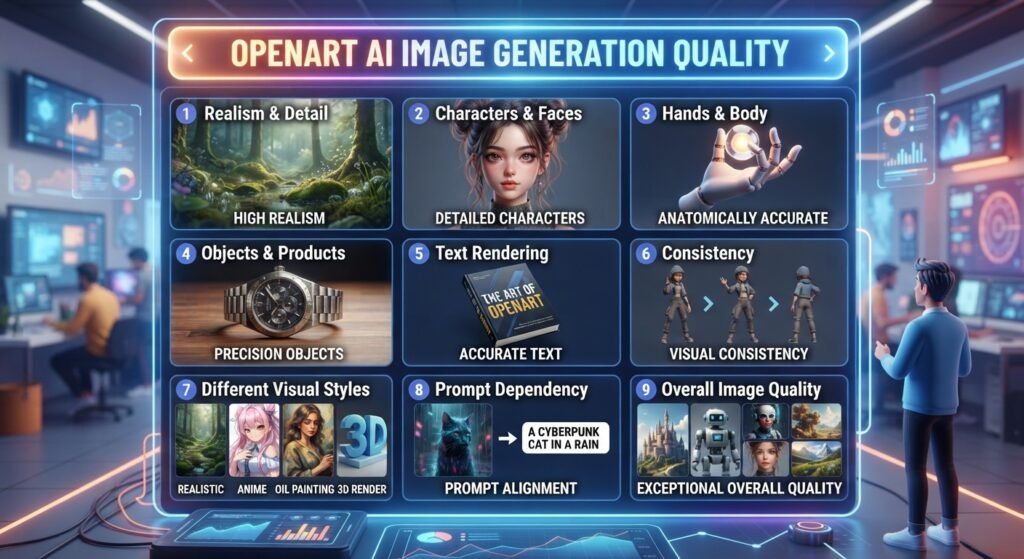
OpenArt allows the quality of the images to be quite different based on the model, prompt, reference picture and generation parameters. This is because the platform allows users to choose alternative models, which means that the end outcome might vary among processes.
1.Realism and Detail
OpenArt can create detailed pictures with realistic lighting, textures, environments and product surfaces for photorealistic applications. The amount of realism is mostly determined by the model you choose and how well the prompt depicts the situation you want.
With the correct model and cue, fine features like skin texture, clothes, materials, backdrops and lighting may seem believable.
2.Characters and Faces
Another area where model selection matters is character creation. OpenArt can generate real and fictitious characters with diverse looks, clothing, postures, and painting styles.
Strong generations may produce quite realistic faces, however odd emotions, complicated stances or repeated generations can also lead to subtle alterations in facial characteristics. If you require the same character in several photos, a reference-based procedure employing the right model might assist increase consistency.
3.Hands and Body Details
AI image producers still struggle with hands and other complex anatomical aspects. OpenArt may generate realistic hands several times in a row, however fingers, positions and interactions with objects might sometimes have visible flaws.
For significant commercial or professional photos it’s worth reviewing these elements before utilizing the final result.
4.Objects and Product Details
OpenArt can produce objects and settings and product-like images with a decent level of detail. It may be handy for concept creation, advertising concepts, social media visuals and product presentations.
But, AI created items could not always have identical real-world measurements, emblems, packing information or tiny design aspects. You may need reference photographs and further tweaking to accurately depict the product.
5.Text Rendering
The text in AI-generated photos has improved a lot with newer models, but it may still be hit or miss. Short text, headers, labels, basic poster designs are usually easier than lengthy paragraphs or complicated layouts.If precise spellings and legible text are important in a design, users should examine the output picture closely, rather than expecting that every word will be right.
6.Consistency
Consistency relies on process and model. In the case of many photos of a person, character, object, or visual idea, you may see variances in face characteristics, clothes, dimensions, and other elements.
Consistent prompts and relevant models, together with reference photographs, may assist to maintain a more consistent look over generations.
7.Different Visual Styles
OpenArt is open to every visual style, from realistic photography and product photography to drawings, animation, concept art, cinematic sceneries, and experimental artwork.
This diversity makes the platform ideal for users who wish to explore various creative avenues without having to transfer between several AI platforms.
8.Prompt Dependency
Like other AI picture producers, OpenArt is primarily reliant on prompt quality. You can get something passable with a brief nonspecific question but thorough prompts usually allow you more freedom over composition, topic, lighting, setting, camera angle, style etc.
The model also counts. Testing the same question with various models might provide dramatically different results. Therefore, the quality of images from OpenArt must be assessed not only by the platform, but also by the model, prompt, reference picture and settings utilized.
9.Overall Image Quality
OpenArt may generate impressive results for realistic photos, imaginative artwork, characters, product ideas and marketing graphics, but it doesn’t have the same reliability for every form of creation. Faces, hands, little items, specific product features, text, character consistency may still need further generations or modification.
The primary benefit is that you can test multiple models, you can modify a picture rather than being stuck on one generation model. This may make OpenArt a versatile image-generation platform for anyone eager to play with prompts and models.
OpenArt AI Video Quality?
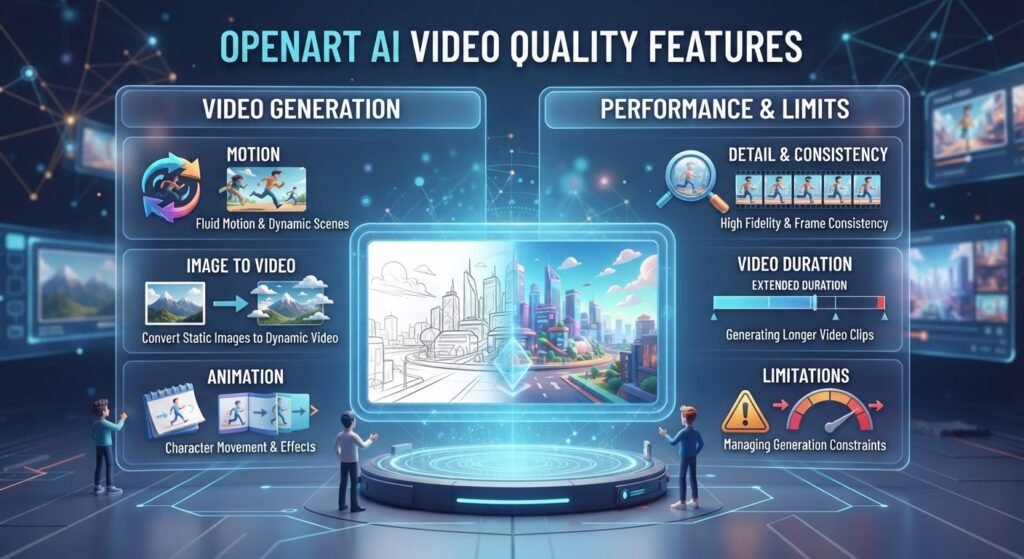
The quality of OpenArt AI videos will rely on the model, input picture, prompt, and generation parameters you choose. It is intended for generating short AI films from text or pictures, ranging from basic animations to more elaborate cinematic-style footage. The quality is usually good enough for social media material, creative endeavors, product demos, and visual experimentation, but AI-generated films might still have problems with intricate movement and consistency.
1.Motion
OpenArt AI lets you animate static photos and create dynamic scenarios from a beginning image or prompt. Simple motions, camera effects and subject animation may work effectively, but complex activities can occasionally result in strange motion or visual distortions.
2.Image To Video
The OpenArt AI image-to-video pipeline enables users to convert static images into moving video clips. For example, a creative is able to animate a figure, product picture, landscape or advertising graphic without having to create the complete film by hand.
3.Animation.
OpenArt AI is able to produce a range of animated movement for individuals, objects and scenes. This makes it great for social media clips, for narrative, concept videos and creative experimentation. It is contingent upon the intricacy of the animation you are asking for.
4.Detail
Video detail strongly relies on the model and source picture picked. Good inputs may result in crisper objects, textures, lighting and backdrops, whereas sophisticated scenes may lose fine detail during motion or creation.
5.Consistency
Maintaining subject and scene consistency may be done pretty effectively in basic video generations, but still is a typical difficulty with AI video systems. In scenes with intricate motion, faces, clothes, objects, backdrops or other elements may change between frames.
6.Video Duration
OpenArt AI’s main emphasis is on creating short AI video snippets, not on making large, full films in a single go. For larger projects, producers may have to create many clips and then mix them during editing.
7.Limitations on Generating
It may take a few tries until you get the AI video creation you want. Fast or intricate motions might result in distorted objects, uneven details, uncomfortable transitions, or unnatural motion. The generation time, funds available, models chosen and plan constraints all limit the amount of video you may generate.
Overall, OpenArt AI is better for short-form creative films, picture animation, social media content, product images and idea creation than for a full professional video production process.
OpenArt AI Pricing?
OpenArt AI is priced by monthly credits that you may use across its picture, video, audio, and other AI creative tools. OpenArt is free to begin with and has premium options including Starter, Plus, Pro, and Wonder as of September 2026. Today, the monthly premium plans start at $14 for Starter, with higher levels offering more credits and extra features. If you pay annually, you may lower the actual monthly price by up to 27%.
| Plan | Monthly Price | Credits | Main Features |
| Free | $0 | 40 trial credits for 7 days + free basic image generation | Basic image generation, access to try OpenArt, limited free usage |
| Starter | $13/mo | 4,000/month | 100+ premium models, image/video/audio creation, Director, editing tools, watermark-free exports |
| Plus | $27/mo | 12,000/month | Everything in Starter, commercial use, more parallel generations, personalized models |
| Pro | $44/mo | 24,000/month | Higher limits, commercial use, priority support, more parallel generations |
| Wonder | $175/mo | 106,000/month | Highest credit allowance, commercial use, priority support, unlimited creation on selected models |
The following prices are based on monthly invoicing, and OpenArt is presently running discounts for yearly subscriptions. Features of plans and special deals may vary so it’s good checking the price site for the latest before you buy.
1.Does OpenArt AI Have a Free Plan?
Yes. OpenArt AI is free to use. You may also check out the platform before signing up for a subscription. New users get 40 trial credits for seven days (no credit card required) to test out premium features and advanced models. OpenArt also allows free access to basic picture creation beyond the trial time, however the free-generating mechanism itself can change.
Free use is subject to significant constraints. According to OpenArt’s conditions, the output created on a free plan may have an apparent OpenArt watermark, and the commercial-use rights are available from the Plus plan and above. Therefore, free and lower-tier users should review the current use restrictions before accessing standard material created for commercial applications.
2.What Happens When OpenArt AI Credits Run Out?
When you’ve used all your available credits, you can’t keep utilizing credit-based generations until you have more credits available. Based on your plan, you may wait until the next monthly credit refill, upgrade your membership, or buy an available credit add-on. OpenArt states the cost of credits will vary based on the model or generation tool, thus movies and complicated generations will use credits quicker than basic picture generations.
This is significant for those who often produce ai films or create several versions, since it makes credit use important. If you do a big generating session, check the credit cost beforehand so you don’t suddenly go over your monthly allotment.
3.Do OpenArt AI Credits Roll Over?
Monthly plan credits do not carry over. OpenArt’s Help Center says any monthly credits that you don’t spend will reset at the following paying period. Eligible add-on credits do nevertheless carry over to the next month.
So, if you are selecting a paid OpenArt plan it is often best to choose a credit amount that fits your predicted monthly consumption rather than to pay for a much bigger plan and leave most of its credits unused.
How to Use OpenArt AI ?
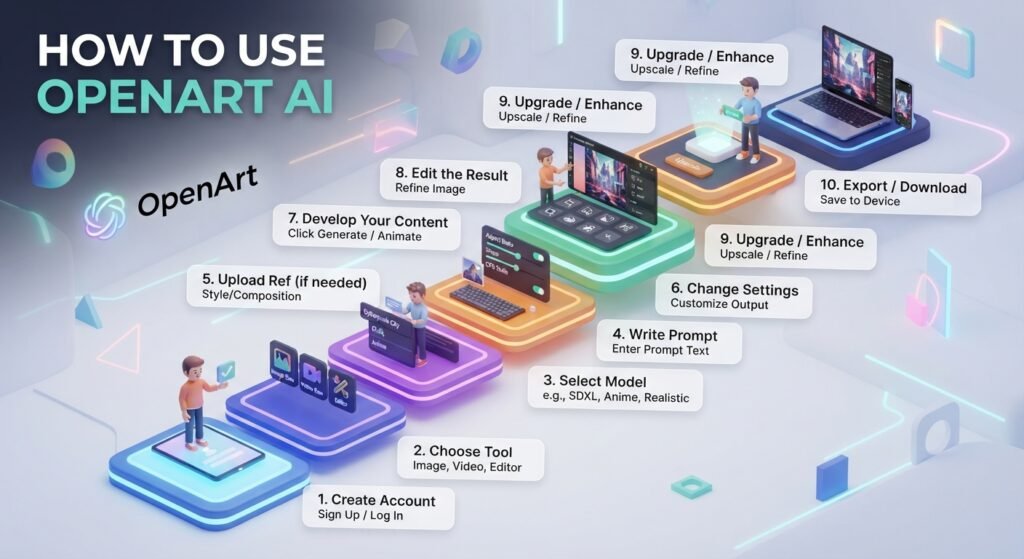
OpenArt AI is very easy to learn how to use if you are new to AI picture & video generating. You may write a text prompt, choose the model that suits your needs, tweak the available options and produce your first piece of content. Below is the OpenArt AI lesson, which walks you through the fundamental workflow—from registering an account to downloading the end outcome.
1.Create account
Head over to OpenArt AI and sign up using one of the alternatives provided. Once you’re signed in, you can begin exploring the creative tools on the site and see what free or premium options are available.
2.Choose tool
Pick the tool that suits what you want to do. For example, choose an image-generating tool for artwork or realistic images, an image-to-image pipeline for changing an existing picture, or a video tool for producing animated material.
3. Select model
Select a model depending on what you want to achieve. Varied models provide varied degrees of realism, creative styles, details, and video quality depending on the sort of material you want to make; therefore, the optimal pick will be different.
4. Write prompt
Tell OpenArt AI what do you want it to draw. Include useful details such as the subject, environment, style, lighting, camera angle, colors, and mood. For example, instead of saying “a car”, you may describe a “modern sports car parked on a city street at night with cinematic lighting.”
5. Upload reference if needed
If you want greater control over the output, supply a reference picture if the chosen tool allows it. You may use a reference to guide the topic, composition, style, or overall look of the standard material created.
6. Change the Settings
Check the available options before producing, such as aspect ratio, picture quality, generation amount, style, or other model-specific parameters. Choosing the correct settings might help you get outcomes that are more suited to what you want to do.
7. Develop Your Content
Click the create button and wait for OpenArt AI to do its magic. If the outcome is not as you expected, try to enhance the prompt or change the model and settings. Do not repeat the same procedur
8. Edit the Result
Use OpenArt’s existing tools to generate/ modify image/ visual. Depending on the process, you may adjust individual parts, replace pieces, remove backdrops, or generate variants.
9. Upgrade / Enhance
If you are OK with the idea, but require greater quality, utilize the available improvement or upscaling options. This may also assist in increasing resolution and preparing the graphic for websites, social media, presentations or other uses.
10. Export / Download citation
Once the final output is ready, download or export it using the choices provided. Before utilizing the material for commercial purposes, please review the license conditions of your current OpenArt plan. Usage rights may differ depending on the plan.
So the OpenArt AI procedure is basically:
pick a tool → choose a model → write a comprehensive prompt → include a reference if required → tweak parameters → create → edit → refine → download.
This gives additional control to expert producers over their output while opening up OpenArt AI to newbies.
OpenArt AI Prompt Guide. ?
One of the most critical elements of obtaining excellent results from OpenArt AI is writing a clear question. A thorough OpenArt AI prompt provides the model with instructions on what you want to make, how it should appear and what visual features need to be included. When you say “a house” or “a woman,” the AI has no idea what you mean. Instead, describe the topic, location, style, lighting, and composition.
1.Basic Prompt Formula
A simple formula for creating effective OpenArt AI prompts is:
Subject + Style + Environment + Lighting + Composition + Details
For example
Modern glass home, photorealistic architecture photography, pine trees around, warm sunset light, wide-angle composition, detailed glass reflections and realistic materials.
Not all the elements will necessarily be used in every question, but the more relevant facts you include, the more influence you have over the end output. For portraits, emphasize the subject’s look and the lighting; for goods, explain the object and its environment; and for architecture, add the materials, camera position, surroundings, and lighting.
2.OpenArt AI Prompt Examples
Here are some genuine OpenArt AI prompt examples that you may copy and modify to use as a starting point for many different kinds of projects.
1.“Product”
Black premium smartwatch on a minimalistic white studio table. Photorealistic product picture, soft studio lighting, clean backdrop. Centered composition, clear details and realistic reflections
Best for: eCommerce merchants, product designers and marketers that want clear product visual.
2.Architecture
Modern luxury home with big glass windows and concrete walls, modern architectural design, surrounded by trees, golden hour illumination, wide-angle perspective, realistic materials, highly detailed architectural representation.
Who it is for: Architects, interior designers and anybody working on early design ideas.
3.Marketing:
Luxury skincare product premium commercial photos on clean marble slab with soft flowers surrounding it, brilliant studio lighting, exquisite composition, realistic package, area for advertising text.
Good for: Brands, advertisers, marketers, and businesses making promotional material.
OpenArt AI Architecture and Design?
OpenArt artificial intelligence may potentially be beneficial in the first phases of architectural and design projects. Users may build up designs for buildings, ideas for exteriors and interiors, room layouts and all sorts of visual instructions from text prompts or reference photos.
For example, an architect or designer may develop an original idea of a contemporary glass home with natural materials, huge windows, manicured surrounds. These AI-generated images enable you to explore concepts fast before proceeding into more thorough design work.
OpenArt AI is more useful for idea creation and visual exploration than as a replacement for professional architecture software or as a means of generating final construction-ready blueprints.
Is OpenArt AI Safe?
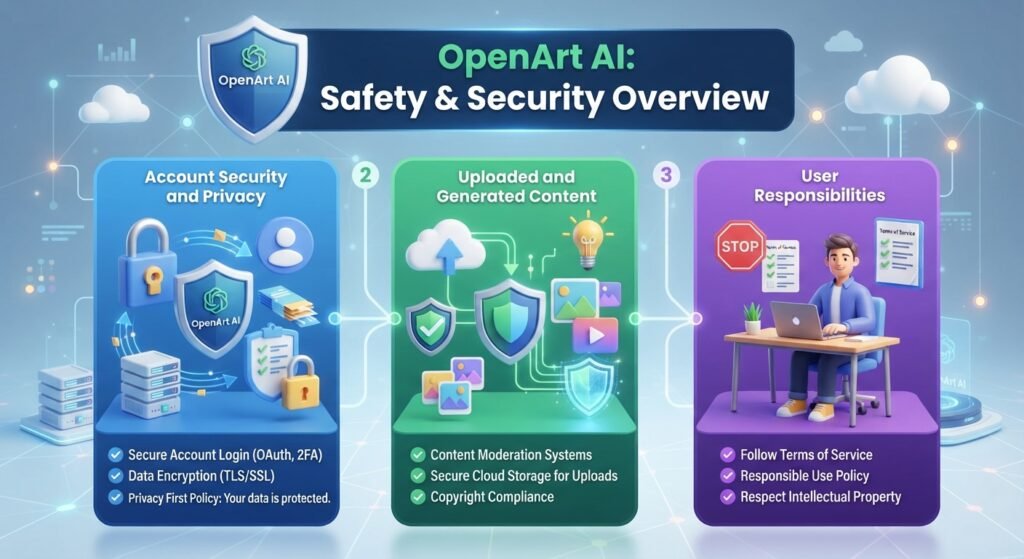
Is OpenArt AI Safe ? Yes , OpenArt AI is Safe to use . you may use OpenArt AI safely for generating and editing photos , movies . But , you have to take regular measures to protect online . OpenArt says it offers security for user accounts and that created photos are private by default until users want to broadcast them.
1.Account Security and Privacy.
Users should protect their login details and should not share their accounts. OpenArt collects information about accounts and their usage to provide its services and states that it uses security measures to protect user data. However, no online platform can guarantee complete security, so please do not upload highly sensitive or confidential information.
2.Uploaded and Generated Content
Upload only photographs you have permission to use. OpenArt claims it doesn’t utilize material made by users to train its models, but its Terms specify prompts and reference pictures may be handled by third-party AI providers if necessary to offer the service. Rights for commercial use may also vary depending on your membership level.
3.User Responsibilities
Users are responsible for the material they post and create. Do not generate anything that violates copyright, privacy, trademark, or OpenArt content restrictions.
To summarize, OpenArt AI is safe for typical creative usage, but you should safeguard your account, not upload sensitive data, and verify the current rules before commercial use of AI-created material.
OpenArt AI Copyright & Commercial Use.
OpenArt AI is able to be used for commercial purposes on qualified plans. Your rights are governed by the terms of your membership and license at the time. Under such rules, you may use relevant AI-generated photos and films for marketing, websites, social media, product graphics and client projects.
Things to bear in mind while utilizing OpenArt AI for business:
Only upload reference photographs you have permission to use.
She was ready to get married to him, even if she wasn’t ready to admit she was ready to be married.
Check the commercial usage conditions of your plan before posting anything.
The issue of copyright protection for works created by standard artificial intelligence systems may differ from nation to country and may also depend on the level of human creativity involved.
To summarize, OpenArt AI is suited for commercial material, but users should verify copyright, license and use rights before utilizing created art for business or client work.
OpenArt AI Pros and Cons.
OpenArt AI contains a large variety of AI picture and video capabilities but it also has certain restrictions. Here are the primary benefits and downsides to take into account before utilizing it.
Pros
Other AI models and creative tools
Features for image, video, editing and enhancement
Supports text prompts, and reference pictures
Great for makers, designers, marketers, and novices
Free plan to try out the platform
Cons:
Credit constraints might limit frequent generation.
Results may vary by model and prompt used.
Some photos or films may be elaborate and take many tries
Terms for commercial usage depend on the plan and on licensing restrictions in force
Subscription needed for certain premium features
Overall, OpenArt AI is a versatile tool for producing and modifying visual material, but users should consider credit restrictions, output consistency and cost when picking a subscription.
OpenArt AI Review: My Experience.
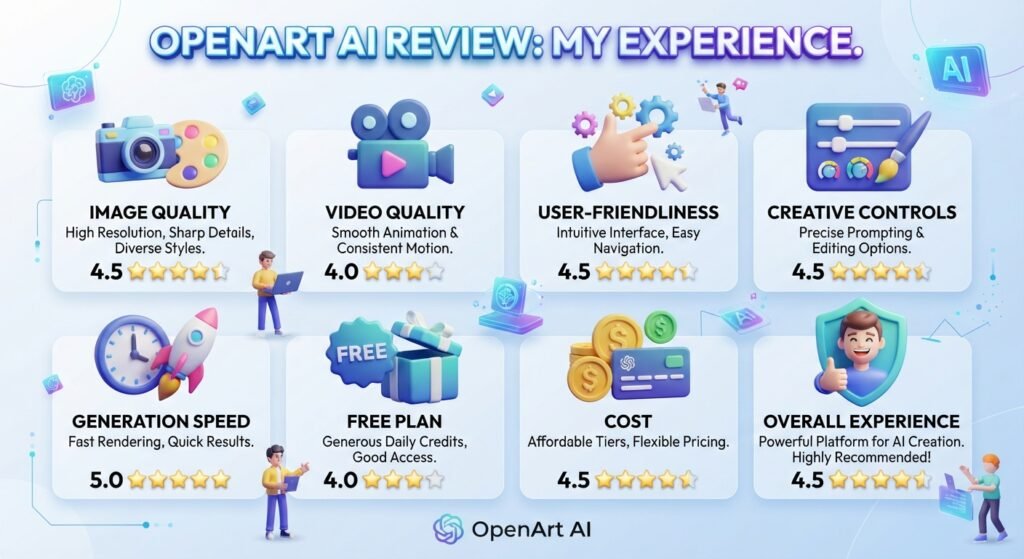
OpenArt AI Features, Tools & Workflows: OpenArt AI provides a lot of features, tools and workflows that make it a versatile platform for generating AI pictures and films. Here’s an overview of the sections most relevant to ordinary consumers.
1.Image Quality
OpenArt AI is able to create detailed and visually attractive pictures, but the quality of the outcomes depends on the model, the prompt, the reference image and the parameters. Varied models may provide quite varied styles and levels of realism.
2.Video Quality
OpenArt AI helps you create short AI films and animate graphics. Simple motions function well, whereas complicated activities may occasionally result in uneven motion or details.
3.User-friendliness
The platform is straightforward for newcomers to become acquainted with. You don’t require extensive design abilities. Users may pick a tool, choose a model, type in a prompt, create content, and tweak the output.
4.Creative Controls
OpenArt AI offers handy controls with various models, prompts, reference photos, editing tools, and generation parameters. These settings allow extra flexibility to skilled users over the final outcome.
5.Generation Speed
The pace of generation depends on the chosen tool, model, parameters and current system load. Simple picture generators tend to be faster than more complex image or video operations.
6.Free Plan
With the free plan, consumers may try out OpenArt AI before they purchase. However, the free credits and access to certain services are restricted, so regular users may need to upgrade to a premium plan.
7.Cost
OpenArt AI provides many subscription tiers depending on how you want to use it. The key variables are monthly credits, various models, sophisticated features, and commercial usage privileges.
8.User Experience Summary
OpenArt AI integrates all creative tools, including picture generating, video creation, editing, etc., under one platform. It may be valuable for artists, marketers, designers, companies, and newbies, but remember credit constraints and the occasional discrepancies in AI-produced results.
OpenArt AI Reviews: What Users Say.
Reviews for OpenArt AI are divided. Users like the large choice of AI models and the easy-to-use creative tools. However, others have complaints about the credits system, cost, the quality of generations, and customer service.
1.Good Experiences
Many people use OpenArt AI because it mixes numerous picture and video models into one platform and is reasonably straightforward to browse; Good outcomes for artistic and audiovisual projects are also cited by several reviewers.
2.Typical Complaints
The most prevalent criticisms are that credits are used up fast, fees are unclear for specific video operations, outcomes are uneven, and customer service may be slow.
3.Credit & Pricing Comments
Some customers say that some of the AI video functions might burn up credits more quickly than intended. Checking the estimated cost ahead of commencing a bigger project is a crucial step since credit prices are different for different tools and models.
4.Support and Quality
Users have different ratings on output quality. Some people appreciate the findings, others claim failed generations or uneven results. Support experiences are similarly divided, with some users reporting helpful answers and others saying responses are delayed.
To summarize, OpenArt AI evaluations show that the platform might be good for creative work, but it’s important to understand the credit system, price and plan constraints before subscribing.
OpenArt AI Login
Logging in to OpenArt AI is a straightforward procedure and requires only a few steps. Once you’re signed in, you’ll see your stored projects, AI picture and video capabilities, and more features accessible to your account.
OpenArt AI Login Instructions
Step 1: Go to the official login page of the OpenArt AI website.
Click Login and choose the method of sign-in that you used to create your account.
Log in using your account information.
Once you log in, you will be able to see your projects, credits, and the accessible AI tools.
If you are unable to log in to your account, you may utilize the password recovery or account recovery option offered.
If you are a new user to OpenArt AI, you may set up an account first, and then use the same login credentials to access the platform.
OpenArt AI Mobile App
Is there an OpenArt AI app?
OpenArt AI has not officially launched a mobile app.
There is an OpenArt app on Google Play, however users need to check the developer and app information to make sure it is the genuine OpenArt platform.
OpenArt AI is available for mobile via browser, however there is no official OpenArt mobile app for iOS and Android. Latest OpenArt Mobile updates:
How to Cancel OpenArt AI Subscription.
You may terminate your OpenArt AI membership by going to your account settings. When you cancel, your current subscription usually continues until the end of the paying cycle, but future renewals will cease.
- How to Cancel OpenArt AI
- Sign in to your OpenArt account.
- Open Accounts Settings
- Go to Subscriptions.
- Select Free Plan in the Change Plan selection.
- Follow the instructions to confirm cancelation.
- Ensure that auto-renewal has been disabled in your subscription status.
OpenArt says subscriptions must be canceled before the end of the current payment term to prevent being charged for the following renewal. Unused subscription credits may not be rolled over after cancelation.
OpenArt AI Customer Service & Refund.
For account, billing, credit or technical difficulties, please contact OpenArt support at help@openart.ai The Help Center also has answers to typical questions about subscriptions, payment, credit, and accounts.
1.OpenArt AI Money Back
OpenArt’s current Terms say purchases are non-refundable, save to the extent required by relevant law. Canceling a subscription prevents it from renewing in the future, although often the current paying term stays valid and is not prorated. According to the OpenArt Help Center, in rare occasions you may contact support for help, although certain situations may have a processing cost.
Tip: To prevent additional payment, cancel your membership before the next renewal date.
2.OpenArt AI Affiliate Program
OpenArt AI, which pays fees for new members that users recommend, has an affiliate program that anyone interested in promoting the platform may now join. You’ll have to apply and be authorized before you receive your exclusive affiliate link.
- How the OpenArt AI Partner Program Works
- Sign up for the OpenArt Affiliate Program.
- OpenArt approved
- Get your personalized affiliate link.
- Post your website link, social media, videos, or other approved outlets.
- Get a commission for new subscribers that register via your link.
The actual commission % and specific qualifying conditions are not yet posted on the public site of OpenArt’s official page, therefore, it’s advisable to not specify a set commission rate without validating the parameters offered during application.
OpenArt AI Alternatives .
But if OpenArt AI is not what you are looking for then there are many OpenArt AI alternatives and sites like OpenArt AI that provide other picture creation models, creative options, or editing tools.
1.Krea
Krea is an OpenArt AI alternative for real-time picture production, AI augmentation and rapid visual experimentation for users.
2.Mid Journey
Midjourney is an alternative to OpenArt AI for producers who mostly seek creative, highly styled AI-generated graphics.
3.Leonardo DiCaprio
Leonardo is a good choice for customers searching for image production, customisation, and creative tools for characters, gaming assets, and visual material with OpenArt AI.
4.Adobe Firefly
Adobe Firefly is an OpenArt AI alternative for those that want AI picture production integrated within Adobe’s larger creative process.
If you want a free OpenArt AI alternative, or an OpenArt AI free alternative, or other websites like OpenArt AI, you need to evaluate free credits, available models, commercial usage rights and features of each platform before you choose one. These programs may also be regarded as OpenArt AI rivals, but the appropriate solution depends on your particular creative demands.
Frequently Asked Questions.